Bored Ape Creator - NFT Art
Updated
Current Version
1.4.6
Offered By

With your passion for Bored Ape Creator - NFT Art, you shouldn’t have to limit yourself to the small screen of a phone. Play like a pro and take full control of the game using a keyboard and mouse. MEmu gives you everything you’re looking for. Download and play Bored Ape Creator - NFT Art on PC. Play as long as you want — no more worries about battery life, mobile data, or unexpected calls. The all-new MEmu 9 is the best way to play Bored Ape Creator - NFT Art on PC. With our expertly designed keymapping system, Bored Ape Creator - NFT Art feels just like a real PC game. The MEmu multi-instance manager lets you run two or more accounts on the same device at the same time. Most importantly, our exclusive emulation engine unlocks your PC’s full potential, delivering smooth and seamless performance.
Show more
Download Bored Ape Creator - NFT Art on PC with MEmu Android Emulator. Enjoy playing on big screen. NFT Art is an extraordinary multimedia software that specializes in artistic filters and the creation of authentic NFT art.
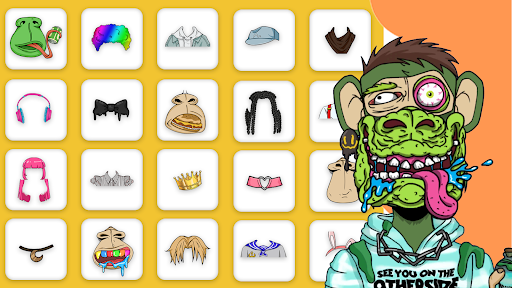
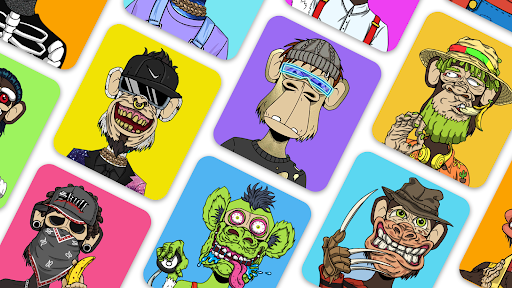
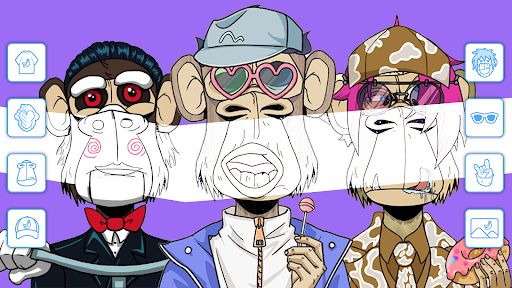
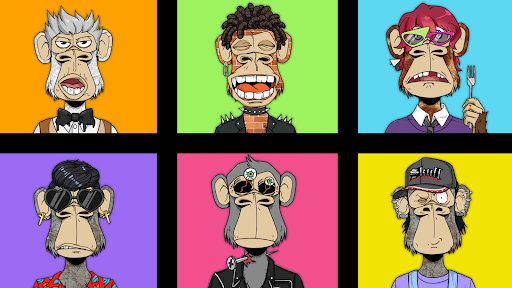
NFT Art is an extraordinary multimedia software that specializes in artistic filters and the creation of authentic NFT art. With Bored Ape Creator - NFT Art, you can effortlessly transform your photos into one-of-a-kind NFT masterpieces, all without the need for coding.
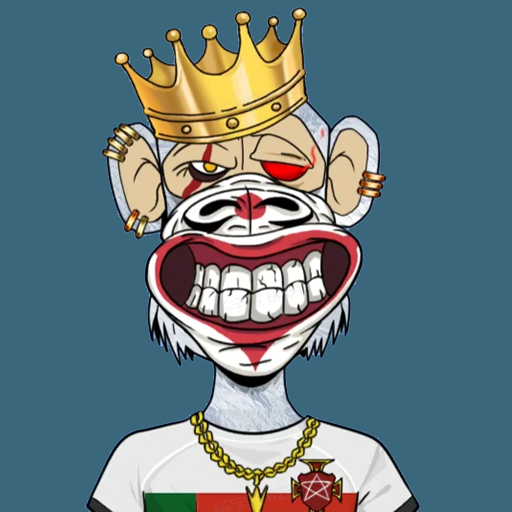
Dive into the current trend of NFT art creation, where you can design your very own NFTs within minutes, allowing your creative ideas to flourish. BYAC boasts a vast collection of 10,000 ape NFTs, featuring a wide range of elements, including hats, eyes, expressions, attire, backgrounds, and over 170 other attributes, each with varying levels of rarity. These 10,000 unique apes have been generated randomly through a programmatic combination, ensuring that each ape is dressed uniquely.
With just a few simple clicks, you can craft your personalized NFT pixel art avatar, ready to be shared on your preferred social media platforms.
【Game Features】
Create NFTs like a seasoned artist.
Transform your photos into stunning NFT artworks!
Explore punk and famous character art.
Become an NFT pixel avatar creator.
Embrace the style of the Bored Apes series.
Customize eyes and other properties to your heart's content.
Access a diverse selection of 1000+ backgrounds to tailor your NFT artwork or NFT Cards.
Refine and make changes to previously created art pieces.
Dive into the world of collectible artwork creation.
Enjoy a straightforward and user-friendly interface.
Capture, edit, and share your creations effortlessly.
Bored Ape Creator - NFT Art stands as the ultimate multimedia software for turning your pictures into captivating art. Explore trends, discover popular hits, and access detailed descriptions and information about any NFT series. Step into our Art Gallery and craft your very own NFT art avatar.
So why wait? Download the app now and unleash your creativity!
【Contact Us】
– FB: https://www.facebook.com/groups/668368200546796
– Email: support@31gamestudio.com
– Instagram: https://www.instagram.com/yoyo__doll/
– TikTok: Vlindergames_TikTok
– Youtube: https://www.youtube.com/channel/UCJSrxqzjN0KjfPN_MHsFFw/?guided_help_flow=5CJSrxqzjN0KjfPN_MHsFFtw/?guided_help_flow=5
Show more

1. Download MEmu installer and finish the setup

2. Start MEmu then open Google Play on the desktop

3. Search Bored Ape Creator - NFT Art in Google Play
Install
4. Download and Install Bored Ape Creator - NFT Art
5. On install completion click the icon to start

6. Enjoy playing Bored Ape Creator - NFT Art on PC with MEmu
MEmu Play is the best Android emulator and 100 million people already enjoy its superb Android gaming experience. The MEmu virtualization technology empowers you to play thousands of Android games smoothly on your PC, even the most graphic-intensive ones.
Bigger screen with better graphics; Long duration, without limitation of battery or mobile data.
Full Keymapping support for precise control of keyboard and mouse or gamepad.
Multiple game accounts or tasks on single PC at one time with Multi-Instance manager.
Play Bored Ape Creator - NFT Art on PC by following steps: