Brick Blast - Ball Breaker
Updated
Current Version
1.6.0
Offered By

With your passion for Brick Blast - Ball Breaker, you shouldn’t have to limit yourself to the small screen of a phone. Play like a pro and take full control of the game using a keyboard and mouse. MEmu gives you everything you’re looking for. Download and play Brick Blast - Ball Breaker on PC. Play as long as you want — no more worries about battery life, mobile data, or unexpected calls. The all-new MEmu 9 is the best way to play Brick Blast - Ball Breaker on PC. With our expertly designed keymapping system, Brick Blast - Ball Breaker feels just like a real PC game. The MEmu multi-instance manager lets you run two or more accounts on the same device at the same time. Most importantly, our exclusive emulation engine unlocks your PC’s full potential, delivering smooth and seamless performance.
Show more
Download Brick Blast - Ball Breaker on PC with MEmu Android Emulator. Enjoy playing on big screen. Brick Blast - Ball Breaker is an engaging bricks and balls game with simple rules, a hint of challenge, and plenty of effortless fun.
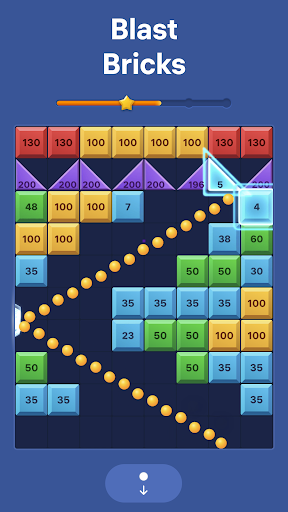
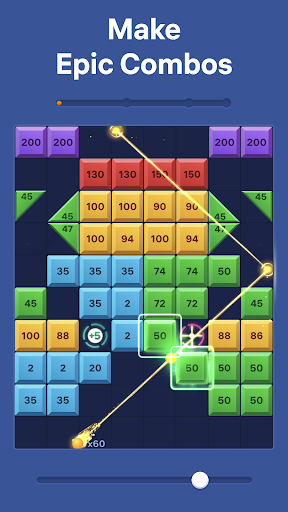
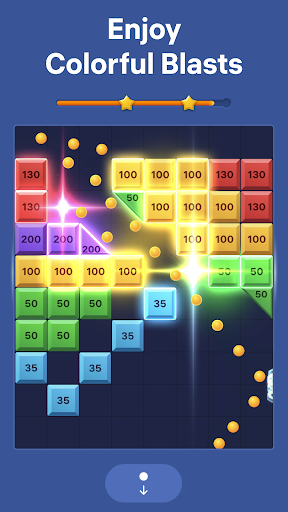
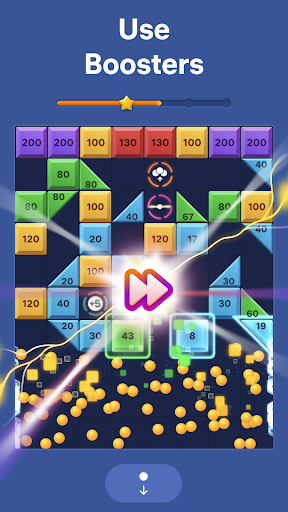
Brick Blast - Ball Breaker is an engaging bricks and balls game with simple rules, a hint of challenge, and plenty of effortless fun. Pick your angle, shoot the balls, and watch them blast through every brick in their path.
Brick Blast delivers pure enjoyment with no rush or pressure. Play at your own pace and enjoy smooth, dynamic gameplay that will help you unwind while training your logic and focus.
How to Play Brick Blast:
The goal is simple: break the bricks and keep the board clear. Swipe to aim and release to shoot—the ball shooter sends glowing balls flying across the screen, bouncing off walls and smashing through colorful blocks. Plan your shots wisely to hit the best angles, clear multiple bricks at once, and watch the balls bounce out across the board in dazzling chains of glowing hits before the blocks reach the bottom line.
Discover power blocks that make this block breaker even more exciting:
• Laser shoots across rows or columns, damaging all blocks along its path.
• Multiplier triples your balls for massive combos.
• Redirect changes the path to reach tricky angles.
• Extra Ball gives you more power until the end of the round.
Use power blocks skillfully to enjoy mighty ball blasts and brick-breaking chain reactions.
Why You’ll Love Brick Blast:
An easy-to-play brick breaker game with a modern look and smooth graphics.
Dynamic levels packed with special blocks, combos, ball blasts, and glowing brick breaker effects.
A calming pastime—no pressure, no time limits, just pure focus and pleasure.
A fun way to unwind while honing your strategy skills—perfect for players who love puzzle quests and brick-breaking games.
Endless ball breaker gameplay that keeps you coming back for more.
Take a break, play Brick Blast - Ball Breaker, and feel the joy of every perfect shot!
Terms of Use:
https://easybrain.com/terms
Privacy Policy:
https://easybrain.com/privacy
Show more

1. Download MEmu installer and finish the setup

2. Start MEmu then open Google Play on the desktop

3. Search Brick Blast - Ball Breaker in Google Play
Install
4. Download and Install Brick Blast - Ball Breaker
5. On install completion click the icon to start

6. Enjoy playing Brick Blast - Ball Breaker on PC with MEmu
MEmu Play is the best Android emulator and 100 million people already enjoy its superb Android gaming experience. The MEmu virtualization technology empowers you to play thousands of Android games smoothly on your PC, even the most graphic-intensive ones.
Bigger screen with better graphics; Long duration, without limitation of battery or mobile data.
Full Keymapping support for precise control of keyboard and mouse or gamepad.
Multiple game accounts or tasks on single PC at one time with Multi-Instance manager.
Play Brick Blast - Ball Breaker on PC by following steps: