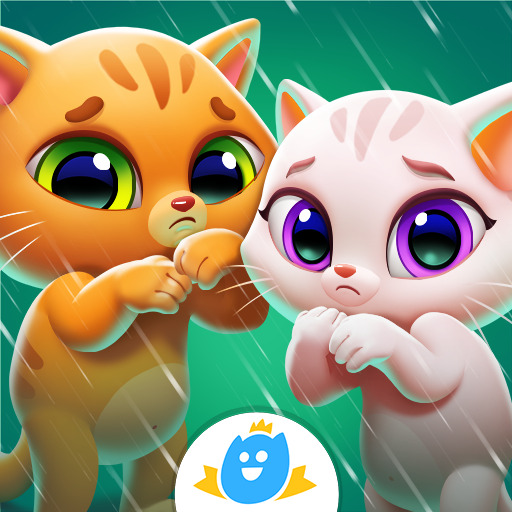
Bubbu & Mimmi World
Updated
Current Version
1.05
Offered By

With your passion for Bubbu & Mimmi World, you shouldn’t have to limit yourself to the small screen of a phone. Play like a pro and take full control of the game using a keyboard and mouse. MEmu gives you everything you’re looking for. Download and play Bubbu & Mimmi World on PC. Play as long as you want — no more worries about battery life, mobile data, or unexpected calls. The all-new MEmu 9 is the best way to play Bubbu & Mimmi World on PC. With our expertly designed keymapping system, Bubbu & Mimmi World feels just like a real PC game. The MEmu multi-instance manager lets you run two or more accounts on the same device at the same time. Most importantly, our exclusive emulation engine unlocks your PC’s full potential, delivering smooth and seamless performance.
Show more
Download Bubbu & Mimmi World on PC with MEmu Android Emulator. Enjoy playing on big screen. Welcome to a wonderful world where Bubbu the cat, a virtual pet adored by kids around the globe, teams up with the cute and curious Mimmi for an exciting journey!
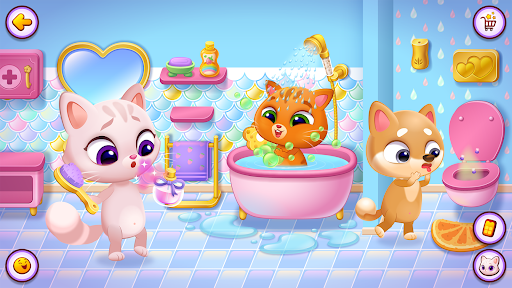
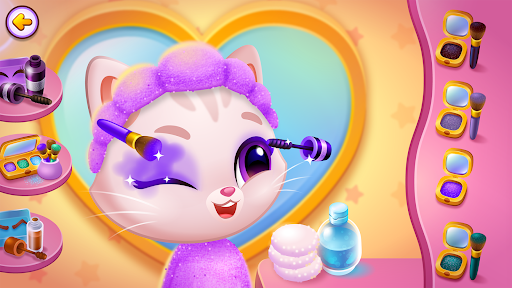
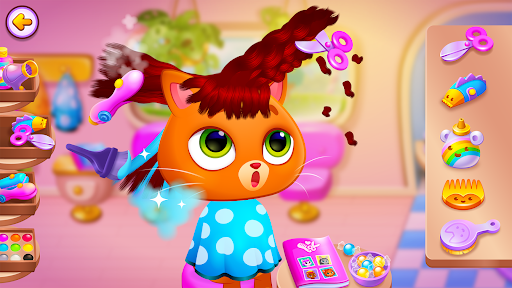
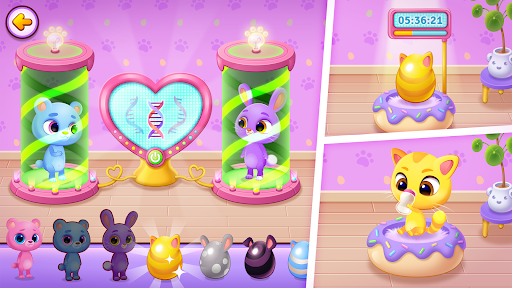
Welcome to a wonderful world where Bubbu the cat, a virtual pet adored by kids around the globe, teams up with the cute and curious Mimmi for an exciting journey! Together, they explore, hatch new pet friends, and create a land filled with joy. Get ready for endless adventures, surprises, and magical fun every day!
Care for pets: Your furry friends rely on you! Develop important life skills and responsibility by meeting their daily needs, keeping them happy and healthy. This fun, educational experience teaches children empathy and the value of caring for others in a playful and engaging way.
Make your avatar one of a kind: Customize your character with hundreds of outfits, hairstyles, makeup options, and accessories. Switch between cute pets like dogs, cats, rabbits, and bears to express your unique style!
Create new pet friends: Hatch eggs to reveal adorable pets, then combine them to create even more lovable creatures and expand your joyful world.
Explore Bubbu and Mimmi’s world: From magical castles to enchanted forests, from bustling city centers to sparkling seas. Every corner is filled with adventures waiting for you!
Fun and engaging activities: Style your characters, visit the hair salon and makeup studio, or lend a hand at the hospital. There’s always something new and exciting to discover! Call or visit friends, explore emotions, and build social skills along the way.
Dive into Candyland: Step into a sweet world of vibrant colors and hidden treasures. Gather stars as you explore, unlocking new levels filled with unexpected challenges.
Why You’ll Love It:
• Perfect game for kids of all ages: Simple to play, but packed with limitless creativity and discovery.
• Learn through play: Children grow skills like problem-solving, empathy, and imagination, while receiving positive messages of diversity, friendship, and emotional growth.
• Safe and family-friendly: Designed to be a fun, safe space for children to explore.
At Bubadu, we believe in creating games that spark creativity, friendship, and fun. Bubbu and Mimmi are more than just cats, they’re friends for life! Bubbu, the beloved star of our mobile games, has brought joy and countless adventures to players around the world. Now, with the arrival of Mimmi, a playful and curious new kitten, new adventures can be experienced together. Hand in hand, they invite you into a place where every day is an opportunity for endless fun.
This game is free, but some in-game items and features may require real-money purchases. Check your device settings for in-app purchase controls.
This game is certified compliant with the Children’s Online Privacy Protection Act (COPPA) by FTC approved COPPA safe harbor PRIVO. If you would like to know more about the measures we have in place for protecting child privacy please see our policies here: https://bubadu.com/privacy-policy.shtml .
Terms of service: https://bubadu.com/tos.shtml
Show more

1. Download MEmu installer and finish the setup

2. Start MEmu then open Google Play on the desktop

3. Search Bubbu & Mimmi World in Google Play
Install
4. Download and Install Bubbu & Mimmi World
5. On install completion click the icon to start

6. Enjoy playing Bubbu & Mimmi World on PC with MEmu
MEmu Play is the best Android emulator and 100 million people already enjoy its superb Android gaming experience. The MEmu virtualization technology empowers you to play thousands of Android games smoothly on your PC, even the most graphic-intensive ones.
Bigger screen with better graphics; Long duration, without limitation of battery or mobile data.
Full Keymapping support for precise control of keyboard and mouse or gamepad.
Multiple game accounts or tasks on single PC at one time with Multi-Instance manager.
Play Bubbu & Mimmi World on PC by following steps: