Bunny Loader
Updated
Current Version
0.4.0
Offered By

With your passion for Bunny Loader, you shouldn’t have to limit yourself to the small screen of a phone. Play like a pro and take full control of the game using a keyboard and mouse. MEmu gives you everything you’re looking for. Download and play Bunny Loader on PC. Play as long as you want — no more worries about battery life, mobile data, or unexpected calls. The all-new MEmu 9 is the best way to play Bunny Loader on PC. With our expertly designed keymapping system, Bunny Loader feels just like a real PC game. The MEmu multi-instance manager lets you run two or more accounts on the same device at the same time. Most importantly, our exclusive emulation engine unlocks your PC’s full potential, delivering smooth and seamless performance.
Show more
Download Bunny Loader on PC with MEmu Android Emulator. Enjoy playing on big screen. Bunny Loader is for Terraria Mobile players who want to customize the game or create their own content on a phone.
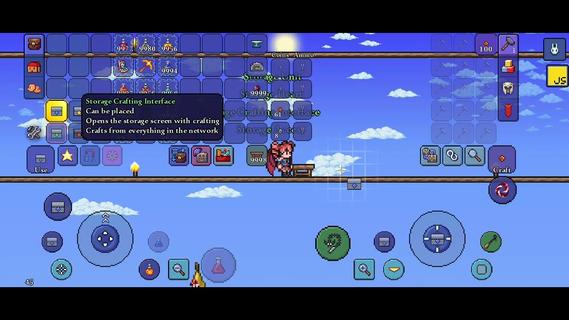
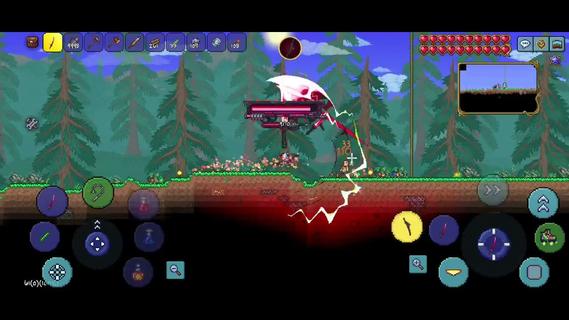
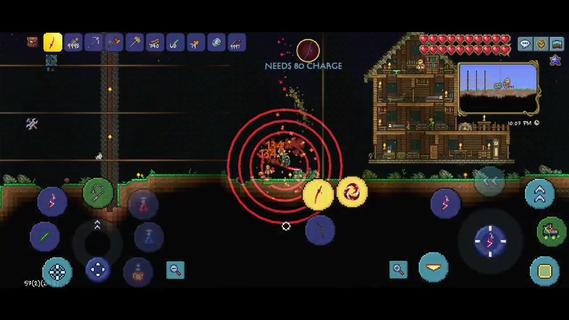
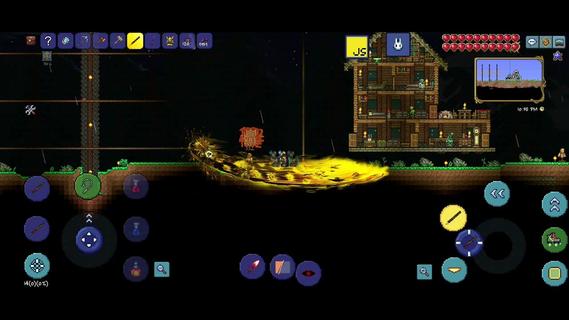
Bunny Loader is for Terraria Mobile players who want to customize the game or create their own content on a phone. It works with an existing copy of Terraria rather than replacing the game. If you are considering a Bunny Loader APK, you will need your own Terraria copy to use the launcher. The app supports both players who want to try mods and creators who want to build them.Bunny Loader featuresExpanded Terraria contentBunny Loader loads selected mods when it opens Terraria Mobile. Depending on the mods you choose, you can add weapons, enemies, bosses, biomes, pets, furniture and town NPCs. This lets you choose content for a play session instead of relying only on what comes with the base game. The available additions depend on the individual mods.Mod Menu during playYou can open the Mod Menu from Terrariaâs pause menu. From there, you can access mod items, NPCs and abilities, as well as options for individual mods. The menu brings these controls into the game, so you can use them while playing rather than returning to the launcher. What you see depends on the mods you have loaded.Texture and font packsBunny Loader also supports visual changes through texture and font packs. You can use supported resource packs made for Terraria to change how the game looks. These packs focus on presentation, so they offer a different way to customize a session from adding gameplay content through mods.Multiplayer with modsYou can play with friends who also use Bunny Loader. When players join a host, they are offered the hostâs mods to download. This helps the group use the same mod content for the session. Each player still needs their own copy of Terraria Mobile and Bunny Loader.Touch controls and mod creationBunny Loader includes on-screen mod buttons and menus designed for touch input. You can also adjust the size of touch controls in the controls editor. For creating content, BL Editor lets you build C# mods on your phone. Mod content is saved alongside characters and worlds, and those characters and worlds can still open without the mod.Bunny Loader compatibility and resourcesBunny Loader follows modding concepts similar to tModLoader, but it does not directly run tModLoader mods. Mods must be built for Bunny Loader. If you already use tModLoader, check whether the mod you want is available for Bunny Loader before planning a Terraria Mobile session around it.The projectâs GitHub wiki provides documentation for both players and creators. Its Discord community also offers help, mods and a place to report bugs. These resources can be useful if you want more detail about using the launcher or creating a mod with BL Editor.How to use Bunny LoaderYou need a copy of Terraria Mobile before using the launcher. After a Bunny Loader download, you can select mods and access their options while playing.Open Bunny Loader on your Android phone and select the mods you want to load.Use the launcher to open your Terraria Mobile copy with those mods.During play, open the pause menu and select the Mod Menu.Use the menu to access available mod items, NPCs, abilities or individual mod options.Get started with Bunny LoaderBunny Loader brings mod loading and creation to Terraria Mobile on Android. You can download Bunny Loader APK from APKPure if you have a Terraria copy and want to use mods built for this launcher.
Show more

1. Download MEmu installer and finish the setup

2. Start MEmu then open Google Play on the desktop

3. Search Bunny Loader in Google Play
Install
4. Download and Install Bunny Loader
5. On install completion click the icon to start

6. Enjoy playing Bunny Loader on PC with MEmu
MEmu Play is the best Android emulator and 100 million people already enjoy its superb Android gaming experience. The MEmu virtualization technology empowers you to play thousands of Android games smoothly on your PC, even the most graphic-intensive ones.
Bigger screen with better graphics; Long duration, without limitation of battery or mobile data.
Full Keymapping support for precise control of keyboard and mouse or gamepad.
Multiple game accounts or tasks on single PC at one time with Multi-Instance manager.
Play Bunny Loader on PC by following steps: