Bunny Loader
更新日
現在のバージョン
0.4.0
提供元

スマホ不要!プロ選手のようにキーボードとマウスで操作しよう。MEmuエミュはあなたにすべての期待を与える。電池が切れてしまうとか画面が小さいとかの問題を心配する必要がなくて、存分Bunny Loaderを楽しんでください。新しいMEmuエミュ7はPCでBunny Loaderをプレイするのに最適!完璧なキーマッピングシステムにより、まるでパソコンゲームみたい。マルチインスタンスで複数のゲームやアプリを同時に実行!唯一無二な仮想化エンジンがパソコンの可能性を最大限になる。遊べるだけでなく、より楽しめる!
もっと見る
Bunny LoaderをPCでダウンロード!大画面でより楽しむ。電源が落ちてしまうとか通信料が足りないとかの問題を心配する必要がなく、PCの大画面でより快適にゲームを楽しましょう! Bunny Loader is an open-source, community-driven project that aims to make modding Terraria Mobile more powerful, flexible, and accessible.
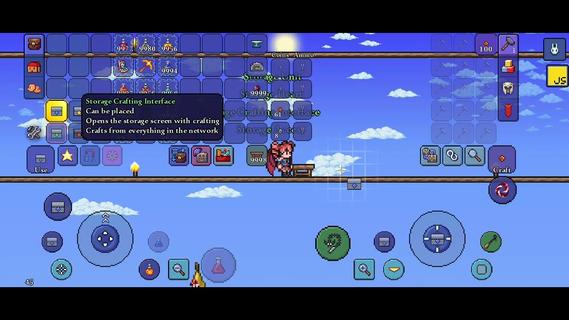
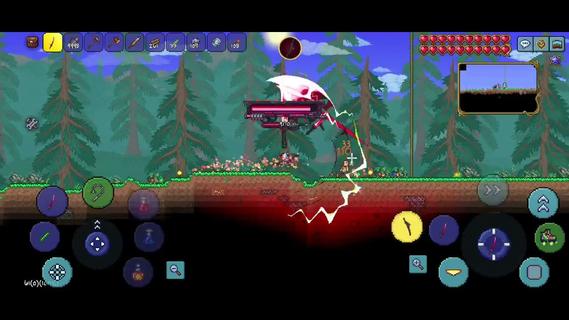
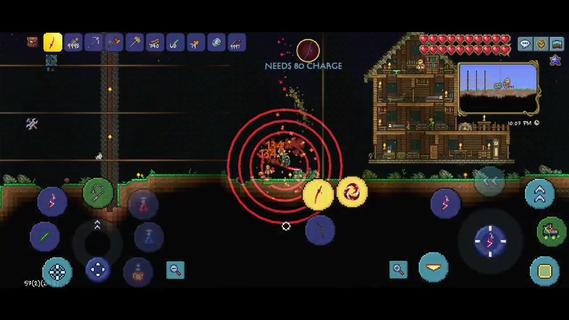
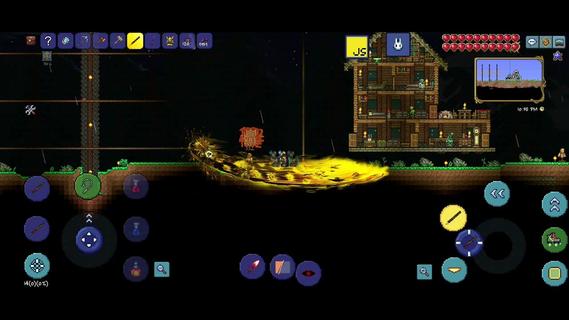
Bunny Loader is an open-source, community-driven project that aims to make modding Terraria Mobile more powerful, flexible, and accessible. It brings many of the creative possibilities traditionally associated with PC modding to Android devices, allowing players to install mods, create new content, and customize their Terraria experience directly from a phone. What Bunny Loader DoesBunny Loader is a free Android application that launches the version of Terraria a player already owns through Google Play and loads selected mods alongside it. It does not replace or permanently alter the original game; instead, it provides a separate environment in which mods can run. Through Bunny Loader, players can add a wide range of content to Terraria Mobile, including new weapons, bosses, biomes, pets, furniture, projectiles, enemies, town NPCs, tiles, buffs, sounds, music, and texture packs. This makes it possible to experience Terraria in ways that go beyond the base game, whether by exploring custom adventures, fighting new bosses, or decorating worlds with original items. A Bridge to PC ModdingOne of Bunny Loader’s most important goals is to make mobile modding feel familiar to people who already know tModLoader, the popular modding platform for Terraria on PC. Bunny Loader follows tModLoader’s approach to writing mods and uses many of the same class names and concepts, such as Mod, ModItem, and ModNPC. This design creates a valuable bridge between platforms. Developers who learn to create mods for Bunny Loader can transfer much of that knowledge to tModLoader, while experienced PC modders may be able to port their work to mobile with relatively small changes. Although mods must be built specifically for Bunny Loader rather than run directly from tModLoader, the shared structure lowers the barrier for creators and encourages a more connected modding community. Creating Mods AnywhereBunny Loader is not only for players who want to download mods; it is also a platform for making them. Creators can develop mods either on an Android phone or on a computer, making the project accessible to people who may not have access to a traditional development setup. The project supports C# mod development in the tModLoader style. Mods can read and modify game data, call game methods, intercept methods to change behavior, and introduce entirely new forms of content. For creators, this means that a mod can be more than a simple texture replacement: it can add mechanics, design custom bosses, create new progression systems, or reshape how a world plays. How It WorksUnder the hood, Bunny Loader uses a native core called libbunny.so, written in C++20, which runs inside the Terraria process. It starts with the game, waits for the IL2CPP runtime to become ready, identifies Terraria’s classes and methods, and applies hooks that allow mods to interact with the game. It also hosts a .NET runtime through Mono, where mods written in C# can execute. Bunny Loader provides a typed C# interface to the game and a tModLoader-shaped API, allowing mod creators to work with familiar programming patterns. New content—such as items, NPCs, projectiles, buffs, and tiles—is added to the game’s internal tables and saved alongside the player’s game data. The project also includes a Mod Menu, special developer tools, and an in-game error panel. These features help players manage their mods and give creators clearer feedback when something goes wrong, which is especially important on mobile devices where debugging can be more difficult. Openness and CommunityBunny Loader is described as source-available rather than fully open source in the traditional sense. Its code is publicly available for noncommercial use under the PolyForm Noncommercial License 1.0.0. People may use, study, modify, and share the project for free, but they may not sell it, place advertisements in it, or lock features behind payments without written permission. The project welcomes contributions in many forms, including bug reports, documentation improvements, artwork, mods, and code. However, mods are distributed as separate packages rather than being stored directly in the main Bunny Loader repository. Bunny Loader is a community project and is not affiliated with Re-Logic or 505 Games, the companies behind Terraria. This independence highlights its role as a fan-made effort to expand what is possible on mobile while respecting the original game and its creators. Why It MattersFor years, mobile players have had far fewer opportunities to customize Terraria than PC players. Bunny Loader changes that by making advanced modding possible on Android, without requiring players to abandon the version of Terraria they already own. More importantly, it lowers the barriers between playing and creating. A player can begin by installing a mod that adds a new weapon or boss, then gradually learn how mods work and eventually build one of their own. In this way, Bunny Loader does more than add content to Terraria—it helps grow a creative community around the game. By combining accessibility, technical ambition, and a familiar modding style, Bunny Loader represents an exciting step forward for Terraria Mobile. It gives players new ways to explore, build, fight, and imagine, while giving creators a practical platform to bring their ideas to life on the devices they carry every day.
もっと見る

1. MEmuインストーラーをダウンロードしてセットアップを完了する

2. MEmuを起動し、デスクトップでのPlayストアを開く

3. PlayストアでBunny Loaderを検索する
Install
4. Bunny Loaderをダウンロードしてインストールする
5. インストールが完了したら、アイコンをクリックしてスタート

6. MEmuを使用してPCでBunny Loaderを楽しむ
MEmu App Playerは最高の無料で提供されるAndroidエミュレータで、5,000万人がすでに優れたAndroidゲーム体験を楽しんでいます。 MEmuの仮想化技術は、あなたのPCで何千ものAndroidゲームを快適にプレイすることを可能にします。
大画面でより精細;無限の待機、電池とドラフィックの極限を超え
キーボード・マウス・コントローラーを全力でサポート、より快適
マルチインスタンスで複数のゲームを同時に実行
Play Bunny Loader on PC by following steps: