Bus Frenzy : Station Shuffle
Updated
Current Version
6.7
Offered By

With your passion for Bus Frenzy : Station Shuffle, you shouldn’t have to limit yourself to the small screen of a phone. Play like a pro and take full control of the game using a keyboard and mouse. MEmu gives you everything you’re looking for. Download and play Bus Frenzy : Station Shuffle on PC. Play as long as you want — no more worries about battery life, mobile data, or unexpected calls. The all-new MEmu 9 is the best way to play Bus Frenzy : Station Shuffle on PC. With our expertly designed keymapping system, Bus Frenzy : Station Shuffle feels just like a real PC game. The MEmu multi-instance manager lets you run two or more accounts on the same device at the same time. Most importantly, our exclusive emulation engine unlocks your PC’s full potential, delivering smooth and seamless performance.
Show more
Download Bus Frenzy : Station Shuffle on PC with MEmu Android Emulator. Enjoy playing on big screen. Get ready to test your skills and enjoy the satisfying journey of solving one traffic escape after another!
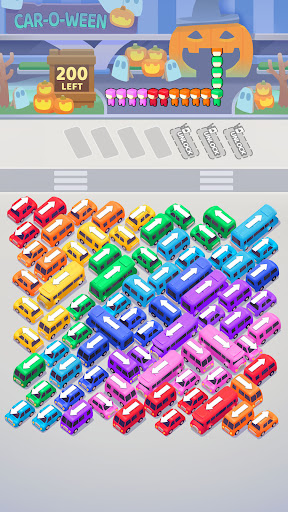

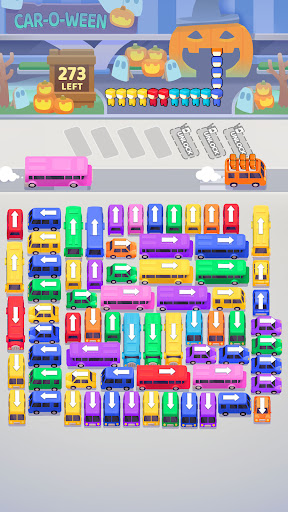
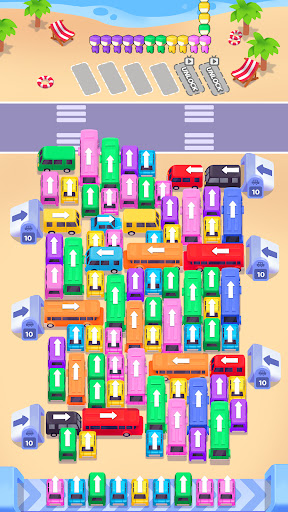
Get ready to test your skills and enjoy the satisfying journey of solving one traffic escape after another!
FEATURES:
Traffic Escape Puzzles: Solve a variety of dynamic puzzles that require strategic planning and quick thinking to clear traffic.
Addictive Gameplay: Strategically move buses to free them from traffic in this ultimate bus traffic game.
Fun and Relaxing: Take a break with some satisfying bus driving games and relaxing puzzles.
Enter the bustling world of Bus Frenzy, where you’ll find yourself mastering tricky routes and navigating the chaos of a lively city. From clearing the wildest traffic escape puzzle to managing intricate parking jam, every level offers a new challenge to solve with a single tap away. Get ready to plan each move as you skillfully color sort the passengers to get your car out of gridlock, finding that perfect way to seat away every passenger.
This isn’t just a traffic game; Bus Frenzy brings you the ultimate color sort bus mania experience, blending strategy and quick reflexes to escape the bus queue. With each tap, you’ll encounter a new escape puzzle that pushes your skills to the limit, ensuring no two levels feel the same. As you navigate through the busiest bus queue traffic jam imaginable, you’ll need to keep a sharp eye and a steady hand to succeed.
Bus Frenzy challenges you to think on your feet, helping every vehicle find its way out of a parking jam while keeping the flow of the bus queue moving smoothly. Whether it’s finding a hidden exit or sliding past obstacles, there’s always a new twist to discover as you work through each traffic escape. Unlock levels, achieve the perfect lineup, and feel the rush of getting every car out with expert timing.
In Bus Frenzy, every level is a color sort puzzle waiting to be solved, blending the thrill of bus mania with the precision needed to maneuver through the toughest parking jam. Take the plunge into this immersive world of strategy and skill, where every tap brings you closer to mastering the art of the escape puzzle.
Now you can sync data across multiple devices!
To opt out of CrazyLabs sales of personal information as a California resident, please visit our Privacy Policy: https://crazylabs.com/app
Show more

1. Download MEmu installer and finish the setup

2. Start MEmu then open Google Play on the desktop

3. Search Bus Frenzy : Station Shuffle in Google Play
Install
4. Download and Install Bus Frenzy : Station Shuffle
5. On install completion click the icon to start

6. Enjoy playing Bus Frenzy : Station Shuffle on PC with MEmu
MEmu Play is the best Android emulator and 100 million people already enjoy its superb Android gaming experience. The MEmu virtualization technology empowers you to play thousands of Android games smoothly on your PC, even the most graphic-intensive ones.
Bigger screen with better graphics; Long duration, without limitation of battery or mobile data.
Full Keymapping support for precise control of keyboard and mouse or gamepad.
Multiple game accounts or tasks on single PC at one time with Multi-Instance manager.
Play Bus Frenzy : Station Shuffle on PC by following steps: