Candy Crush Jelly Saga
Updated
Current Version
3.32.0.0
Offered By

With your passion for Candy Crush Jelly Saga, you shouldn’t have to limit yourself to the small screen of a phone. Play like a pro and take full control of the game using a keyboard and mouse. MEmu gives you everything you’re looking for. Download and play Candy Crush Jelly Saga on PC. Play as long as you want — no more worries about battery life, mobile data, or unexpected calls. The all-new MEmu 9 is the best way to play Candy Crush Jelly Saga on PC. With our expertly designed keymapping system, Candy Crush Jelly Saga feels just like a real PC game. The MEmu multi-instance manager lets you run two or more accounts on the same device at the same time. Most importantly, our exclusive emulation engine unlocks your PC’s full potential, delivering smooth and seamless performance.
Show more
Download Candy Crush Jelly Saga on PC with MEmu Android Emulator. Enjoy playing on big screen. There's a new player in town, the wiggling, jiggling Jelly Queen and she's here to challenge you to a game of Candy Crush Jelly Saga!
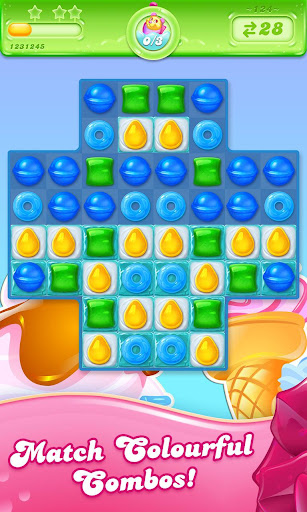
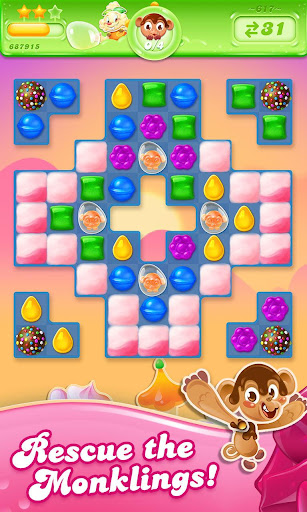
There's a new player in town, the wiggling, jiggling Jelly Queen and she's here to challenge you to a game of Candy Crush Jelly Saga! Whatever your favorite moves, you better hope they're Jellylicious enough to take on the mighty Jelly Queen.
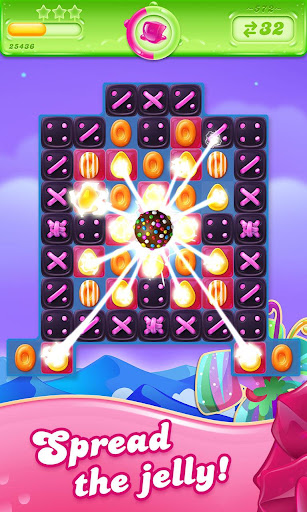
The unstoppably spreadable game! New Candy Crush Jelly Saga is full of delightful game modes, features and boss battles featuring the Jelly Queen! Playing as Jenny, show off your Jellylicious moves and take turns switching Candies against the jiggling Jelly Queen. Every sweet move will spread more Jelly and whoever spreads the most will win the level!
There are splendid new Candies, a marvelous new booster and a dreamy treetop world to explore in the Candy Kingdom too!
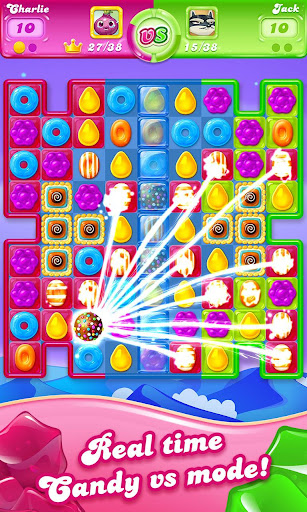
Royal Championship is the new VS Mode in Candy Crush Jelly Saga. Players will compete 1:1 in fast paced game rounds in real time! Win a big bundle of rewards by completing a consecutive win streak and finishing in the top half of the leaderboard. The higher the position, the bigger the reward! Have you got what it takes?
Take on this delightful Saga alone or play with friends to see who can get the highest score!
Candy Crush Jelly Saga is completely free to play but in-game currency, to buy items such as extra moves or lives, will require payment with real money.
You can turn off the payment feature by disabling in-app purchases in your device’s settings.
Candy Crush Jelly Saga features:
> Over 3000 Jellylicious Levels
> Real Time VS mode
> Boss Modes
> Marvelous game modes including: Spread the Jelly & Release the Pufflers
> Tasty Color Bomb Lollipop booster
> Mesmerizing new Candies
> Dreamy new treetop world and a host of quirky characters led by the Jelly Queen and her stooges.
> Easy and fun to play, yet challenging to fully master
For players that Facebook Connect, there are leaderboards for you and your friends to compare your Jellylicious scores
Easily sync the game between mobile and tablet devices and unlock the full game features when connected to the internet
Now you can express yourself, jelly-style! Be sassy like the Jelly Queen or cool like Cupcake Carl with our sweet Candy Crush Jelly Stickers!
Facebook @CandyCrushJellySaga
Twitter @CandyCrushJelly
Instagram @CandyCrushSaga
YouTube @CandyCrushOfficial
Last but not least, a big THANK YOU goes out to everyone who has played Candy Crush Jelly Saga!
Do not sell my data: King shares your personal information with advertising partners to personalize ads. Learn more at https://king.com/privacyPolicy. If you wish to exercise your Do Not Sell My Data rights, you can do so by contacting us via the in game help centre or by going to https://soporto.king.com/contact
Show more

1. Download MEmu installer and finish the setup

2. Start MEmu then open Google Play on the desktop

3. Search Candy Crush Jelly Saga in Google Play
Install
4. Download and Install Candy Crush Jelly Saga
5. On install completion click the icon to start

6. Enjoy playing Candy Crush Jelly Saga on PC with MEmu
MEmu Play is the best Android emulator and 100 million people already enjoy its superb Android gaming experience. The MEmu virtualization technology empowers you to play thousands of Android games smoothly on your PC, even the most graphic-intensive ones.
Bigger screen with better graphics; Long duration, without limitation of battery or mobile data.
Full Keymapping support for precise control of keyboard and mouse or gamepad.
Multiple game accounts or tasks on single PC at one time with Multi-Instance manager.
Play Candy Crush Jelly Saga on PC by following steps: