Rumble Beavers
Updated
Current Version
1.0.1
Offered By

With your passion for Rumble Beavers, you shouldn’t have to limit yourself to the small screen of a phone. Play like a pro and take full control of the game using a keyboard and mouse. MEmu gives you everything you’re looking for. Download and play Rumble Beavers on PC. Play as long as you want — no more worries about battery life, mobile data, or unexpected calls. The all-new MEmu 9 is the best way to play Rumble Beavers on PC. With our expertly designed keymapping system, Rumble Beavers feels just like a real PC game. The MEmu multi-instance manager lets you run two or more accounts on the same device at the same time. Most importantly, our exclusive emulation engine unlocks your PC’s full potential, delivering smooth and seamless performance.
Show more
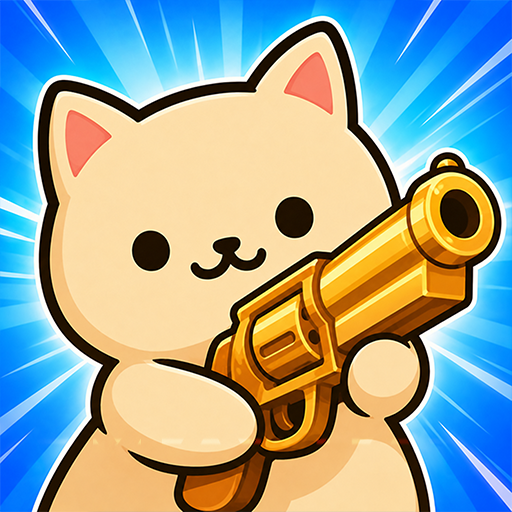
Download Rumble Beavers on PC with MEmu Android Emulator. Enjoy playing on big screen. Wait, cute beavers with guns?
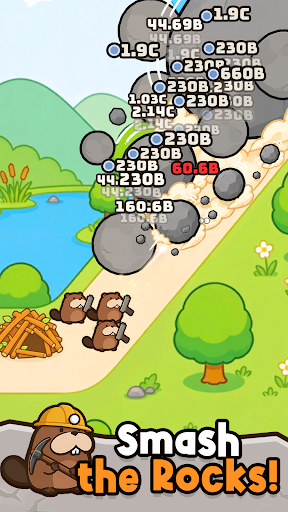
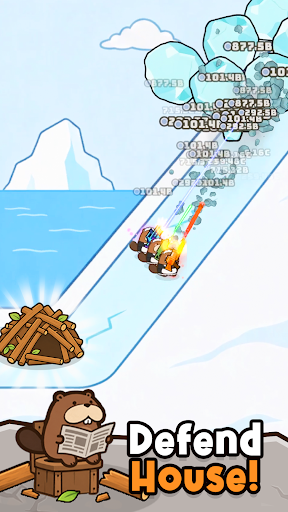
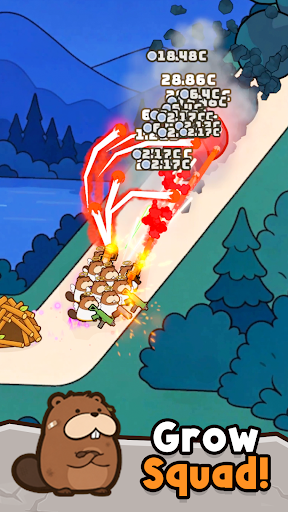
Wait, cute beavers with guns?!
Defend your home from the falling boulders!
Thought this was just another cozy, fluffy game? Surprise! Get ready for an action-packed idle shooter RPG with explosive, spicy gameplay!
If you've been looking for a casual shooter to blast your stress away, look no further!
The Beaver Squad is locked, loaded, and ready to show you their hilarious, unexpected charm!
Merge, Upgrade, and Grow!
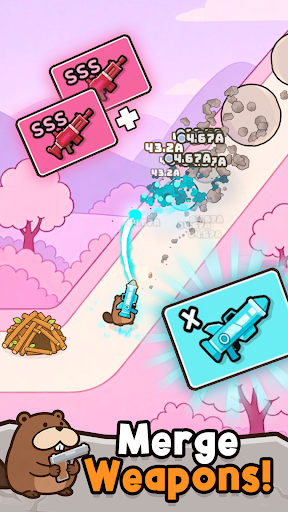
From handguns to miniguns! Merge over 60 different types of weapons with a simple swipe.
Combine the same weapons, and BOOM! Watch them transform into unimaginable heavy artillery.
Thanks to the easy-to-learn merge system, anyone can jump into this casual indie game!
Are you ready to get addicted to merging your way to the ultimate firepower?
Blast Away Your Stress! Action-Packed Combat
Just look at the relentless shooting skills of our furry gunners!
The screen-shaking impact and satisfying hits will clear your mind instantly. The thrill of firing massive guns is totally off the charts!
This isn’t just a cute game—it’s a true shooter alive with hardcore action!
Wipe out enemies with thrilling combat and enjoy the ultimate time-killer.
Have you ever seen an idle shooter RPG this perfect?!
Collect 40 Unique Fluffy Gunners
Sniper, shotgun, assault rifle... Collect over 40 different beaver agents, each with their own specialty!
Build your very own dream squad and dive into chaotic, fun-filled battles.
Enjoy the satisfaction of collecting your favorite beaver recruits!
Grow Fast, Even in Your Sleep
Zero manual control fatigue! Enjoy the comfort of auto-battles where beavers use skills on their own.
The farming never stops, even when you're offline. This is the ultimate AFK idle game!
Wake up to a mountain of offline rewards and level up at lightning speed.
A 100% stress-free time-killer with a growth system that plays itself even when you're busy!
Stuck? Prestige and Keep Adventuring!
Don't be sad if a boss beats you! That's what our amazing Prestige system is for.
Prestige to reset and gain permanent buffs, unleashing power on a whole new level!
Explore diverse maps like lush forests, scorching deserts, and snowy fields as you embark on an epic adventure.
Will you be the ultimate commander in this endless journey?
Perfect for players who:
- Are completely obsessed with cute animal characters.
- Want a fast-growing idle game to fit their busy lifestyle.
- Love clearing stress with satisfying, action-packed shooting.
- Enjoy the addictive mechanics of merging and upgrading weapons.
- Think "chubby beavers firing machine guns" is the greatest combo ever.
Download Rumble Beavers now and experience a world full of explosive, unexpected charm!
-----
Support: support@neptunecompany.kr
Terms of Service: https://neptunecompany.kr/gameterms
Privacy Policy: https://neptunecompany.kr/gameprivacy
Show more

1. Download MEmu installer and finish the setup

2. Start MEmu then open Google Play on the desktop

3. Search Rumble Beavers in Google Play
Install
4. Download and Install Rumble Beavers
5. On install completion click the icon to start

6. Enjoy playing Rumble Beavers on PC with MEmu
MEmu Play is the best Android emulator and 100 million people already enjoy its superb Android gaming experience. The MEmu virtualization technology empowers you to play thousands of Android games smoothly on your PC, even the most graphic-intensive ones.
Bigger screen with better graphics; Long duration, without limitation of battery or mobile data.
Full Keymapping support for precise control of keyboard and mouse or gamepad.
Multiple game accounts or tasks on single PC at one time with Multi-Instance manager.
Play Rumble Beavers on PC by following steps: