Cats vs Demon Piano Adventure
Updated
Current Version
1.17.0
Offered By

With your passion for Cats vs Demon Piano Adventure, you shouldn’t have to limit yourself to the small screen of a phone. Play like a pro and take full control of the game using a keyboard and mouse. MEmu gives you everything you’re looking for. Download and play Cats vs Demon Piano Adventure on PC. Play as long as you want — no more worries about battery life, mobile data, or unexpected calls. The all-new MEmu 9 is the best way to play Cats vs Demon Piano Adventure on PC. With our expertly designed keymapping system, Cats vs Demon Piano Adventure feels just like a real PC game. The MEmu multi-instance manager lets you run two or more accounts on the same device at the same time. Most importantly, our exclusive emulation engine unlocks your PC’s full potential, delivering smooth and seamless performance.
Show more
Download Cats vs Demon Piano Adventure on PC with MEmu Android Emulator. Enjoy playing on big screen. Get ready for the battle of Cats and Demons in Kawaii Kitty Beats: Piano Game!



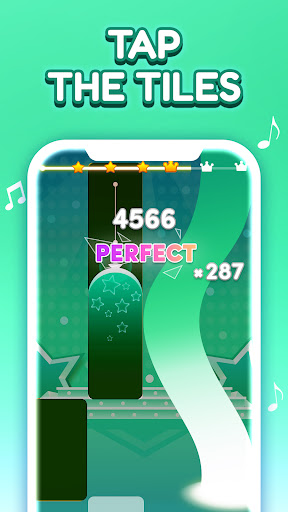
Get ready for the battle of Cats and Demons in Kawaii Kitty Beats: Piano Game!
A new kind of piano game is here! Demon Kpop Beats: Piano Game is a popular rhythm game that combines the enchanting sounds of the piano with the magic of rhythmic music.
In this music game, moving melodies and thrilling rhythms magically envelop you. You don't just listen to the music, you play it with your fingertips!
A perfect piano game! Simply tap the tiles in time to experience the joy of music. Ideal for beginners, it allows you to naturally get used to rhythm in a fun way.
Highlights
Simple controls!
Tap the tiles in time to play beautiful piano melodies. A perfect music game for beginners!
A variety of musical styles!
J-POP, anime, classical, and much more! Enjoy a new song every day in this piano game full of surprises.
Play anywhere, anytime!
Thanks to its style and free format, Brainrot Piano Beat is easy to play on the go or during breaks. A casual music game to take with you everywhere!
A magical fusion of Piano × Rhythm × Fantasy!
This game is filled with trending hits, popular music, and anime tracks. No matter your taste, Kawaii Kitty Beats: Piano Game has something for every music fan.
With intuitive controls, everyone can play and develop their sense of rhythm while having fun. Tapping to the beat provides a unique feeling that no other game can offer!
Why you'll love it
Anime-inspired animations for total immersion.
Relax with soothing piano sounds.
The feeling of playing music with your fingertips is addictive!
A music game loved by all ages.
How to play:
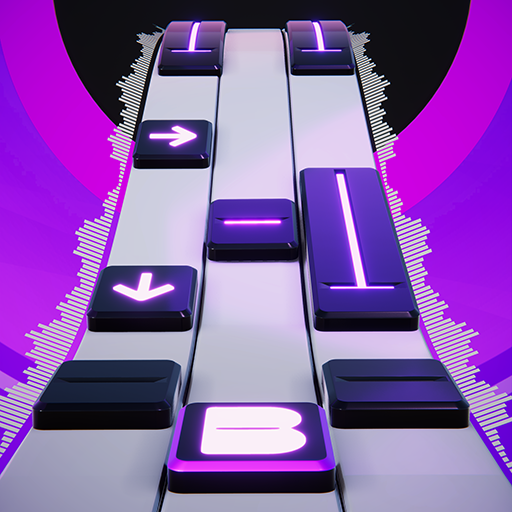
– Tap the black tiles.
– Hold the long tiles.
– Quickly tap two black tiles.
– Don't miss a tile!
Features:
– New popular songs every week.
– Endless mode available.
– PVP and offline modes coming soon!
– Unlock new songs for free as you play.
Download Cat vs Demon Kitty Beats: Piano Game now and experience the magic of music!
Your fingers will open the doors to an unforgettable musical world. Embark on a musical adventure like no other!
If you're a producer or label and find a track in the game is problematic, please contact us by email and we'll remove it immediately if necessary (including the images).
Show more

1. Download MEmu installer and finish the setup

2. Start MEmu then open Google Play on the desktop

3. Search Cats vs Demon Piano Adventure in Google Play
Install
4. Download and Install Cats vs Demon Piano Adventure
5. On install completion click the icon to start

6. Enjoy playing Cats vs Demon Piano Adventure on PC with MEmu
MEmu Play is the best Android emulator and 100 million people already enjoy its superb Android gaming experience. The MEmu virtualization technology empowers you to play thousands of Android games smoothly on your PC, even the most graphic-intensive ones.
Bigger screen with better graphics; Long duration, without limitation of battery or mobile data.
Full Keymapping support for precise control of keyboard and mouse or gamepad.
Multiple game accounts or tasks on single PC at one time with Multi-Instance manager.
Play Cats vs Demon Piano Adventure on PC by following steps: