BanG Dream! Girls Band Party!
Updated
Current Version
7.6.0
Offered By

With your passion for BanG Dream! Girls Band Party!, you shouldn’t have to limit yourself to the small screen of a phone. Play like a pro and take full control of the game using a keyboard and mouse. MEmu gives you everything you’re looking for. Download and play BanG Dream! Girls Band Party! on PC. Play as long as you want — no more worries about battery life, mobile data, or unexpected calls. The all-new MEmu 9 is the best way to play BanG Dream! Girls Band Party! on PC. With our expertly designed keymapping system, BanG Dream! Girls Band Party! feels just like a real PC game. The MEmu multi-instance manager lets you run two or more accounts on the same device at the same time. Most importantly, our exclusive emulation engine unlocks your PC’s full potential, delivering smooth and seamless performance.
Show more
Download BanG Dream! Girls Band Party! on PC with MEmu Android Emulator. Enjoy playing on big screen. New Event "What Color Lies Beyond the Rain Clouds" is live now!
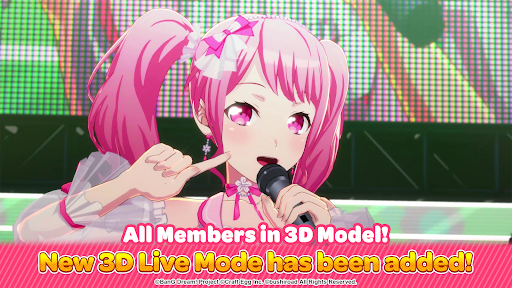
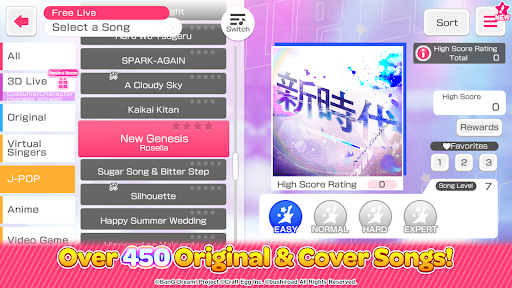
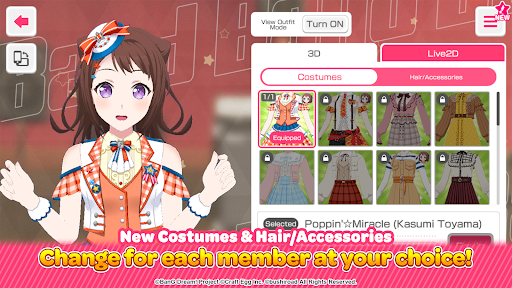
New Event "What Color Lies Beyond the Rain Clouds" is live now!
Also check out the upcoming New Year celebration campaigns!
Popular rhythm game in Japan & around the world!
Tap to the rhythm of over 500 songs to choose from.
Play both original and cover songs from popular J-Pop artists and anime songs!
Play your favorite songs on a level of difficulty that suits you!
■ Play as a staff member of live house "CiRCLE"
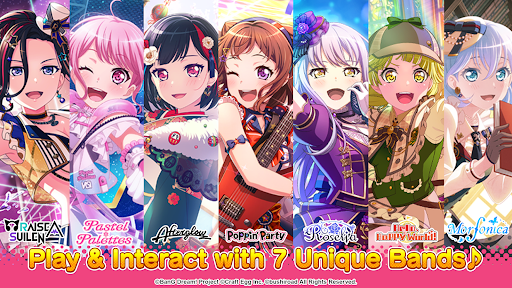
Create the best live concert together with the 8 charismatic girl bands in the game! Featuring Poppin’Party, Afterglow, Pastel*Palettes, Roselia, Hello, Happy World!, Morfonica, RAISE A SUILEN, and MyGO!!!!!.
■ Real-time cooperative gameplay
Enjoy real-time cooperative gameplay with friends and players across the world with up to 5 members!
■ Fully Voiced Story
Enjoy fully voiced stories with high quality animated Live2D band members.
Immerse yourself in each band's exciting journey towards stardom through their individual band stories.
■ 40 Unique Characters
Train band members to improve their music performance.
Interact with cute band members, and enjoy their rhythmical actions and conversations.
Discover and explore the town to peek into the daily lives of the band members.
■ Over 500 Songs
Play popular songs such as "STYX HELIX", "Memento", "Realize" (from "Re:ZERO -Starting Life in Another World-"), "Hikaru Nara" (Goose house), "KING" (Kanaria), "A Cruel Angel's Thesis" (from "Neon Genesis Evangelion"), "Bon Appétit♡S" (from "Blend-S"), "Venom" (Kairiki Bear), "Cry Baby" (Official HIGE DANdism), "HITORINO YORU" (from “GTO”), "Kaikai Kitan" (from “Jujutsu Kaisen”), "Into The Night" (YOASOBI), "Unravel" (from "Tokyo Ghoul"), "Guren no Yumiya" (from "Attack On Titan"), "Moonlight Densetsu" (from "Sailor Moon"), "Megitsune" (BABYMETAL), "KAIBUTSU" (YOASOBI) & many more!
A huge collection of BanG Dream!'s Original Songs are also available, including "THE WAY OF LIFE" (RAISE A SUILEN), "FIRE BIRD" (Roselia), "Tokimeki Experience!" (Poppin'Party), “Colorful Liberty” (Morfonica), "Unite! From A To Z" (Pastel✽Palettes), “Dokusô-Shûsa” (Afterglow), Goka! Gokai!? Phantom Thief! (Hello, Happy World!), & more are added regularly as well!
Recommended for people who enjoy:
- Anime rhythm games
- Popular rhythm games
- One of best free anime rhythm games
- Best rhythm music games for mobile phones
- Rhythm games with simple controls
- Anime song covers
- Playing rhythm games with people all across the country
- Losing yourself in the song and rhythm
- Anime music
- Japanese anime songs
- Tap anime music game
- Japanese anime voice actors
Let's start our Band Life now! It's a Live that is not to be missed!
++++++++++++++++++++++++++++++++
Support:
Visit https://bang-dream-gbp-en.bushiroad.com/faq/ for FAQ or contact us in game by going to Menu > Support.
Follow for news and updates:
Facebook: https://www.facebook.com/BanGDreamGBP/
X: https://x.com/bangdreamgbp_EN (@bangdreamgbp_en)
Instagram: https://instagram.com/bangdreamgbp_en (@bangdreamgbp_en)
YouTube Channel: https://www.youtube.com/channel/UCPityslSknKsWUq9iy8p9fw
Website: https://bang-dream-gbp-en.bushiroad.com/
Show more

1. Download MEmu installer and finish the setup

2. Start MEmu then open Google Play on the desktop

3. Search BanG Dream! Girls Band Party! in Google Play
Install
4. Download and Install BanG Dream! Girls Band Party!
5. On install completion click the icon to start

6. Enjoy playing BanG Dream! Girls Band Party! on PC with MEmu
MEmu Play is the best Android emulator and 100 million people already enjoy its superb Android gaming experience. The MEmu virtualization technology empowers you to play thousands of Android games smoothly on your PC, even the most graphic-intensive ones.
Bigger screen with better graphics; Long duration, without limitation of battery or mobile data.
Full Keymapping support for precise control of keyboard and mouse or gamepad.
Multiple game accounts or tasks on single PC at one time with Multi-Instance manager.
Play BanG Dream! Girls Band Party! on PC by following steps: