Upping Floors – Stack Blocks
Updated
Current Version
1.0.9
Offered By

With your passion for Upping Floors – Stack Blocks, you shouldn’t have to limit yourself to the small screen of a phone. Play like a pro and take full control of the game using a keyboard and mouse. MEmu gives you everything you’re looking for. Download and play Upping Floors – Stack Blocks on PC. Play as long as you want — no more worries about battery life, mobile data, or unexpected calls. The all-new MEmu 9 is the best way to play Upping Floors – Stack Blocks on PC. With our expertly designed keymapping system, Upping Floors – Stack Blocks feels just like a real PC game. The MEmu multi-instance manager lets you run two or more accounts on the same device at the same time. Most importantly, our exclusive emulation engine unlocks your PC’s full potential, delivering smooth and seamless performance.
Show more
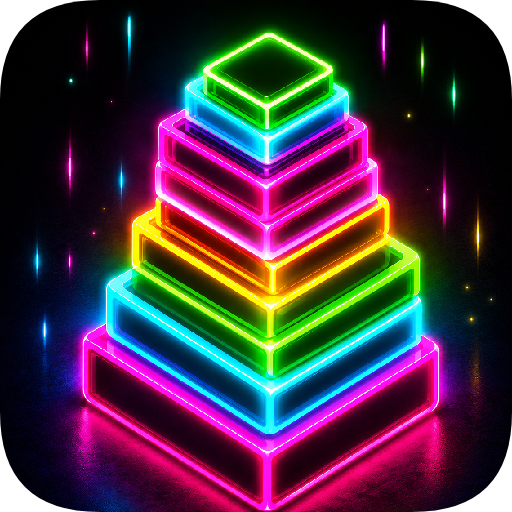
Download Upping Floors – Stack Blocks on PC with MEmu Android Emulator. Enjoy playing on big screen. Upping Floors is the ultimate block stacking game, featuring realistic gravity, a stunning neon aesthetic, and highly addictive gameplay.
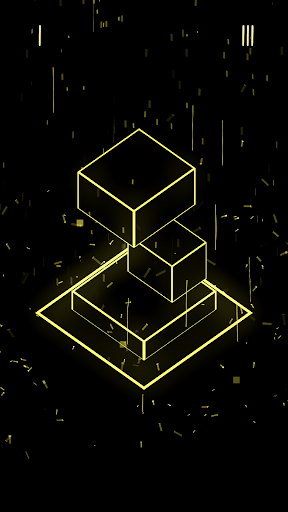
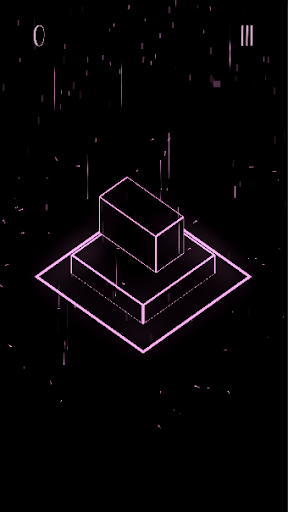
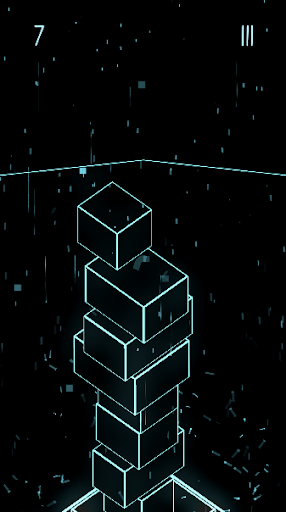
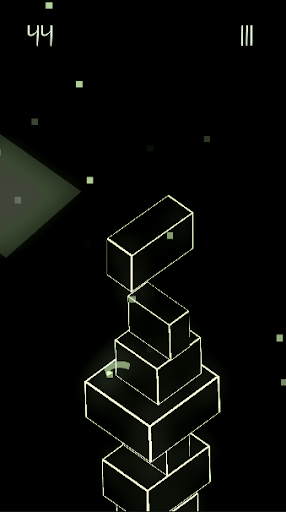
Upping Floors is the ultimate block stacking game, featuring realistic gravity, a stunning neon aesthetic, and highly addictive gameplay. Test your precision and balance in this visually striking tower game, designed for challenge lovers and visual design enthusiasts.
Stack blocks with precision
In this block stacking game, every move matters. With realistic physics and gravity, blocks respond naturally—one wrong move and your tower could collapse. Upping Floors rewards patience, timing, and smart strategy.
Challenge your reflexes and your mind
Stacking blocks has never been this intense and satisfying. Each block demands focus. As your tower gets taller, the challenge grows. Upping Floors is more than just a game—it's a test of coordination and mental balance.
Live global leaderboard
Compete against players from around the world! Climb the global leaderboard, reach the top, and see your name among the best in the block stacking world. Gain positions, build higher, and rise in rank!
Eye-catching neon visuals
The neon design of Upping Floors was made to shine on AMOLED screens. With vivid colors, sharp contrasts, and a modern style, every match becomes a visual experience. Perfect for playing in the dark or low-light environments.
No ads, no interruptions
Upping Floors is a premium no-ads game. No annoying banners, no forced videos—just a clean, smooth experience focused entirely on gameplay. Play from start to finish without distractions.
Affordable premium experience
Upping Floors is a low-cost premium game that’s accessible to everyone. Pay once, unlock everything—no microtransactions, no tricks. A fair purchase for a full experience.
Built for mobile, optimized for performance
Fast, lightweight, and smooth. The most fluid block stacking game you’ve ever played. Upping Floors is performance-optimized, even for older phones, while keeping its gorgeous neon visuals intact.
Integrated Keywords:
stack blocks, block stacking game, tower game, realistic gravity, realistic physics, neon visuals, neon AMOLED, global leaderboard, no ads game, cheap premium game, offline game, precision game, reflex game, addictive game, block tower, balance game, physics game, tower builder game, stack tower game.
Show more

1. Download MEmu installer and finish the setup

2. Start MEmu then open Google Play on the desktop

3. Search Upping Floors – Stack Blocks in Google Play
Install
4. Download and Install Upping Floors – Stack Blocks
5. On install completion click the icon to start

6. Enjoy playing Upping Floors – Stack Blocks on PC with MEmu
MEmu Play is the best Android emulator and 100 million people already enjoy its superb Android gaming experience. The MEmu virtualization technology empowers you to play thousands of Android games smoothly on your PC, even the most graphic-intensive ones.
Bigger screen with better graphics; Long duration, without limitation of battery or mobile data.
Full Keymapping support for precise control of keyboard and mouse or gamepad.
Multiple game accounts or tasks on single PC at one time with Multi-Instance manager.
Play Upping Floors – Stack Blocks on PC by following steps:



![Neon Valley [AMOLED] PC](https://dl.memuplay.com/new_market/img/com.QuanticBit.NeonValley.icon.2026-07-15-09-56-44.png)


![Eternal Void [RUNNER] PC](https://dl.memuplay.com/new_market/img/com.QuanticBit.EternalVoid.icon.2026-01-09-10-18-10.png)
![Neon Valley 2 [AMOLED 3D] PC](https://dl.memuplay.com/new_market/img/com.QuanticBit.NeonValley23D.icon.2026-02-07-22-46-33.png)