Upping Floors 2
Updated
Current Version
1.0.0
Offered By

With your passion for Upping Floors 2, you shouldn’t have to limit yourself to the small screen of a phone. Play like a pro and take full control of the game using a keyboard and mouse. MEmu gives you everything you’re looking for. Download and play Upping Floors 2 on PC. Play as long as you want — no more worries about battery life, mobile data, or unexpected calls. The all-new MEmu 9 is the best way to play Upping Floors 2 on PC. With our expertly designed keymapping system, Upping Floors 2 feels just like a real PC game. The MEmu multi-instance manager lets you run two or more accounts on the same device at the same time. Most importantly, our exclusive emulation engine unlocks your PC’s full potential, delivering smooth and seamless performance.
Show more
Download Upping Floors 2 on PC with MEmu Android Emulator. Enjoy playing on big screen. Get into the rhythm of the neon tower and test your accuracy with each tap.
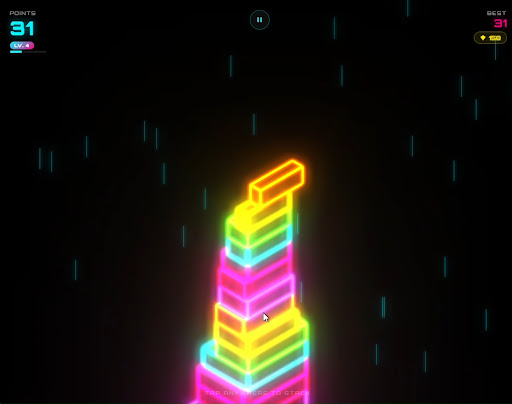
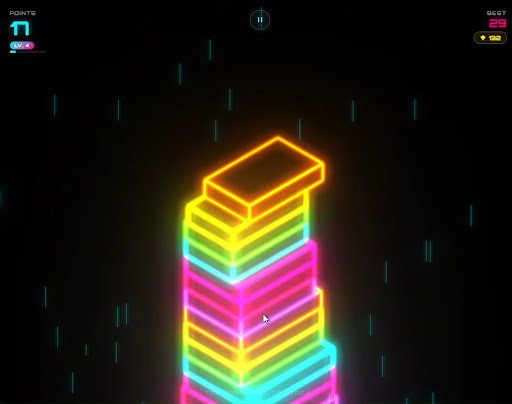
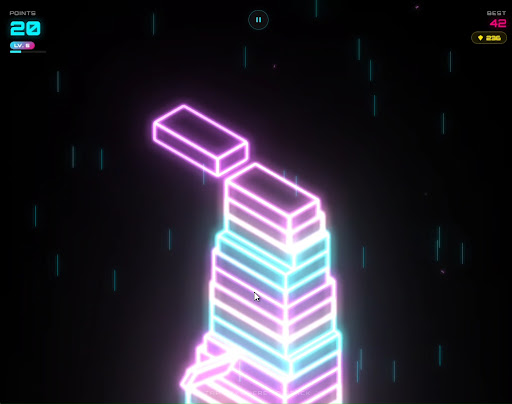
Get into the rhythm of the neon tower and test your accuracy with each tap. In Upping Floors 2, each floor collapses onto the previous one, every millimeter matters and every perfect fit transforms a simple stack into a shiny tower full of arcade energy.
You control the fitting time. Tap to position the floor at the right time, keep the tower alive and try to climb as high as possible before a mistake cuts too much of the base. The proposal is simple to understand, but difficult to master: stack, adjust, react and seek a new record in each match.
The game combines arcade action, fast reflexes and light progression into a straightforward mobile experience. The blocks move from side to side, alternating directions as the tower grows. When the fit is exact, the game rewards your precision with neon effects, sparks, combos, gems, and a visual sense of impact.
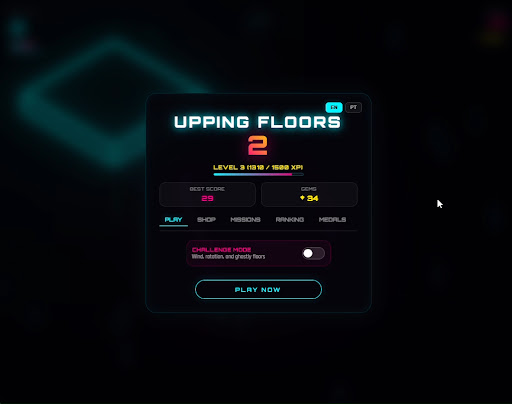
The better you play, the more space you open up to evolve your experience. Score, earn XP, level up, accumulate gems and unlock cosmetic items in the store. Color palettes, block styles, rain and spark effects allow you to give your tower its own identity without changing the competitive essence of the challenge.
Challenge Mode adds extra pressure for those who want to go beyond casual play. Wind, rotation, ghost surfaces and speed variations can change the pace of the match and require more attention at the moment of touch. Each attempt becomes a duel between precision, calm and reaction.
Upping Floors 2 was created for quick playthroughs, but with a constant desire to try again. Missions encourage clear objectives, medals mark important achievements, and online leaderboards let you compare your best score with other players. The focus is on that addictive cycle of making a narrow mistake, immediately coming back and beating your own record.
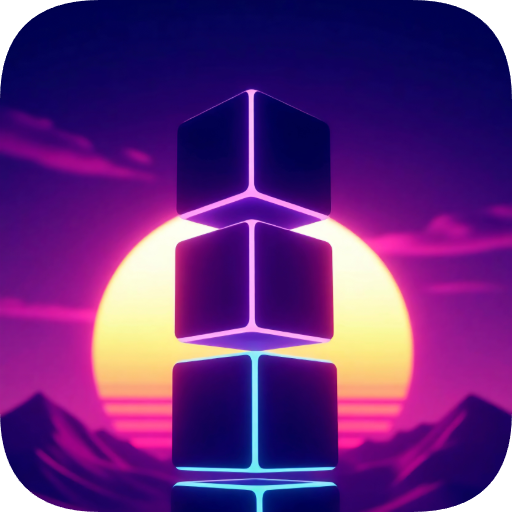
Visually, the game relies on a cyber arcade aesthetic: dark blocks with glowing edges, neon bloom, colorful particles, futuristic background and glassmorphic interface. The result is a clean, vibrant and readable 3D tower, designed to work well on a cell phone screen and maintain focus when docking.
3D stacking with simple touch controls
Perfect fits with combos and visual feedback
Gems to unlock cosmetics in the store
Neon palettes, special blocks, rain and sparks
Challenge Mode with wind, rotation and ghost floors
Online ranking to compete for best scores
Medals and achievements to mark progress
XP system, levels and personal best
Missions with precision and performance objectives
Cyberpunk look with shine, particles and high contrast
Fast, direct and easy to replay matches
If you like mobile arcade games, progressive challenge, precision in touch and that “just one more try” feeling, Upping Floors 2 delivers a fast, clean and competitive experience.
Tap at the right time, stack each floor carefully, master the combos and build the tallest neon tower you can.
Each block placed changes the size of the tower and increases the tension of the next move. A perfect hit preserves the rhythm; a small error still allows you to continue; a large error ends the construction.
Show more

1. Download MEmu installer and finish the setup

2. Start MEmu then open Google Play on the desktop

3. Search Upping Floors 2 in Google Play
Install
4. Download and Install Upping Floors 2
5. On install completion click the icon to start

6. Enjoy playing Upping Floors 2 on PC with MEmu
MEmu Play is the best Android emulator and 100 million people already enjoy its superb Android gaming experience. The MEmu virtualization technology empowers you to play thousands of Android games smoothly on your PC, even the most graphic-intensive ones.
Bigger screen with better graphics; Long duration, without limitation of battery or mobile data.
Full Keymapping support for precise control of keyboard and mouse or gamepad.
Multiple game accounts or tasks on single PC at one time with Multi-Instance manager.
Play Upping Floors 2 on PC by following steps:



![Neon Valley [AMOLED] PC](https://dl.memuplay.com/new_market/img/com.QuanticBit.NeonValley.icon.2026-07-15-09-56-44.png)


![Eternal Void [RUNNER] PC](https://dl.memuplay.com/new_market/img/com.QuanticBit.EternalVoid.icon.2026-01-09-10-18-10.png)
![Neon Valley 2 [AMOLED 3D] PC](https://dl.memuplay.com/new_market/img/com.QuanticBit.NeonValley23D.icon.2026-02-07-22-46-33.png)