My Child Lebensborn LITE
Updated
Current Version
2.0.108
Offered By

With your passion for My Child Lebensborn LITE, you shouldn’t have to limit yourself to the small screen of a phone. Play like a pro and take full control of the game using a keyboard and mouse. MEmu gives you everything you’re looking for. Download and play My Child Lebensborn LITE on PC. Play as long as you want — no more worries about battery life, mobile data, or unexpected calls. The all-new MEmu 9 is the best way to play My Child Lebensborn LITE on PC. With our expertly designed keymapping system, My Child Lebensborn LITE feels just like a real PC game. The MEmu multi-instance manager lets you run two or more accounts on the same device at the same time. Most importantly, our exclusive emulation engine unlocks your PC’s full potential, delivering smooth and seamless performance.
Show more
Download My Child Lebensborn LITE on PC with MEmu Android Emulator. Enjoy playing on big screen. This is the LITE version of My Child Lebensborn where you can play the first part of the game for free.
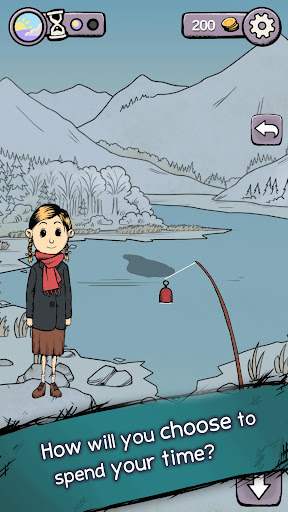
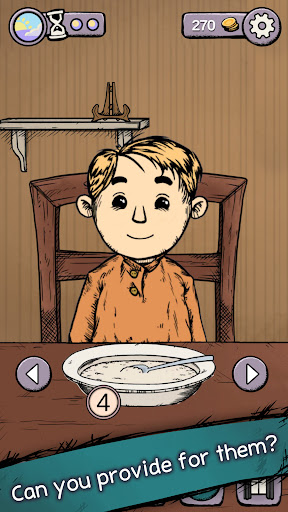
This is the LITE version of My Child Lebensborn where you can play the first part of the game for free. After this point, please pay for the cost of the game to unlock the full experience.
Note: Some users have currently experienced issues with payments failing. Until we get this fixed, as a temporary workaround you can either try again later or purchase the premium version directly from Google Play (Note: Save data is unfortunately not linked between these versions)
Polygon: "My Child Lebensborn tells a disturbing tale about innocents in the aftermath of WW2”
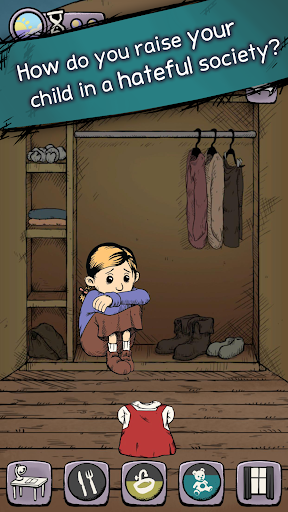
You adopt a young Lebensborn child in Norway after WW2, but parenting will be hard as your child grows up in a hostile and hateful environment. See a different side of the war, inspired by the true stories of the Lebensborn children. Discover how hatred of our enemies continues to create victims, even after victory.
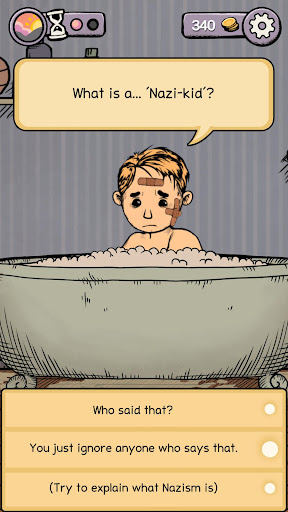
Discover their past and support them in the present. You must balance your time and resources to provide for your child. You will find answers to the hard questions; about their history, the hatred, bullying and the passing of blame.
Can you help Klaus/Karin cope with the heavy inheritance of the German occupation, so they will find their place in a country that is celebrating its freedom.
You can make a difference.
Key Features:
- Influence the child’s feelings, personality, and worldview through your choices.
- Look for the effects of your choices in your child’s expressions and body language.
- Explore a gripping storyline based upon true events.
- Earn money as you work, then cook, craft, forage, and play.
- Use your time and meager resources wisely.
- Adopt a boy or girl, and support them through a defining year of their life.
What is new in the Remaster?
More activities:
Spend more time with your child and enjoy a variety of activities together as your little one grows.
- Try out more recipes
- Craft pine cone animals
- Skip stones at the lake
- Pick flowers in the forest
- Enjoy seasonal activities together
And More!
Perhaps there is a new way of using the newspaper clippings that you get in the mail every now and then?
Make new memories:
Your journal now holds more memories from the year you spent together with your child. Who can throw away the beautiful flowers you picked out together on a beautiful spring day? Decorate the rooms with your memories. Your journal will hold your struggles, as well as the happy moments.
Interact with your child:
Play and interact with your child more freely in this remastered version. Manage your time and resources while trying as many activities with your child as possible! Money is limited as always, but perhaps there are more reasons to not work overtime after all.
Improved Graphics:
Bringing My Child Lebensborn's graphics to today's level, tickle and pet your child to get heartwarming reactions out of them! The beauty of Norwegian nature is now more apparent, and you have more things to do outdoors!
Caution: Some devices with only 1GB available memory have shown problems with running this game.
This game is based on difficult and heavy topics, not suitable for young children.
For technical support, please contact us at support@sareptastudio.com
Show more

1. Download MEmu installer and finish the setup

2. Start MEmu then open Google Play on the desktop

3. Search My Child Lebensborn LITE in Google Play
Install
4. Download and Install My Child Lebensborn LITE
5. On install completion click the icon to start

6. Enjoy playing My Child Lebensborn LITE on PC with MEmu
MEmu Play is the best Android emulator and 100 million people already enjoy its superb Android gaming experience. The MEmu virtualization technology empowers you to play thousands of Android games smoothly on your PC, even the most graphic-intensive ones.
Bigger screen with better graphics; Long duration, without limitation of battery or mobile data.
Full Keymapping support for precise control of keyboard and mouse or gamepad.
Multiple game accounts or tasks on single PC at one time with Multi-Instance manager.
Play My Child Lebensborn LITE on PC by following steps: