Age of Z
Updated
Current Version
1.3.864
Offered By

With your passion for Age of Z, you shouldn’t have to limit yourself to the small screen of a phone. Play like a pro and take full control of the game using a keyboard and mouse. MEmu gives you everything you’re looking for. Download and play Age of Z on PC. Play as long as you want — no more worries about battery life, mobile data, or unexpected calls. The all-new MEmu 9 is the best way to play Age of Z on PC. With our expertly designed keymapping system, Age of Z feels just like a real PC game. The MEmu multi-instance manager lets you run two or more accounts on the same device at the same time. Most importantly, our exclusive emulation engine unlocks your PC’s full potential, delivering smooth and seamless performance.
Show more
Download Age of Z on PC with MEmu Android Emulator. Enjoy playing on big screen. It’s time to download Age of Origins now and fight your way to glory!

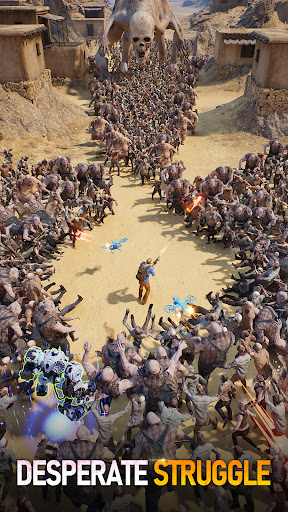
It’s time to download Age of Origins now and fight your way to glory!
Become the leader of the strongest army with the best tower defense to save the world!
Become the fastest action runner in history by passing through the gates to gain your honor!
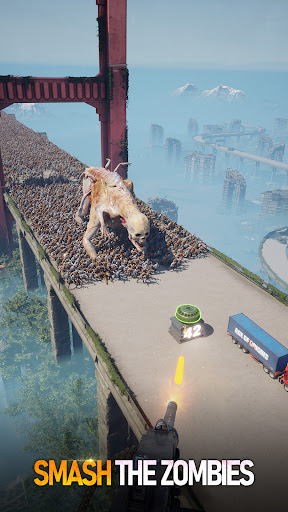
A virus is spreading throughout the world, causing the zombies to rise up and take over our homes. The land has fallen into complete chaos. Commander, we need you to help rebuild our city and lead the troops to regain control. There’s no time to waste. Let’s get started now!
Age of Origins is the most innovative war strategy game that incorporates classic tower defense and exciting hack & slash gameplay. As this gripping story unfolds, you will encounter all kinds of new challenges, creating a truly unique gaming experience.
City Building
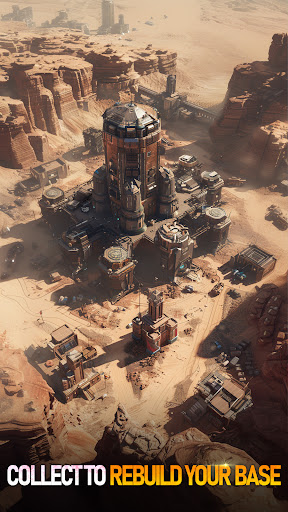
- Reclaim the overrun buildings from the zombies.
- Rescue survivors hiding in the ruins to increase the population.
- Gather resources to build your city and take care of the residents.
Army Training
- Collect and train officers to lead your army into battle.
- Mix and match the officers for every possible scenario.
- Research and develop technology to prepare your soldiers for war.
Titans and Warplanes
- Activate the powerful Titans to assist in combat.
- Fly your warplane to soar over the adversary.
- Cultivate the Titans and Warplanes to strengthen your troops.
Alliance Teamwork
- Build an alliance with your friends to dominate the land.
- Time-attack with the alliance members to crush your opponents.
- Participate in larger-than-life PvP and GvG events with your allies.
Commander, this devastated world needs you now! You are our only hope!
Age of Origins is a free-to-play game. Some in-game items (including random items) can be purchased.
Show more

1. Download MEmu installer and finish the setup

2. Start MEmu then open Google Play on the desktop

3. Search Age of Z in Google Play
Install
4. Download and Install Age of Z
5. On install completion click the icon to start

6. Enjoy playing Age of Z on PC with MEmu
MEmu Play is the best Android emulator and 100 million people already enjoy its superb Android gaming experience. The MEmu virtualization technology empowers you to play thousands of Android games smoothly on your PC, even the most graphic-intensive ones.
Bigger screen with better graphics; Long duration, without limitation of battery or mobile data.
Full Keymapping support for precise control of keyboard and mouse or gamepad.
Multiple game accounts or tasks on single PC at one time with Multi-Instance manager.
Play Age of Z on PC by following steps: