三國志KING
Updated
Current Version
2.0.0
Offered By

With your passion for 三國志KING, you shouldn’t have to limit yourself to the small screen of a phone. Play like a pro and take full control of the game using a keyboard and mouse. MEmu gives you everything you’re looking for. Download and play 三國志KING on PC. Play as long as you want — no more worries about battery life, mobile data, or unexpected calls. The all-new MEmu 9 is the best way to play 三國志KING on PC. With our expertly designed keymapping system, 三國志KING feels just like a real PC game. The MEmu multi-instance manager lets you run two or more accounts on the same device at the same time. Most importantly, our exclusive emulation engine unlocks your PC’s full potential, delivering smooth and seamless performance.
Show more
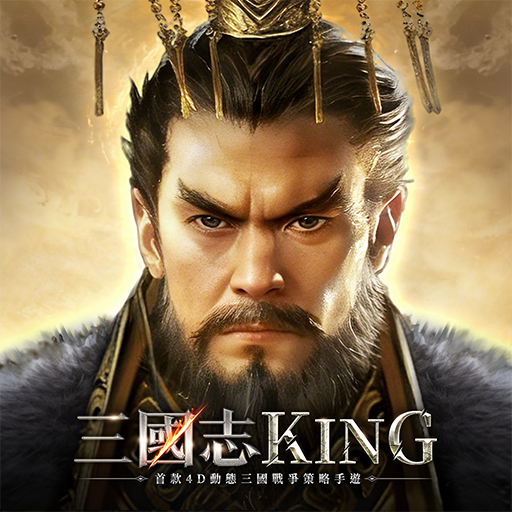
Download 三國志KING on PC with MEmu Android Emulator. Enjoy playing on big screen. 革新三國戰場格局,首款4D動態三國戰爭策略手遊【三國志KING】強勢來襲!
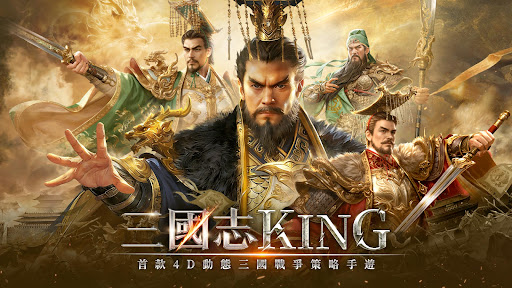
革新三國戰場格局,首款4D動態三國戰爭策略手遊【三國志KING】強勢來襲!
何必拘泥於謀定天下,真正的王者從不坐等時局!不如以戰破局,從容掌控戰場的千變萬化!
在這裡,你將集結無數三國名將,縱情攻城略地,征服三國亂世,開創屬於你的絕世霸業!
=====遊戲特色=====
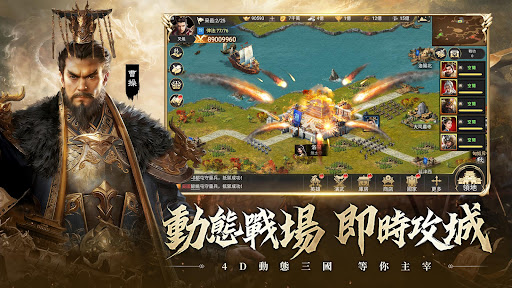
【4D動態戰場 即時攻城】
突破傳統3D束縛,重塑史詩戰場格局!沉浸式4D動態三國大世界,萬城割據自由爭奪!實時同步行軍作戰,瞬息萬變的戰場博弈,靈活調兵遣將,縱情馳騁疆場,以戰定勢主宰亂世格局!
【開局豪禮滿載 福利狂撒】
佛心營運超高福利!登入即可免費領取黃忠、馬超!更有大喬、張遼、馬雲祿三位強力武將自由挑選!海量抽卡資源、珍稀養成材料、萬額金幣道具全數免費領取,開局直接起飛,零門檻暢玩亂世三國!
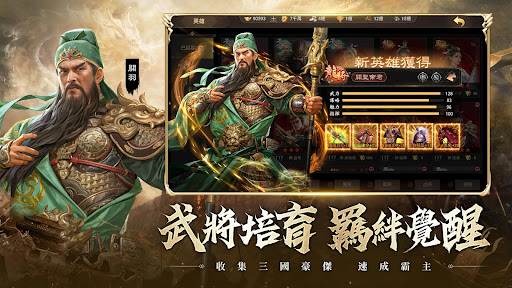
【羈絆覺醒蛻變 武將集結】
亂世群英全員集結,百名武將自由收集靈活搭配!神將覺醒突破極限,專屬羈絆系統解鎖絕強組合陣容!輕鬆養成零負擔,一路橫掃群雄,坐穩亂世霸主之位!
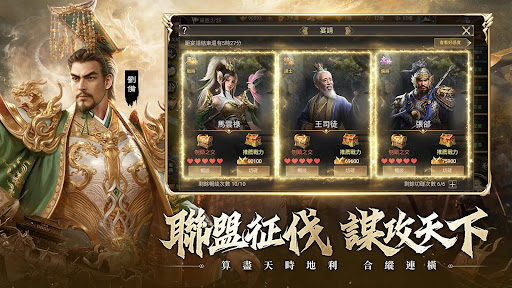
【謀略縱橫天下 聯合征戰】
深度聯盟玩法重磅開啟,攜手群雄共逐霸業!巧用天時地利謀定全局!合縱連橫博弈四方勢力,組隊討伐亂賊、聯手攻佔城池,以智謀破局,用戰略制勝,沉浸式體驗寫實三國权谋亂鬥!
【溫馨提示】
更多的遊戲資訊可以到《三國志KING》粉絲專頁咨詢,也可到玩家討論社群參與討論哦~
官方粉絲頁:https://www.facebook.com/profile.php?id=61587809804693
官方討論組:https://www.facebook.com/groups/1626123455398695
*本軟體因涉及暴力、戀愛交友、性(遊戲角色穿著凸顯性特徵之服飾),依遊戲軟體分級管理辦法分類為輔12級。
*本遊戲為免費使用,遊戲內另提供購買虛擬遊戲幣、物品等付費服務。
*長時間進行遊戲,請注意使用時間,避免沉迷於遊戲。
代理商資訊:喬葳數位行銷有限公司
地址:臺北市信義區
Show more

1. Download MEmu installer and finish the setup

2. Start MEmu then open Google Play on the desktop

3. Search 三國志KING in Google Play
Install
4. Download and Install 三國志KING
5. On install completion click the icon to start

6. Enjoy playing 三國志KING on PC with MEmu
MEmu Play is the best Android emulator and 100 million people already enjoy its superb Android gaming experience. The MEmu virtualization technology empowers you to play thousands of Android games smoothly on your PC, even the most graphic-intensive ones.
Bigger screen with better graphics; Long duration, without limitation of battery or mobile data.
Full Keymapping support for precise control of keyboard and mouse or gamepad.
Multiple game accounts or tasks on single PC at one time with Multi-Instance manager.
Play 三國志KING on PC by following steps: