Sins Raid: Heroes of Light
Updated
Current Version
1.9.1
Offered By

With your passion for Sins Raid: Heroes of Light, you shouldn’t have to limit yourself to the small screen of a phone. Play like a pro and take full control of the game using a keyboard and mouse. MEmu gives you everything you’re looking for. Download and play Sins Raid: Heroes of Light on PC. Play as long as you want — no more worries about battery life, mobile data, or unexpected calls. The all-new MEmu 9 is the best way to play Sins Raid: Heroes of Light on PC. With our expertly designed keymapping system, Sins Raid: Heroes of Light feels just like a real PC game. The MEmu multi-instance manager lets you run two or more accounts on the same device at the same time. Most importantly, our exclusive emulation engine unlocks your PC’s full potential, delivering smooth and seamless performance.
Show more
Download Sins Raid: Heroes of Light on PC with MEmu Android Emulator. Enjoy playing on big screen. DO NOT miss out on this opportunity to become legendary!

DO NOT miss out on this opportunity to become legendary!
Witness the final evolution of Role-playing on Mobile!
Begin your path as a Hero of Light!
[The Ultimate RPG Experience]
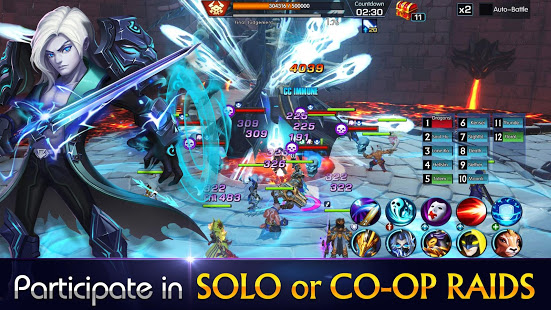
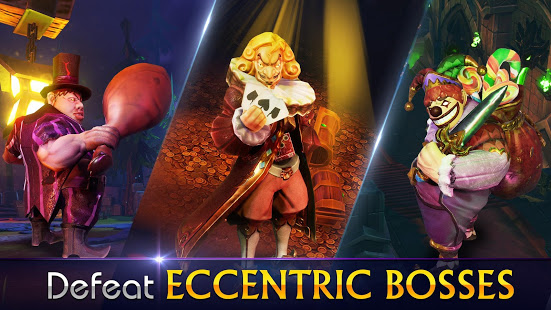
Sins Raid offers an incredibly refreshing experience, as the thrilling boss fights, multiplayer co-ops, and real-time PVP battles bring back the memories of the first time you ever tried an RPG; only this time, you can enjoy it on mobile! Don’t miss out on this rare throwback to the old-time raids and dungeons!
Can you vanquish the chaos, and bring forth a new dawn for Sins Raid?
[Key Features]
[Creative Character Design and customization]
Embody a plethora of legendary personae, ranging from a sword and shield-wielding general of the Royal Order, a dragon-mounting Elder Wizard, a dark, exiled Soul Hunter, to even a divine celestial deity, still including many others beyond your imagination! Level up with precious resources and rewards acquired through the story campaigns. Toss a gear to your heroes, and watch the demons and monsters fall under your blade.
[Diverse Combat System]
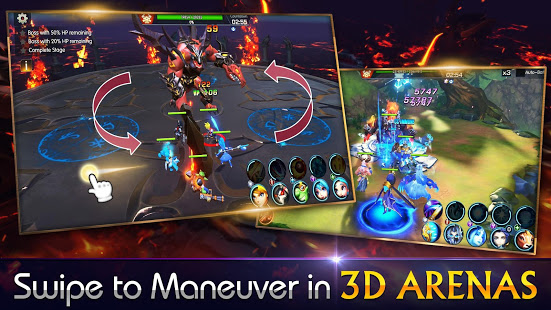
Unleashed from the shackles of horizontal turn-based combat, Sins Raid offers a unique 3D mobile battle experience in real-time. Utilizing a 3D control mechanic that just makes sense for the mobile platform, Sins Raid perfectly translates the original experience of pc/console gameplay onto your phone. Every boss has its own type of skills, with some only countered by specific maneuvers with zero room for error! Therefore, strategic thinking, quick fingers and a creative mind for improvisation play a critical role.
[Multiple Game Modes]
When you’re not busy slaying in the Dungeons, or enjoying a good old player versus player, be sure to check out the other super fun game modes! Whether it be collecting OP blessings in the labyrinth-like, D&D-style dungeon crawler - Burning Hollow; Gambling RNG with Demon’s Gate; Or risking it all in the hardcore Fury Trials for the grandest of prizes, there’s a mode for everyone! Just don’t forget “Gaming 101” - Always have fun!
[All for One, One for All]
Play solo, as you defend the crown of the Kingdom of Faith and explore the mysteries of the outer worlds; or co-op with friends, as you team up to try and top the charts. Join a Guild to meet players worldwide and don’t forget to log online daily to trade hearts with your friends and later exchange for valuable rewards. This is your game, your playstyle. Play however you want, with whomever you want.
Now, a new tale begins as you decide the fate of the land!
Show more

1. Download MEmu installer and finish the setup

2. Start MEmu then open Google Play on the desktop

3. Search Sins Raid: Heroes of Light in Google Play
Install
4. Download and Install Sins Raid: Heroes of Light
5. On install completion click the icon to start

6. Enjoy playing Sins Raid: Heroes of Light on PC with MEmu
MEmu Play is the best Android emulator and 100 million people already enjoy its superb Android gaming experience. The MEmu virtualization technology empowers you to play thousands of Android games smoothly on your PC, even the most graphic-intensive ones.
Bigger screen with better graphics; Long duration, without limitation of battery or mobile data.
Full Keymapping support for precise control of keyboard and mouse or gamepad.
Multiple game accounts or tasks on single PC at one time with Multi-Instance manager.
Play Sins Raid: Heroes of Light on PC by following steps:
















































