Baby Games
Updated
Current Version
10.08.70
Offered By

With your passion for Baby Games, you shouldn’t have to limit yourself to the small screen of a phone. Play like a pro and take full control of the game using a keyboard and mouse. MEmu gives you everything you’re looking for. Download and play Baby Games on PC. Play as long as you want — no more worries about battery life, mobile data, or unexpected calls. The all-new MEmu 9 is the best way to play Baby Games on PC. With our expertly designed keymapping system, Baby Games feels just like a real PC game. The MEmu multi-instance manager lets you run two or more accounts on the same device at the same time. Most importantly, our exclusive emulation engine unlocks your PC’s full potential, delivering smooth and seamless performance.
Show more
Download Baby Games on PC with MEmu Android Emulator. Enjoy playing on big screen. Empower your preschool toddler to learn and have fun playing 500+ educational games, from drawing, coloring and phonics to math, shapes and music.
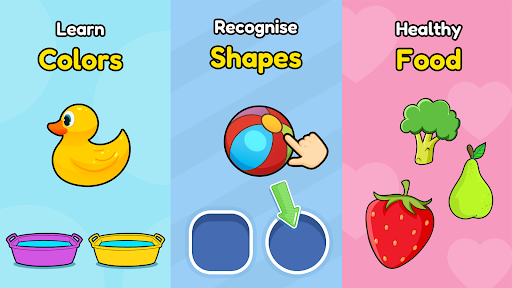
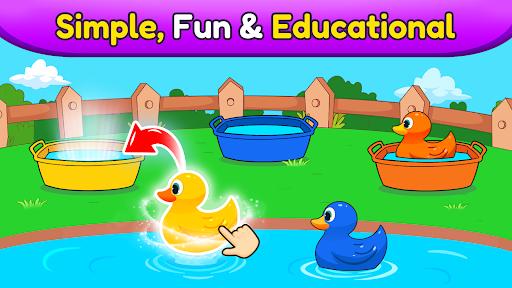
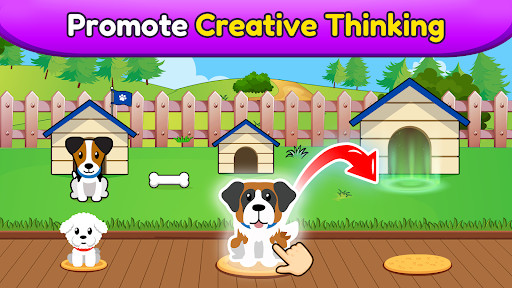
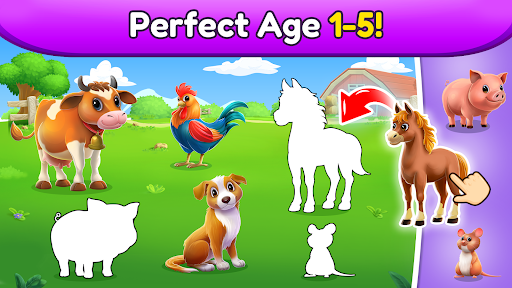
Empower your preschool toddler to learn and have fun playing 500+ educational games, from drawing, coloring and phonics to math, shapes and music. With Baby Games for Preschool by Bebi, you can support and encourage your toddler to learn unsupervised while having a fun in a 100% ad free, safe environment.
Baby Games for Preschool keeps your toddler occupied and away from video streaming apps by offering 500+ different educational activities, puzzles and games. It’s free to install, so why not download today and start enriching your toddler’s education?
What can 2,3,4 or even 5 year olds learn?
►The alphabet, phonics, numbers, words, tracing, shapes, patterns and colors
► Basic math and science through games and activities
► How to recognise and look after animals
► All about food and healthy eating
► Music, instruments and singing
► Art skills through coloring, drawing and doodling
► Problem solving, dexterity and much, much more…
For Pre-K kids, play is an integral part of their development. Toddlers enjoy playing casual games, but Baby Games for Preschool encourages them to learn and absorb valuable information through interactivity and fun.
Similarly, learning from books and papers is not easy at a kindergarten or preschool age. Let your toddler relax with fun and educational games: their absorbent brain will soak up all the new knowledge on its own, allowing you as a parent to relax safe in the knowledge that their screen time is positive and rewarding. Once you notice that your toddler is engaged playing our educational games, you will see that the learning process has begun.
Whether its popping balloons, discovering science, developing the inner artist or simply learning songs through music, you might even find yourself enjoying a few of the app’s games and activities.
Why Baby Games for Preschool?
► Our 500+ learning games provide a safe and useful device experience for your 2-4 year old toddler
► Developed and tested by child development experts
► Designed for safety and convenience with no supervision needed
► Parental Gate - code protected sections so that your child doesn’t accidentally change settings or make unwanted purchases
► All settings and outbound links are protected and only accessible for adults
► Available offline and playable without an internet connection
► Timely hints so your child doesn't feel frustrated or lost in the app
► 100 % Ad free with no annoying interruptions
Who says learning can't be fun?
Please support us by writing reviews if you like the app and let us know about any issue or suggestions too.
This toddler games app has dozens of free games without ads
Show more

1. Download MEmu installer and finish the setup

2. Start MEmu then open Google Play on the desktop

3. Search Baby Games in Google Play
Install
4. Download and Install Baby Games
5. On install completion click the icon to start

6. Enjoy playing Baby Games on PC with MEmu
MEmu Play is the best Android emulator and 100 million people already enjoy its superb Android gaming experience. The MEmu virtualization technology empowers you to play thousands of Android games smoothly on your PC, even the most graphic-intensive ones.
Bigger screen with better graphics; Long duration, without limitation of battery or mobile data.
Full Keymapping support for precise control of keyboard and mouse or gamepad.
Multiple game accounts or tasks on single PC at one time with Multi-Instance manager.
Play Baby Games on PC by following steps: