紅月:永夜傳說
Updated
Current Version
Offered By

With your passion for 紅月:永夜傳說, you shouldn’t have to limit yourself to the small screen of a phone. Play like a pro and take full control of the game using a keyboard and mouse. MEmu gives you everything you’re looking for. Download and play 紅月:永夜傳說 on PC. Play as long as you want — no more worries about battery life, mobile data, or unexpected calls. The all-new MEmu 9 is the best way to play 紅月:永夜傳說 on PC. With our expertly designed keymapping system, 紅月:永夜傳說 feels just like a real PC game. The MEmu multi-instance manager lets you run two or more accounts on the same device at the same time. Most importantly, our exclusive emulation engine unlocks your PC’s full potential, delivering smooth and seamless performance.
Show more
Download 紅月:永夜傳說 on PC with MEmu Android Emulator. Enjoy playing on big screen. The Crimson Moon Returns, Legends Awaken!
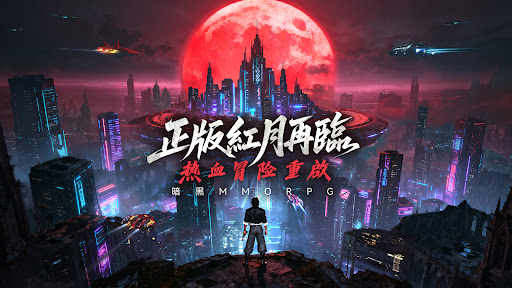
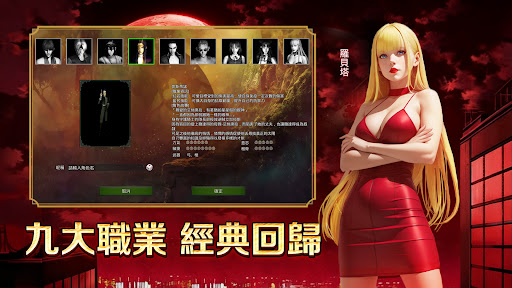

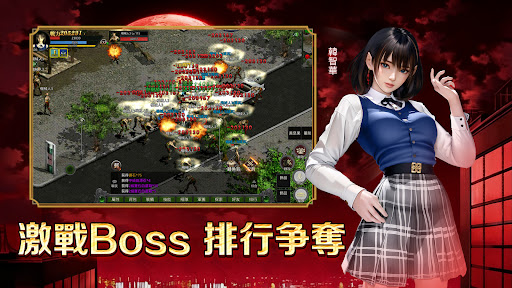
The Crimson Moon Returns, Legends Awaken!
Visit rm.chuang-games.com to pre-register for a chance to win amazing prizes, and invite friends for even bigger rewards! Gold coins, enhancement chests, and even a PS5 are up for grabs!
【Dual System Skills and Equipment: Reshaping Combat Depth】
Freely switch between dungeon and PvP systems!
Dungeon builds focus on area-of-effect damage and sustained bursts, making challenging high-level bosses a breeze;
PvP builds emphasize positioning and burst combos, experiencing the ultimate thrill of skillful combat.
【Blue Special and Bio-Equipment: Forging Legendary Sets】
The power of the Crimson Moon world originates from ancient technology!
Blue Special equipment represents primal power, pursuing maximum output;
Bio-Equipment combines technology and defense, balancing control and survivability.
Enhance your legendary set using dungeon drops and exploration materials!
【Aircraft and Pets: Conquer the Crimson Sky】
Pioneering your own "Aircraft" to overlook the Crimson Moon battlefield—its mechanical design is incredibly imposing! Pair your pets with diverse companions, complementing each other's attributes and creating more varied tactics for all-around combat combinations!
【Peak Ladder Tournament: Cross-Server Glory Showdown】
The server-wide ladder and peak tournament are now in full swing!
Win limited-edition titles, honor coins, and rare materials based on your season rankings, becoming the strongest legend at the pinnacle of Red Moon!
【AFK Leveling: Easy Leveling and Seamless Growth】
Effectively accumulate experience and resources whether playing solo or in a team.
Stable growth even offline, easy and uninterrupted development!
Red Moon: Eternal Night Legend, with its highly customizable combat system and blood-red aesthetics, recreates the eternal night legend belonging to adventurers—join this action-packed MMORPG now!
◆Follow the Official Social Media◆
Discord: https://discord.com/invite/BXdCaYApGD
Facebook: https://www.facebook.com/RedMoonMobile
Legend Games Ltd. is the distributor of Red Moon: Eternal Night Legend in Taiwan, Hong Kong, and Macau.
*This software contains sexual and violent content, and is classified as Sub-15 according to the Game Management Rating Regulations.
*This game is free to use. In-game purchases of virtual currency and items are available. Do not use third-party services to store virtual currency to avoid legal issues.
*The game's plot is purely fictional. Please be mindful of your playtime. Prolonged gaming can disrupt your sleep schedule. Please take breaks to avoid addiction.
Show more

1. Download MEmu installer and finish the setup

2. Start MEmu then open Google Play on the desktop

3. Search 紅月:永夜傳說 in Google Play
Install
4. Download and Install 紅月:永夜傳說
5. On install completion click the icon to start

6. Enjoy playing 紅月:永夜傳說 on PC with MEmu
MEmu Play is the best Android emulator and 100 million people already enjoy its superb Android gaming experience. The MEmu virtualization technology empowers you to play thousands of Android games smoothly on your PC, even the most graphic-intensive ones.
Bigger screen with better graphics; Long duration, without limitation of battery or mobile data.
Full Keymapping support for precise control of keyboard and mouse or gamepad.
Multiple game accounts or tasks on single PC at one time with Multi-Instance manager.
Play 紅月:永夜傳說 on PC by following steps: