
Ice Scream 6
Updated
Current Version
1.2.8
Offered By

With your passion for Ice Scream 6, you shouldn’t have to limit yourself to the small screen of a phone. Play like a pro and take full control of the game using a keyboard and mouse. MEmu gives you everything you’re looking for. Download and play Ice Scream 6 on PC. Play as long as you want — no more worries about battery life, mobile data, or unexpected calls. The all-new MEmu 9 is the best way to play Ice Scream 6 on PC. With our expertly designed keymapping system, Ice Scream 6 feels just like a real PC game. The MEmu multi-instance manager lets you run two or more accounts on the same device at the same time. Most importantly, our exclusive emulation engine unlocks your PC’s full potential, delivering smooth and seamless performance.
Show more
Download Ice Scream 6 on PC with MEmu Android Emulator. Enjoy playing on big screen. In the previous chapter J.
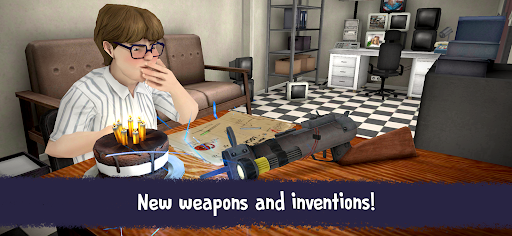
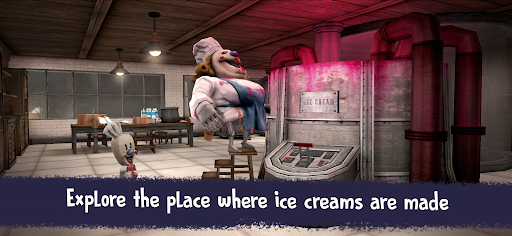

In the previous chapter J. collaborated with Mike to help him escape from the engine room and meet in the control room. However, there are still 2 friends to rescue, and it seems they have already found the next one, this time inside the factory’s kitchen.
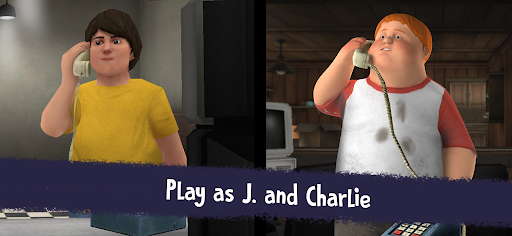
In this new installment you will play as Charlie, who is still lost in the factory and who, with J.'s help, will have to face all the dangers that await him inside the factory. Switch players and go back to being J. whenever you need to. Explore the new parts of the factory in this chapter, meet the new Super Robot in charge of the kitchen, and take on the Mini-Rods and the ice-cream man to get the friends back together.
Some features:
★ Character switch system: Switch between playing as J. and Charlie, allowing you to discover different areas depending on your character.
★ New enemy: Face the new Super Robot in this chapter. In addition, the Mini Rods are guarding the ice cream factory and will try to prevent you from running away and will alert Rod if they see you. Prove your mastery by dodging and running away from them.
★ Fun puzzles: Solve ingenious puzzles to be reunited with your friends.
★ Mini game: Complete this chapter’s most exciting puzzle in the form of a mini game.
★ Original soundtrack: Immerse yourself in the Ice Scream universe with unique music playing to the beat of the saga and voices recorded exclusively for the game.
★ Hint system: If you get stuck, you have an elaborate hint window at your disposal that’s full of options to help you solve the puzzles based on your playstyle.
★ Various difficulty levels: Play at your own pace and explore safely in ghost mode, or confront Rod and his assistants in the various difficulty levels that will test your skills.
★ A terrifyingly fun game suitable everyone!
If you want to enjoy an experience of fantasy, horror and fun, play Ice Scream 6 Friends: Charlie. Action and scares guaranteed.
Playing with headphones is recommended for the best experience.
Let us know what are your thoughts in the comments!
Show more

1. Download MEmu installer and finish the setup

2. Start MEmu then open Google Play on the desktop

3. Search Ice Scream 6 in Google Play
Install
4. Download and Install Ice Scream 6
5. On install completion click the icon to start

6. Enjoy playing Ice Scream 6 on PC with MEmu
MEmu Play is the best Android emulator and 100 million people already enjoy its superb Android gaming experience. The MEmu virtualization technology empowers you to play thousands of Android games smoothly on your PC, even the most graphic-intensive ones.
Bigger screen with better graphics; Long duration, without limitation of battery or mobile data.
Full Keymapping support for precise control of keyboard and mouse or gamepad.
Multiple game accounts or tasks on single PC at one time with Multi-Instance manager.
Play Ice Scream 6 on PC by following steps: