
X-Plane
Updated
Current Version
1753225242
Offered By

With your passion for X-Plane, you shouldn’t have to limit yourself to the small screen of a phone. Play like a pro and take full control of the game using a keyboard and mouse. MEmu gives you everything you’re looking for. Download and play X-Plane on PC. Play as long as you want — no more worries about battery life, mobile data, or unexpected calls. The all-new MEmu 9 is the best way to play X-Plane on PC. With our expertly designed keymapping system, X-Plane feels just like a real PC game. The MEmu multi-instance manager lets you run two or more accounts on the same device at the same time. Most importantly, our exclusive emulation engine unlocks your PC’s full potential, delivering smooth and seamless performance.
Show more
Download X-Plane on PC with MEmu Android Emulator. Enjoy playing on big screen. The most realistic aircraft.
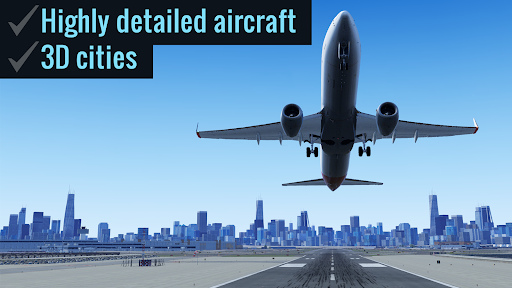
The most realistic aircraft. The world at your fingertips. It’s not a game, it’s a flight simulator.
▶ "Highly recommended." — Mel Martin, Engadget ◀
▶ Over 1 million downloads! ◀
Come experience why real pilots fly X-Plane.
It starts with the flight model—the same flight model used in our FAA-certified desktop simulator—that’s complete enough to model the flex in your wings & the tilt in your landing gear.
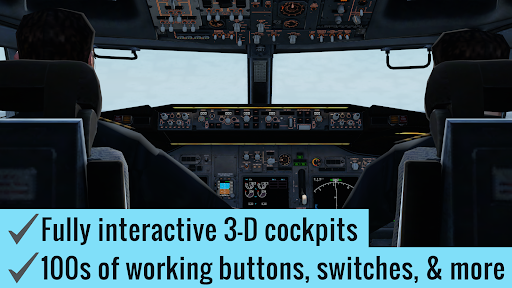
Add to that our desktop-quality aircraft with multiple liveries and interactive 3-D cockpits—so detailed you can do a full startup procedure using the hundreds of buttons, knobs, & switches in the cockpit. With working gauges, flight displays, & more, these cockpits are as realistic as those in our full desktop sim.
But aircraft are no good without a place to fly them. That's why each of our free regions features detailed terrain, lifelike city buildings, & 3-D airports—complete with terminal buildings, jetways, hangars, & more.
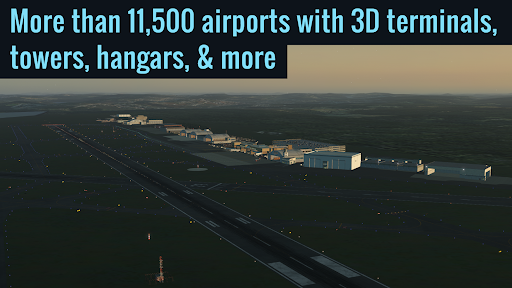
Want more? Subscribe to unlock global scenery, and get access to over 37,000 airports, with more than 11,500 airports featuring 3D terminals, hangars, & more.
▶ FEATURES
√ 9 free tutorials, teaching the basics of takeoffs & landings, traffic patterns, helicopters, & more.
√ 2-player internet multiplayer via Game Center (free for everyone)
√ Fully interactive cockpits on many aircraft, wired to real systems models, with working gauges, displays, buttons, & switches
√ Full startup procedures supported on many aircraft (optionally start any aircraft from cold & dark state)
√ More than 50 systems modeled, each of which can be failed on command
√ Emergency scenarios
√ Combat missions
▶ AIRCRAFT
The app includes 2 aircraft (plus all 5 scenery regions) for free. In addition, the following aircraft are available as in-app purchases:
• Free! Cessna 172SP w/ full interactive cockpit + 4 liveries
• Free! Cirrus Vision SF50 w/ full interactive cockpit + 5 liveries
• Airbus A320 Airliner w/ 3 liveries
• Boeing B737-800 Airliner w/ full interactive cockpit (over 280 switches, buttons, knobs, & levers!) + 3 liveries
• Boeing B777-200ER Airliner w/ 3 liveries
• Boeing B747-400 Jumbo Jet w/ 3 liveries
• Bombardier CRJ200 Regional Jet w/ 3 liveries
• Douglas DC-3 Airliner w/ full interactive cockpit + 3 liveries
• McDonnell Douglas MD-80 w/ 3 liveries
• A-10 Thunderbolt II (“Warthog”) Fighter
• F-22 Raptor Fighter
• F-4 Phantom II Fighter
• Beechcraft Baron B58 w/ full interactive cockpit
• Beechcraft King Air C90B
• Piper PA-18 Super Cub
• Piaggio P.180 Avanti
• Sikorsky S76 Helicopter w/ alternate livery
▶ SCENERY
5 scenery regions are free for everyone!
• Oahu, Hawaii
• Grand Canyon
• Seattle/Tacoma, Washington
• Juneau, Alaska
• Innsbruck, Austria
Global scenery is available by purchasing a monthly or yearly subscription.
▶ MULTIPLAYER
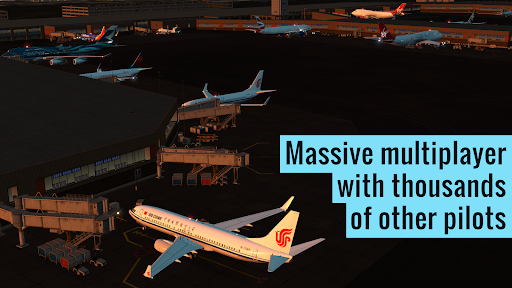
With a Professional subscription, you can get early access to massive multiplayer (MMO).
Come join tens of thousands of other pilots in a single, shared world!
Try the Fly-In of the Day to meet up with hundreds of other pilots, or explore the MMO world for more chance encounters.
Massive multiplayer is in early access—we wanted to get it in your hands as soon as possible—so we’re going to continue adding new features & improvements over the coming months.
Download X-Plane now to experience aviation like never before.
Show more

1. Download MEmu installer and finish the setup

2. Start MEmu then open Google Play on the desktop

3. Search X-Plane in Google Play
Install
4. Download and Install X-Plane
5. On install completion click the icon to start

6. Enjoy playing X-Plane on PC with MEmu
MEmu Play is the best Android emulator and 100 million people already enjoy its superb Android gaming experience. The MEmu virtualization technology empowers you to play thousands of Android games smoothly on your PC, even the most graphic-intensive ones.
Bigger screen with better graphics; Long duration, without limitation of battery or mobile data.
Full Keymapping support for precise control of keyboard and mouse or gamepad.
Multiple game accounts or tasks on single PC at one time with Multi-Instance manager.
Play X-Plane on PC by following steps: