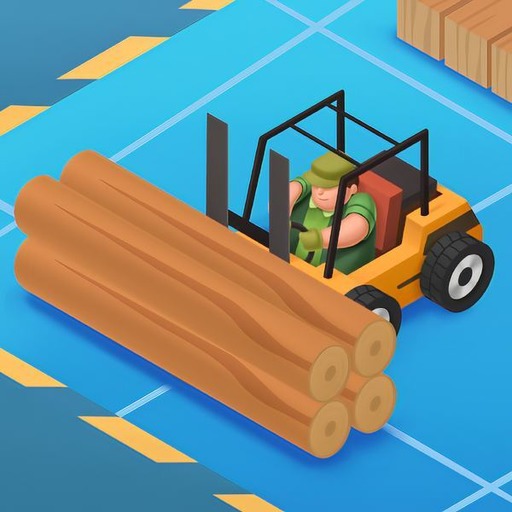
Idle Forest Lumber Inc: Timber Factory Tycoon
Updated
Current Version
1.13.3
Offered By

With your passion for Idle Forest Lumber Inc: Timber Factory Tycoon, you shouldn’t have to limit yourself to the small screen of a phone. Play like a pro and take full control of the game using a keyboard and mouse. MEmu gives you everything you’re looking for. Download and play Idle Forest Lumber Inc: Timber Factory Tycoon on PC. Play as long as you want — no more worries about battery life, mobile data, or unexpected calls. The all-new MEmu 9 is the best way to play Idle Forest Lumber Inc: Timber Factory Tycoon on PC. With our expertly designed keymapping system, Idle Forest Lumber Inc: Timber Factory Tycoon feels just like a real PC game. The MEmu multi-instance manager lets you run two or more accounts on the same device at the same time. Most importantly, our exclusive emulation engine unlocks your PC’s full potential, delivering smooth and seamless performance.
Show more
Download Idle Forest Lumber Inc: Timber Factory Tycoon on PC with MEmu Android Emulator. Enjoy playing on big screen. Idle Lumber – Build your ultimate wood tycoon in this clicker game!


Idle Lumber – Build your ultimate wood tycoon in this clicker game!
Step into the world of idle building games and discover the thrill of managing a low-poly 3D factory in this addictive game. Start with a humble lumber mill, chop trees, cutting wood, and grow your logging simulator into a robust business game empire. Tap, chop chop, and watch your factory run—even when you're away!
Grow Your Wood Empire
In this empire clicker game, you begin by managing a small tree lumber operation.
– Hire lumberjacks and direct them to cut the wood
– Master the art of cutting and precise cutting logs
– Train workers for efficient cutting production
Plant new trees with tree planters, manage forests sustainably, and expand your domain—turn raw timber into a lumber tycoon success.
With your 3d factory in place, watch logs move along conveyor belts, processed by upgraded machines for faster cutting. Use strategic clicker taps, play like a pro in this clicker game, and see why fans love combining idle games with clicker mechanics.
Upgrade & Automate
Elevate your lumber mill into a state-of-the-art lumber factory:
– Install advanced machinery to boost cutting efficiency
– Maintain fleets of log trucks and forklifts
– Hire managers to optimize workflows
Every cut wood game decision impacts productivity. Watch as your lumber idle tycoon empire grows into an expansive tycoon game, driven by clicks & automation—just like the best clicker out there.
Idle Tycoon Meets Clicker Fun
This isn't just another build simulation—you’re crafting a full wood empire. Leverage BizPoints from orders to invest in upgrades, unlock new factories, and maximize income. Whether you’re exploring logging simulator games, or diving into tycoon inc play, the rewards are yours.
Why You’ll Love It:
– Idle games new model: grow even offline
– Ads are optional
– Perfect balance of cutting wood strategy & business tycoon depth
– Feels like the most satisfying clicker experience
– Charming visuals in every work games session
– Unlock worker potential — your workers game realm awaits
Start Crushing Logs Today!
Are you ready to lead as the ultimate lumber tycoon? Chop, click, and cutting wood like a pro. Grow your forest, expand your lumber empire, and become the legendary lumberjack idle boss of your own timber tycoon venture.
Download now to experience clicker games excitement, chopper efficiency, and idle empire hustle. Your wood slice saga begins here!
Show more

1. Download MEmu installer and finish the setup

2. Start MEmu then open Google Play on the desktop

3. Search Idle Forest Lumber Inc: Timber Factory Tycoon in Google Play
Install
4. Download and Install Idle Forest Lumber Inc: Timber Factory Tycoon
5. On install completion click the icon to start

6. Enjoy playing Idle Forest Lumber Inc: Timber Factory Tycoon on PC with MEmu
MEmu Play is the best Android emulator and 100 million people already enjoy its superb Android gaming experience. The MEmu virtualization technology empowers you to play thousands of Android games smoothly on your PC, even the most graphic-intensive ones.
Bigger screen with better graphics; Long duration, without limitation of battery or mobile data.
Full Keymapping support for precise control of keyboard and mouse or gamepad.
Multiple game accounts or tasks on single PC at one time with Multi-Instance manager.
Play Idle Forest Lumber Inc: Timber Factory Tycoon on PC by following steps: