마비노기 모바일
Updated
Current Version
3.3.150011
Offered By

With your passion for 마비노기 모바일, you shouldn’t have to limit yourself to the small screen of a phone. Play like a pro and take full control of the game using a keyboard and mouse. MEmu gives you everything you’re looking for. Download and play 마비노기 모바일 on PC. Play as long as you want — no more worries about battery life, mobile data, or unexpected calls. The all-new MEmu 9 is the best way to play 마비노기 모바일 on PC. With our expertly designed keymapping system, 마비노기 모바일 feels just like a real PC game. The MEmu multi-instance manager lets you run two or more accounts on the same device at the same time. Most importantly, our exclusive emulation engine unlocks your PC’s full potential, delivering smooth and seamless performance.
Show more
Download 마비노기 모바일 on PC with MEmu Android Emulator. Enjoy playing on big screen. Celebrating Chuseok in Erinn!
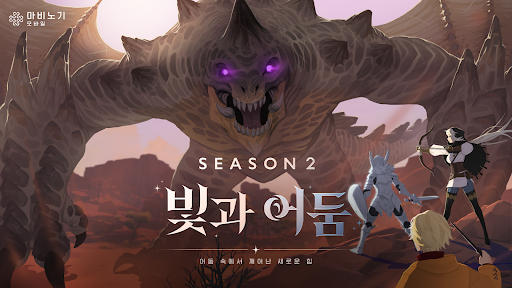
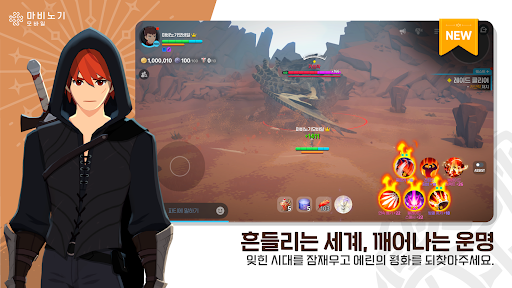
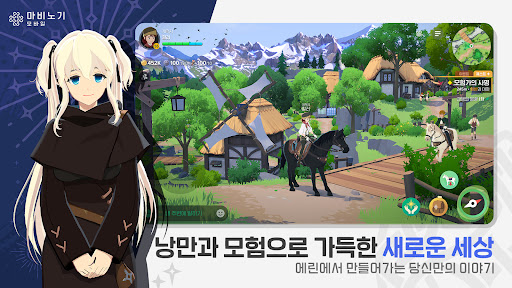
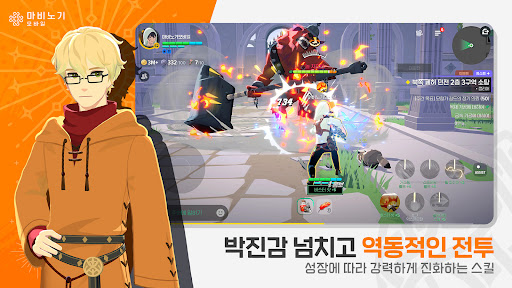
Celebrating Chuseok in Erinn! Hanbok Gifts Provided!
Challenge the new dungeon 'Nightmare Drill' and experience a bountiful Chuseok with various events.
■ Update Introduction ■
▶ Chuseok Event
Chuseok has arrived in Erinn! Make a wish while gazing at the full moon rising over Dunbarton, enjoy spinning tops, and welcome various Chuseok events.
Collect Songpyeon to obtain Hanbok from the Starlight/Moonlight Archives.
▶ New Dungeon 'Nightmare Drill'
'Nightmare Drill,' a solo boss rush where you challenge with your own skills, is opening anew! Challenges await you, ranging from the early zones for casual enjoyment to the high zones where you challenge the best records for each class.
▶ Cloud Wasteland Field Boss 'Droch-Enem' - Very Hard Difficulty
Droch-Enem, a powerful field boss threatening the Cloud Wasteland, returns in Very Hard difficulty. Take on the challenge with your fellow adventurers.
▶ Abyss 'Runda' Hell 3 Difficulty
The Abyss deepens endlessly; this time, Hell 3 difficulty opens its doors.
Break through the extreme challenge and prove your own growth!
▶ Raid 'Eirel' Very Hard Difficulty
Eirel returns with a heart-pounding Very Hard difficulty.
Challenge yourself to set new records with your companions.
▶ Private Theater Officially Opens
The long-awaited Private Theater officially opens its doors.
Spend a special time in Erinn watching videos with your party members.
▶ Various Growth Events
For adventurers starting a new journey, for those reuniting after a long time, and for those looking to take a step further! Experience moments of growth through various growth events.
■ Game Features ■
▶ A New Story of Erinn
The story of the Mabinogi IP unfolds anew in Mabinogi Mobile.
A journey beginning with the Goddess's call; create your own new story.
▶ Easy and Convenient Growth, and Clear Battles with Your Own Combinations! Grow easily and effortlessly with Level-Up Cards!
Struggle through battles with your own unique combinations using skills that change according to Rune Engravings.
▶ Sentimental Lifestyle Content
Experience a variety of lifestyle content that enriches your life in Erinn.
Healing-filled lifestyle content such as fishing, cooking, and gathering awaits you.
▶ Romance Together
How about spending time dancing and playing musical instruments together around a campfire?
Enjoy encounters and adventures with new friends through various social activities.
▶ Time to Discover a Different You
In Erinn, freely express the look you desire!
Complete your own unique look with various fashion items and delicate dyeing techniques!
■ Smartphone App Access Permission Guide ■
We request access permissions to provide the following services when using the app.
▶ Optional Access Permissions
- Photos/Media/Files: Required to upload photos and videos necessary for customer service inquiries.
- Camera: Required to take photos and videos necessary for customer service inquiries.
- Phone: Required to collect mobile phone numbers for sending promotional text messages. - Notification: Required for notifications regarding in-game information.
※ You can use the game service even if you do not agree to the optional access permissions.
▶ How to revoke access permissions
- Settings > Applications > Select the application > Permissions > Select Do not allow
※ The app may not provide individual consent features, and you can revoke access permissions using the method above.
Show more

1. Download MEmu installer and finish the setup

2. Start MEmu then open Google Play on the desktop

3. Search 마비노기 모바일 in Google Play
Install
4. Download and Install 마비노기 모바일
5. On install completion click the icon to start

6. Enjoy playing 마비노기 모바일 on PC with MEmu
MEmu Play is the best Android emulator and 100 million people already enjoy its superb Android gaming experience. The MEmu virtualization technology empowers you to play thousands of Android games smoothly on your PC, even the most graphic-intensive ones.
Bigger screen with better graphics; Long duration, without limitation of battery or mobile data.
Full Keymapping support for precise control of keyboard and mouse or gamepad.
Multiple game accounts or tasks on single PC at one time with Multi-Instance manager.
Play 마비노기 모바일 on PC by following steps: