Car Parking and Driving Simulator
Updated
Current Version
4.3
Offered By

With your passion for Car Parking and Driving Simulator, you shouldn’t have to limit yourself to the small screen of a phone. Play like a pro and take full control of the game using a keyboard and mouse. MEmu gives you everything you’re looking for. Download and play Car Parking and Driving Simulator on PC. Play as long as you want — no more worries about battery life, mobile data, or unexpected calls. The all-new MEmu 9 is the best way to play Car Parking and Driving Simulator on PC. With our expertly designed keymapping system, Car Parking and Driving Simulator feels just like a real PC game. The MEmu multi-instance manager lets you run two or more accounts on the same device at the same time. Most importantly, our exclusive emulation engine unlocks your PC’s full potential, delivering smooth and seamless performance.
Show more
Download Car Parking and Driving Simulator on PC with MEmu Android Emulator. Enjoy playing on big screen. Enjoy realistic driving in Car Parking and Driving Simulator.
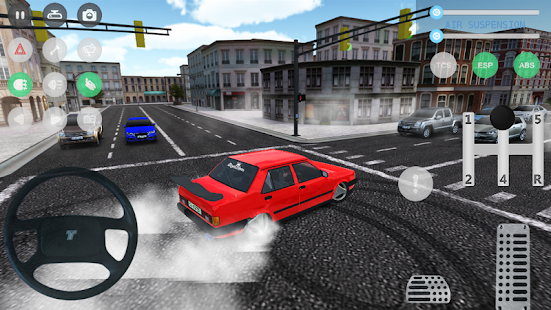
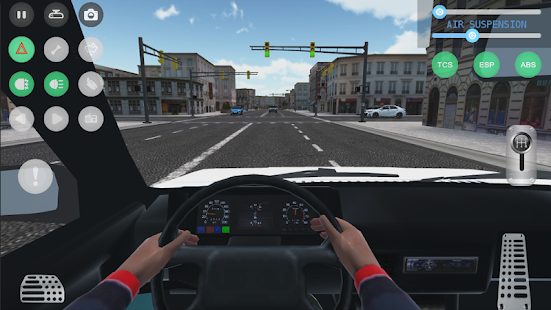
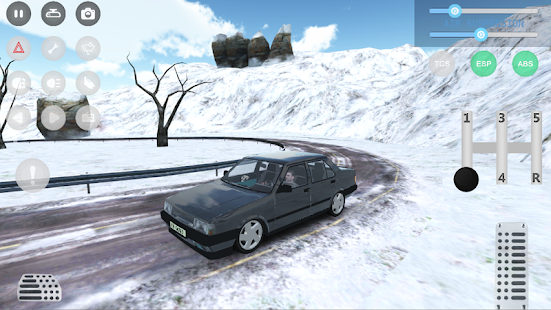
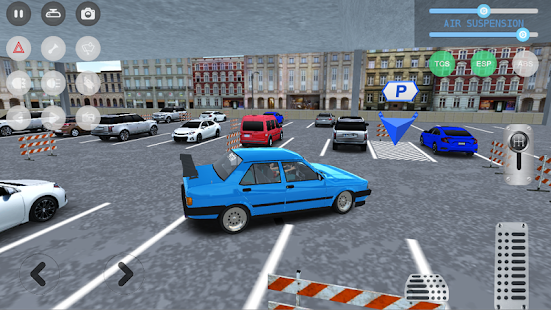
Enjoy realistic driving in Car Parking and Driving Simulator. Modify your car with lots of customization options.
Park the car before it hits the obstacles. Complete all levels. Modify your car the way you want and play any mode between Parking, Checkpoint, Career, Drift, Stunt, Lap Time, Midnight, Race Track, Breaking, Ramps, Winter, Airport, Off-road or City.
- Garage : Customize the cars wheels, colors, spoilers, window colors, plate, stickers, exhaust, camber, hood, covering, neon, driver, antena, headlight, roof, roll cage, bumper, plate, horn sound, suspensions and change many more parts.
- Free Mode : Feel free to make a trip in a huge city and enjoy the ride. You can forget about the traffic rules and do a perfect burnout with your car.
- Career Mode : You need to obey all traffic rules, you should wait at traffic lights, dont make lane violation and dont crash. Take the car to the desired point.
- Parking Mode : Park the car to the desired point in given time, dont hit obstacles.
- Checkpoint Mode : Collect all checkpoints in given time, be fast and forget the traffic rules.
- Drift Mode : Large area where you can make a drift score.
- Ramps : It's a fun mode where you can climb and jump on huge ramps.
- Race Track : You can push the limits of vehicle and driving here.
- Midnight : Turn on your headlights and enjoy the night driving.
- Lap Time : Complete your lap on the race track in time.
- Stunt : Show your driving skills on the dangerous road.
- City : Huge size maps with long and wide paths.
- Airport : Fun and great map.
- Breaking Mode : Require attention and driving skills.
- Winter : You can test your driving skills on snowy roads.
- Desert : Desert safari is for you with its sand dunes for those who are looking for different driving experiences.
- Seaport : If you are not careful, you will taste salt water.
- Mountain : It's time to show off your driving skills on lithe mountain roads.
- Off-road : It has never been more enjoyable to travel in difficult conditions in nature.
Game features:
- Radio listening option
- Unlimited customization
- More than 520 different missions
- Driver options
- Horn, signal, headlight options
- ABS ESP TCS driving assistants
- Manual gear options
- Different huge maps
- Realistic traffic and traffic rules
- Parking, Career, Checkpoint, Drift, Stunt, Lap Time, Breaking tasks
- Increasingly challenging tasks
- You can wander as you wish in free mode
- Realistic graphics and sounds
- Sensor, arrow, left or right of the steering wheel control settings
- Different camera types
- Realistic car physics and simulation
- Language option added (EN/TR)
Follow us for surprise events:
https://www.instagram.com/obgamecompany/
https://www.facebook.com/OBGameCompany
Show more

1. Download MEmu installer and finish the setup

2. Start MEmu then open Google Play on the desktop

3. Search Car Parking and Driving Simulator in Google Play
Install
4. Download and Install Car Parking and Driving Simulator
5. On install completion click the icon to start

6. Enjoy playing Car Parking and Driving Simulator on PC with MEmu
MEmu Play is the best Android emulator and 100 million people already enjoy its superb Android gaming experience. The MEmu virtualization technology empowers you to play thousands of Android games smoothly on your PC, even the most graphic-intensive ones.
Bigger screen with better graphics; Long duration, without limitation of battery or mobile data.
Full Keymapping support for precise control of keyboard and mouse or gamepad.
Multiple game accounts or tasks on single PC at one time with Multi-Instance manager.
Play Car Parking and Driving Simulator on PC by following steps:






































![[3D Platformer] Super Bear Adventure PC](https://dl.memuplay.com/new_market/img/com.Earthkwak.Platformer.icon.2024-09-08-15-16-43.png)







