暮色雙城
Updated
Current Version
5.0
Offered By

With your passion for 暮色雙城, you shouldn’t have to limit yourself to the small screen of a phone. Play like a pro and take full control of the game using a keyboard and mouse. MEmu gives you everything you’re looking for. Download and play 暮色雙城 on PC. Play as long as you want — no more worries about battery life, mobile data, or unexpected calls. The all-new MEmu 9 is the best way to play 暮色雙城 on PC. With our expertly designed keymapping system, 暮色雙城 feels just like a real PC game. The MEmu multi-instance manager lets you run two or more accounts on the same device at the same time. Most importantly, our exclusive emulation engine unlocks your PC’s full potential, delivering smooth and seamless performance.
Show more
Download 暮色雙城 on PC with MEmu Android Emulator. Enjoy playing on big screen. 地獄審判日降臨,迎接槍彈風暴!
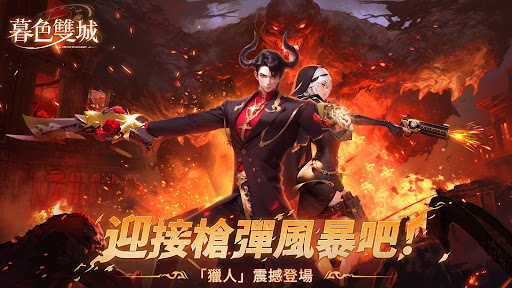
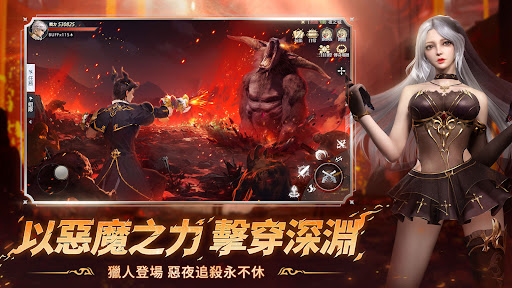
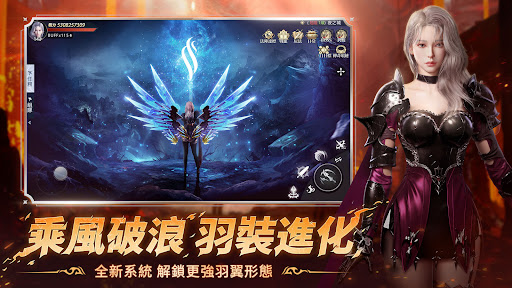
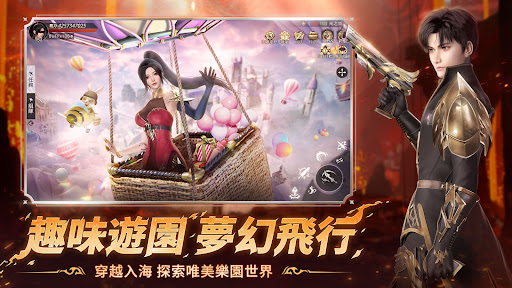
地獄審判日降臨,迎接槍彈風暴!
爽玩全新角色「獵人」!
登錄再送【五億鑽石】【星織羽翼】!
當「時光沙漏」的力量覆蓋了大陸的每一個角落時…
所有生命都進入了命運輪轉的雙世界——「暮色雙城」出現了。
當黎明破曉時,人們在自由的大陸上探索、種植、經營、交友、玩樂,沉浸在光之城的樂園中,沒有戰鬥的紛擾與黑暗的陰霾。
然而當夜幕降臨時,神秘邪惡的鬼族伺機而動,魔影與戰意籠罩整座夜之城,黑夜下的人們換上戰裝,化身城市獵人進擊百鬼。
無盡的晝夜與命運悄然輪轉,暮色雙城的故事,就此拉開序幕…
--遊戲特色--
【匠心獨具,唯美畫風】
次世代3D建模,端遊級別的精緻畫質,實施光效渲染,自由變換的天氣,沉浸式的體驗帶來極致的視覺享受,讓您仿佛置身於真實的幻想世界中。
【特色變身,多重轉職】
特色變身技能,在戰鬥中領悟奧義,化身太古神魔,以殺止戈!獨有的多重轉職,助你一步一步感悟真諦,登頂世界巔峰!
【百人同屏,巔峰混戰】
五行戰場,百人同屏,隨機分配,激情混戰!戰場之內,只分陣營,殺敵、圍攻、爭奪、支援,為了陣營和個人的榮譽,血戰到底!
【萌寵相伴,究極進化】
孤身闖蕩,不如萌寵相伴!眾多形態各異的靈寵,都有著不同的屬性和技能,妖爐煉妖,重生飛升,成為最強靈寵,助你逆轉戰局。
【超強神技,一招清屏】
天神下凡、逆轉陰陽、御劍術...各式各樣特色技能供你學習,修煉至更高境界,更能附加多種獨特效果,一招清屏,強力殺敵!
【海量副本,超高爆率】
精心打造多種副本,多人合作、跨服競技、情緣互動,奇遇軼事,獨特的闖關機制,超高的掉落概率,各種稀有道具等你來拿!
快來開啟一段屬於您的命運之旅吧!
【溫馨提示】
◆軟體分級管理辦法:輔導十五歲級。
◆遊戲部分情節涉及暴力、性、菸酒以及虛擬戀愛情節,十五歲以上之人始得使用。
◆請依個人興趣、能力、進行體驗,請注意遊戲時間,避免沉迷於遊戲。
使用者協定&隱私保護協定:
*服務條款:https://sp-games.com/tw/contract
*隱私政策:https://sp-games.com/tw/privacy
Show more

1. Download MEmu installer and finish the setup

2. Start MEmu then open Google Play on the desktop

3. Search 暮色雙城 in Google Play
Install
4. Download and Install 暮色雙城
5. On install completion click the icon to start

6. Enjoy playing 暮色雙城 on PC with MEmu
MEmu Play is the best Android emulator and 100 million people already enjoy its superb Android gaming experience. The MEmu virtualization technology empowers you to play thousands of Android games smoothly on your PC, even the most graphic-intensive ones.
Bigger screen with better graphics; Long duration, without limitation of battery or mobile data.
Full Keymapping support for precise control of keyboard and mouse or gamepad.
Multiple game accounts or tasks on single PC at one time with Multi-Instance manager.
Play 暮色雙城 on PC by following steps: