EXIT – Trial of the Griffin
Updated
Current Version
2.1.0
Offered By

With your passion for EXIT – Trial of the Griffin, you shouldn’t have to limit yourself to the small screen of a phone. Play like a pro and take full control of the game using a keyboard and mouse. MEmu gives you everything you’re looking for. Download and play EXIT – Trial of the Griffin on PC. Play as long as you want — no more worries about battery life, mobile data, or unexpected calls. The all-new MEmu 9 is the best way to play EXIT – Trial of the Griffin on PC. With our expertly designed keymapping system, EXIT – Trial of the Griffin feels just like a real PC game. The MEmu multi-instance manager lets you run two or more accounts on the same device at the same time. Most importantly, our exclusive emulation engine unlocks your PC’s full potential, delivering smooth and seamless performance.
Show more
Download EXIT – Trial of the Griffin on PC with MEmu Android Emulator. Enjoy playing on big screen. The second Escape Room experience from the exciting game series EXIT - The Game takes you back to the year 1837 to the legendary Greifenstein Castle.
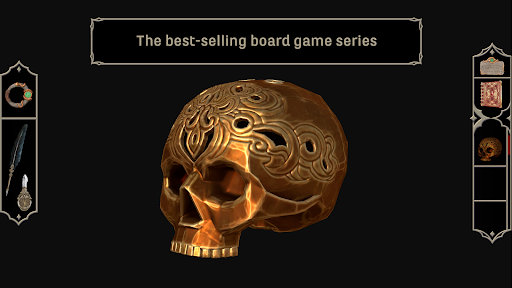
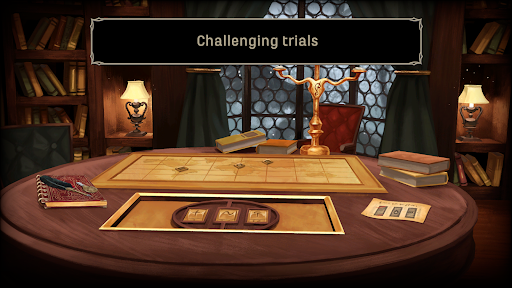
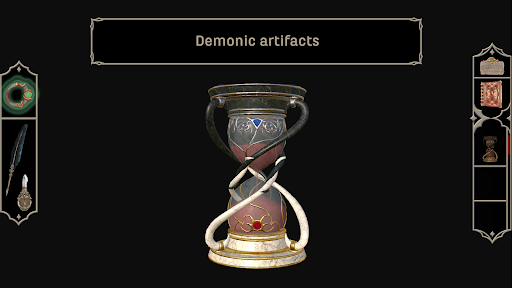
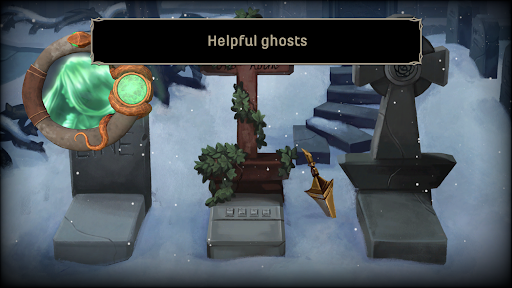
The second Escape Room experience from the exciting game series EXIT - The Game takes you back to the year 1837 to the legendary Greifenstein Castle.
The Countess herself has invited you to assist her as an expert. Neither the bumpy carriage ride through the misty woods nor the warnings of the locals can deter you. However, what is the truth behind the rumors that the Countess has not been seen for decades and that ghosts haunt the stone halls of Greifenstein?
Once you arrive at the castle, the old walls will not let you go. Only if you pass the tests of the Countess and prove yourself worthy, you can free her—and yourself—from the castle and defeat the curse.
Go in search of the castle's mistress, examine her chambers for artifacts from your predecessors, rummage through the library for clues about the von Greifenstein family, discover mysterious relics in the castle courtyard, solve tricky puzzles in the family crypt, and even think outside the castle—and the game! The ghosts will help you decipher witchcraft recipes, open folios, medallions and caskets, or decipher the strange hourglass. Are you up to the task and can you free the Countess from her seemingly hopeless situation?
- Prove yourself digitally as well: with the second app of the award-winning game series "EXIT® - The Game".
- Save the Countess—and yourself: exciting Escape Room game with a completely new storyline
- Master the challenge alone: for one player
- The adventure awaits you: exciting mystery-puzzle adventure with twenty multi-layered, creative puzzles
- Think outside the app: anything can be part of the game!
- Immerse yourself in the mysterious setting: an atmospheric soundtrack, hand-drawn graphics, and narrator audio set to music will transport you directly into the historical atmosphere of Greifenstein Castle.
- Are you ready? Age recommendation 12 +
An exciting adventure also awaits you in the mysterious Hotel Ophir in the Wichita Mountains: "EXIT - The Curse of Ophir" can also be found here on the store.
*****
Questions or suggestions for improvements:
Mail to support@usm.de
We are looking forward to your feedback!
More info and news: www.exitgame.app or facebook.com/UnitedSoftMedia
*****
Show more

1. Download MEmu installer and finish the setup

2. Start MEmu then open Google Play on the desktop

3. Search EXIT – Trial of the Griffin in Google Play
Install
4. Download and Install EXIT – Trial of the Griffin
5. On install completion click the icon to start

6. Enjoy playing EXIT – Trial of the Griffin on PC with MEmu
MEmu Play is the best Android emulator and 100 million people already enjoy its superb Android gaming experience. The MEmu virtualization technology empowers you to play thousands of Android games smoothly on your PC, even the most graphic-intensive ones.
Bigger screen with better graphics; Long duration, without limitation of battery or mobile data.
Full Keymapping support for precise control of keyboard and mouse or gamepad.
Multiple game accounts or tasks on single PC at one time with Multi-Instance manager.
Play EXIT – Trial of the Griffin on PC by following steps: