最后的原始人
Updated
Current Version
1.1.4
Offered By

With your passion for 最后的原始人, you shouldn’t have to limit yourself to the small screen of a phone. Play like a pro and take full control of the game using a keyboard and mouse. MEmu gives you everything you’re looking for. Download and play 最后的原始人 on PC. Play as long as you want — no more worries about battery life, mobile data, or unexpected calls. The all-new MEmu 9 is the best way to play 最后的原始人 on PC. With our expertly designed keymapping system, 最后的原始人 feels just like a real PC game. The MEmu multi-instance manager lets you run two or more accounts on the same device at the same time. Most importantly, our exclusive emulation engine unlocks your PC’s full potential, delivering smooth and seamless performance.
Show more
Download 最后的原始人 on PC with MEmu Android Emulator. Enjoy playing on big screen. 狂欢上线 狩猎冒险一触即发!
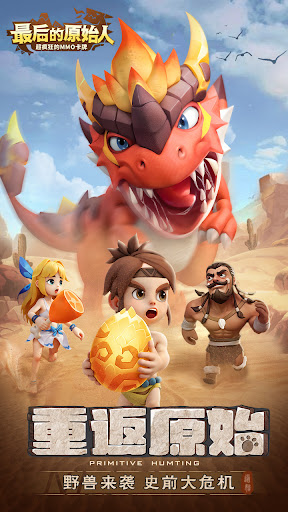

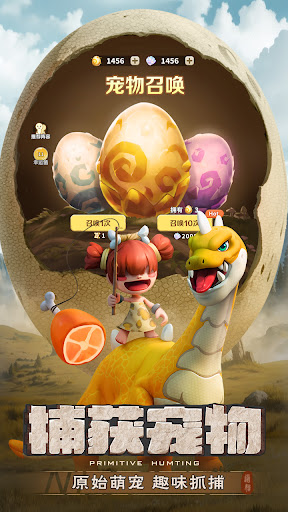

狂欢上线 狩猎冒险一触即发!
三重开服福利诚意巨献——
1. 超强火系SSR奔行暴龙登录即送!
2. 史诗爆发神器寻猎骨刃上线即享!
3. 专属100颗金蛋,1888彩贝豪礼相赠!
穿越伊甸大陆,掉进原始社会之中,暴龙、剑齿虎、猛犸象……与原始居民共同捕获奇珍异宠,开启史前一万年的狩猎冒险!
特色玩法:
【神宠战斗】抓捕狩猎神宠,驯龙大师结伴萌宠共同御敌。
【自由探索】超多地图秘境寻宝,寻宝之旅危机四伏。
【建造海岛】打造专属小岛,自由建造,弱肉强食生存之道。
【部落争霸】谁是最强勇士,策略搭配,灵活站位智勇无敌。
Show more

1. Download MEmu installer and finish the setup

2. Start MEmu then open Google Play on the desktop

3. Search 最后的原始人 in Google Play
Install
4. Download and Install 最后的原始人
5. On install completion click the icon to start

6. Enjoy playing 最后的原始人 on PC with MEmu
MEmu Play is the best Android emulator and 100 million people already enjoy its superb Android gaming experience. The MEmu virtualization technology empowers you to play thousands of Android games smoothly on your PC, even the most graphic-intensive ones.
Bigger screen with better graphics; Long duration, without limitation of battery or mobile data.
Full Keymapping support for precise control of keyboard and mouse or gamepad.
Multiple game accounts or tasks on single PC at one time with Multi-Instance manager.
Play 最后的原始人 on PC by following steps:
















































