
Lily's Diary
Updated
Current Version
1.0.14
Offered By

With your passion for Lily's Diary, you shouldn’t have to limit yourself to the small screen of a phone. Play like a pro and take full control of the game using a keyboard and mouse. MEmu gives you everything you’re looking for. Download and play Lily's Diary on PC. Play as long as you want — no more worries about battery life, mobile data, or unexpected calls. The all-new MEmu 9 is the best way to play Lily's Diary on PC. With our expertly designed keymapping system, Lily's Diary feels just like a real PC game. The MEmu multi-instance manager lets you run two or more accounts on the same device at the same time. Most importantly, our exclusive emulation engine unlocks your PC’s full potential, delivering smooth and seamless performance.
Show more
Download Lily's Diary on PC with MEmu Android Emulator. Enjoy playing on big screen. Play this game for FREE with ads – or get even more games with the gamehouse+ app!


Play this game for FREE with ads – or get even more games with the gamehouse+ app! Unlock 100+ games with ads as a GH+ Free member, or go GH+ VIP to enjoy them ALL ad-free, play offline, score exclusive in-game rewards, and more!
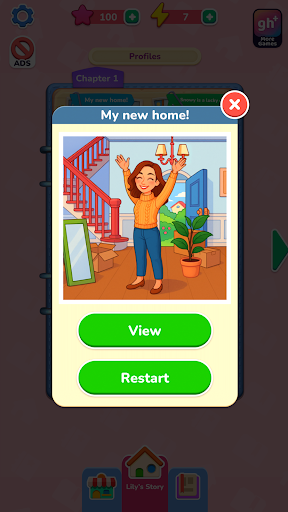
Start fresh with Lily as she settles into her new home and begins a diary of her adventures. Each memory comes to life through photo-style scenes you restore by dragging and placing numbered stickers — a fresh, creative twist on classic color-by-number puzzles. Match shapes, follow the numbers, and use boosters whenever you need a little help. Every completed photo reveals another moment from Lily's everyday life from friendships and hobbies to holidays and the small joys that make each day meaningful.
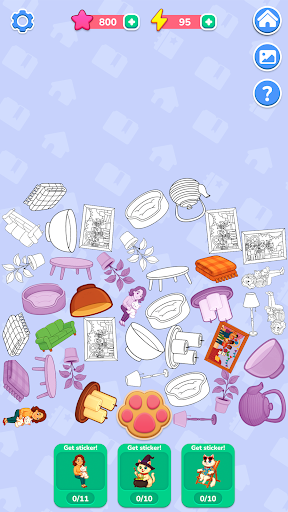
As you restore photos, you'll earn energy to uncover secret stories about Snowy, Lily's mischievous cat. Tap the paw-print button to gather items, merge them into stickers, and unlock special scenes in Snowy's album. Collect every sticker to reveal the hidden side of Snowy's adventures.
With more than 40 relaxing levels, 10 secret stories, and calm, drag-and-place gameplay, Lily's Diary offers a creative escape where every sticker brings a memory back to life.
FEATURES:
Restore Photos
Drag and place numbered stickers to rebuild Lily's memories.
Easy Matching
Follow numbers and shapes for smooth, satisfying placement.
Helpful Boosters
Use hints to quickly find the right spot when you're stuck.
Snowy's Secret Stories
Collect and merge items into stickers to unlock bonus levels.
Energy & Rewards
Earn energy by restoring photos and use it to reveal Snowy's adventures.
Cozy Progression
Enjoy 40+ relaxing scenes and 10 hidden stories to complete at your own pace.
NEW! Find your perfect way to play with the gamehouse+ app! Enjoy 100+ games for free with ads as a GH+ Free member or upgrade to GH+ VIP for ad-free play, offline access, exclusive in-game perks, and more. gamehouse+ isn't just another gaming app—it's your playtime destination for every mood and every 'me-time' moment. Subscribe today!
Show more

1. Download MEmu installer and finish the setup

2. Start MEmu then open Google Play on the desktop

3. Search Lily's Diary in Google Play
Install
4. Download and Install Lily's Diary
5. On install completion click the icon to start

6. Enjoy playing Lily's Diary on PC with MEmu
MEmu Play is the best Android emulator and 100 million people already enjoy its superb Android gaming experience. The MEmu virtualization technology empowers you to play thousands of Android games smoothly on your PC, even the most graphic-intensive ones.
Bigger screen with better graphics; Long duration, without limitation of battery or mobile data.
Full Keymapping support for precise control of keyboard and mouse or gamepad.
Multiple game accounts or tasks on single PC at one time with Multi-Instance manager.
Play Lily's Diary on PC by following steps: