Dark Knight Idle : Idle RPG
Updated
Current Version
Offered By

With your passion for Dark Knight Idle : Idle RPG, you shouldn’t have to limit yourself to the small screen of a phone. Play like a pro and take full control of the game using a keyboard and mouse. MEmu gives you everything you’re looking for. Download and play Dark Knight Idle : Idle RPG on PC. Play as long as you want — no more worries about battery life, mobile data, or unexpected calls. The all-new MEmu 9 is the best way to play Dark Knight Idle : Idle RPG on PC. With our expertly designed keymapping system, Dark Knight Idle : Idle RPG feels just like a real PC game. The MEmu multi-instance manager lets you run two or more accounts on the same device at the same time. Most importantly, our exclusive emulation engine unlocks your PC’s full potential, delivering smooth and seamless performance.
Show more
Download Dark Knight Idle : Idle RPG on PC with MEmu Android Emulator. Enjoy playing on big screen. Dark Knight Idle - a dark fantasy idle action RPG.
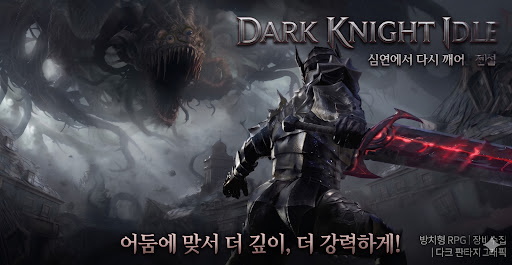
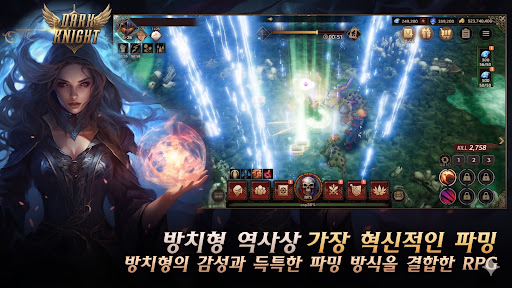
Dark Knight Idle - a dark fantasy idle action RPG
Your hero fights even when you don't! Become a black-armored berserker and cut down the endless legions of darkness. With auto-battle and idle rewards, your character keeps growing stronger even while you're away. Dive into the hottest idle RPG and character-growing game today!
■ Game Features
● Idle Auto-Battle
Gold and EXP keep piling up even when you're offline! Just a few minutes on your commute or before bed is all you need. Easy auto-battle that anyone can enjoy.
● Endless Growth & Character Building
Collect and upgrade gear, level up skills, and boost your stats to grow infinitely stronger in this hack-and-slash action RPG. The stronger you get, the deeper the stages you unlock.
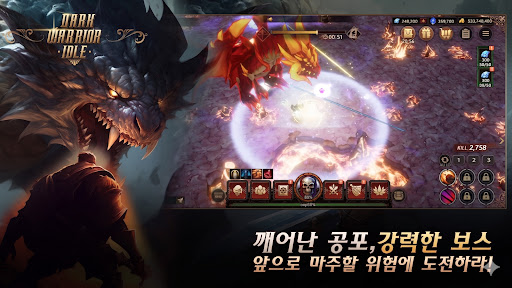
● Powerful Boss Raids
Challenge towering bosses to earn rare gear and generous rewards. Thrilling boss battles that test your limits!
● Real-Time Arena PvP
Compete with players worldwide for the top spot in the arena. Prove who the mightiest berserker truly is.
● Various Dungeons
Gold, upgrade, and material dungeons - fresh daily content to accelerate your growth.
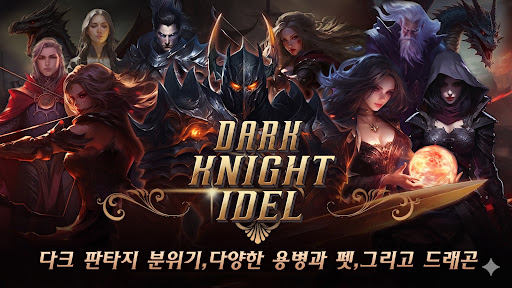
● Pets & Mercenaries
Collect powerful pets and mercenaries to raise your combat power and build your ultimate party.
● Costumes & Collection
Dress up your character with cool costumes and fill your collection to gain extra stats!
● Daily Rewards & Season Pass
Log in every day for attendance rewards and a season pass to grow even faster.
■ Perfect For
- Fans of idle RPGs, idle games, and character-growing games
- Players who want light, relaxing auto-battle gameplay
- Lovers of dark fantasy and hack-and-slash action
- Anyone who enjoys boss raids and PvP ranking competition
Start Dark Knight Idle now and become the mightiest berserker to cut through the darkness!
Keywords: idle RPG, idle game, idle action, auto battle, dark fantasy, action RPG, hack and slash, boss raid, arena, PvP, gear upgrade, character growth, offline rewards, dark knight
Contact: support@clawgrab.com
Show more

1. Download MEmu installer and finish the setup

2. Start MEmu then open Google Play on the desktop

3. Search Dark Knight Idle : Idle RPG in Google Play
Install
4. Download and Install Dark Knight Idle : Idle RPG
5. On install completion click the icon to start

6. Enjoy playing Dark Knight Idle : Idle RPG on PC with MEmu
MEmu Play is the best Android emulator and 100 million people already enjoy its superb Android gaming experience. The MEmu virtualization technology empowers you to play thousands of Android games smoothly on your PC, even the most graphic-intensive ones.
Bigger screen with better graphics; Long duration, without limitation of battery or mobile data.
Full Keymapping support for precise control of keyboard and mouse or gamepad.
Multiple game accounts or tasks on single PC at one time with Multi-Instance manager.
Play Dark Knight Idle : Idle RPG on PC by following steps:
















































