
Demonic Tao: 2D MMORPG
Updated
Current Version
1747122338
Offered By

With your passion for Demonic Tao: 2D MMORPG, you shouldn’t have to limit yourself to the small screen of a phone. Play like a pro and take full control of the game using a keyboard and mouse. MEmu gives you everything you’re looking for. Download and play Demonic Tao: 2D MMORPG on PC. Play as long as you want — no more worries about battery life, mobile data, or unexpected calls. The all-new MEmu 9 is the best way to play Demonic Tao: 2D MMORPG on PC. With our expertly designed keymapping system, Demonic Tao: 2D MMORPG feels just like a real PC game. The MEmu multi-instance manager lets you run two or more accounts on the same device at the same time. Most importantly, our exclusive emulation engine unlocks your PC’s full potential, delivering smooth and seamless performance.
Show more
Download Demonic Tao: 2D MMORPG on PC with MEmu Android Emulator. Enjoy playing on big screen. Become the Next Demon Lord in a 2D Action RPG!
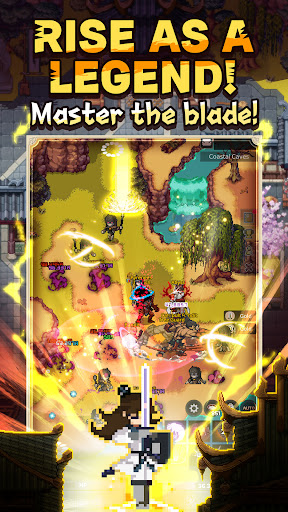



Become the Next Demon Lord in a 2D Action RPG!
▶ Awaken Your Legacy
Once a mighty Demon Lord, you now awaken as a lowly minion.
Reclaim your power and rise through epic battles in this addictive 2D MMORPG!
▶ Earn Your Gear – No Gacha Needed
Forget random draws!
Farm your own powerful equipment the old-fashioned way.
Experience true progression with rewarding gameplay that every action RPG fan will love.
▶ Epic Reincarnation & Class Upgrades
Reincarnate eight times to unlock new classes and abilities.
Every rebirth brings you closer to unleashing your true power and reclaiming your Demon Lord destiny!
▶ Pixel Arts Meets Martial Arts
Immerse yourself in a stunning fusion of classic pixel art and dynamic martial arts.
Enjoy a beautifully designed world where retro charm meets cutting-edge action in an immersive wuxia-style world.
▶ Expansive Open-World & Dazzling Combos
Explore vast open-world maps filled with challenging dungeons and discover flashy, skill-packed combat combos that will keep you coming back for more.
▶ Join Real-Time Multiplayer Action
Play solo or team up with friends in real-time battles.
Form guilds, recruit allies, and dominate in a vibrant online community—because legends are made together.
▶ Customize Your Hero
Stand out on the battlefield!
Personalize your character with diverse costumes and unlock a unique style that reflects your inner warrior.
▶ Form Your Demonic Army
Rise to lead the Demonic Sect!
Recruit powerful comrades, each with unique skills, and strategize your way to ultimate victory.
▶ Pre-registration Now and Rewrite Your Fate!
Join thousands of players in this thrilling 2D MMORPG.
Embrace the challenge.
▶ Official Community
https://discord.gg/dEeErEGgQH
Show more

1. Download MEmu installer and finish the setup

2. Start MEmu then open Google Play on the desktop

3. Search Demonic Tao: 2D MMORPG in Google Play
Install
4. Download and Install Demonic Tao: 2D MMORPG
5. On install completion click the icon to start

6. Enjoy playing Demonic Tao: 2D MMORPG on PC with MEmu
MEmu Play is the best Android emulator and 100 million people already enjoy its superb Android gaming experience. The MEmu virtualization technology empowers you to play thousands of Android games smoothly on your PC, even the most graphic-intensive ones.
Bigger screen with better graphics; Long duration, without limitation of battery or mobile data.
Full Keymapping support for precise control of keyboard and mouse or gamepad.
Multiple game accounts or tasks on single PC at one time with Multi-Instance manager.
Play Demonic Tao: 2D MMORPG on PC by following steps: