
Diamond Flow: Color Puzzle
Updated
Current Version
1.4.1
Offered By

With your passion for Diamond Flow: Color Puzzle, you shouldn’t have to limit yourself to the small screen of a phone. Play like a pro and take full control of the game using a keyboard and mouse. MEmu gives you everything you’re looking for. Download and play Diamond Flow: Color Puzzle on PC. Play as long as you want — no more worries about battery life, mobile data, or unexpected calls. The all-new MEmu 9 is the best way to play Diamond Flow: Color Puzzle on PC. With our expertly designed keymapping system, Diamond Flow: Color Puzzle feels just like a real PC game. The MEmu multi-instance manager lets you run two or more accounts on the same device at the same time. Most importantly, our exclusive emulation engine unlocks your PC’s full potential, delivering smooth and seamless performance.
Show more
Download Diamond Flow: Color Puzzle on PC with MEmu Android Emulator. Enjoy playing on big screen. Do you love the sparkle of diamonds and the satisfaction of a perfect sort?
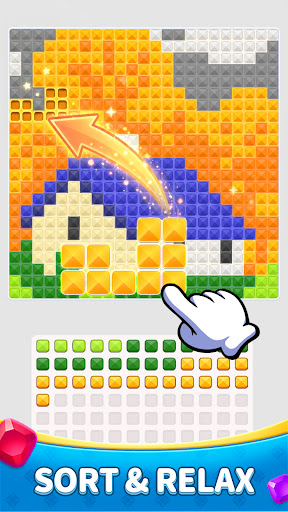
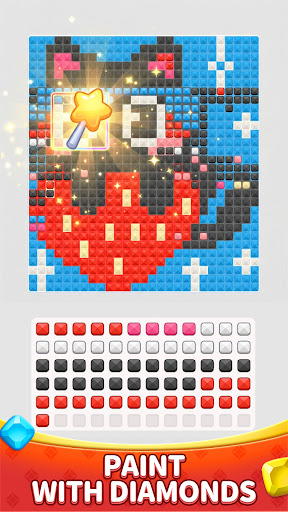
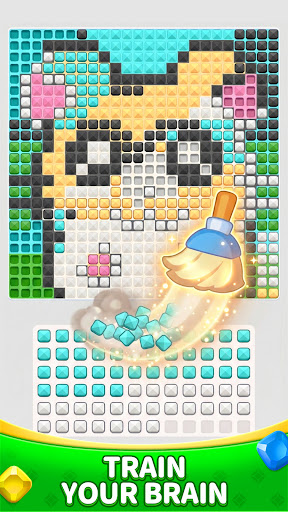
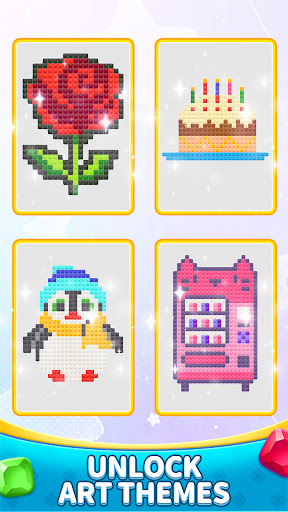
Do you love the sparkle of diamonds and the satisfaction of a perfect sort? Step into Diamond Flow, where every move brings you closer to a shimmering masterpiece! This isn't just a simple sorting game—it’s a journey through a world of light, color, and stunning art.
How to Play:
Tap and Move: Simply tap a diamond to move it to a different slot.
Match Colors: Strategically place diamonds into slots of the same color or into empty ones.
Complete the Art: Once a color is fully sorted, it fills a piece of your diamond painting!
Endless Surprises in Every Level!
Think you’ve seen it all? Think again! As you progress, the world of Brilliant Sort keeps expanding:
Unlock Rare Art Themes: From majestic wildlife and blooming gardens to mystical galaxies, every chapter reveals a brand-new art style to collect.
Intricate 3D Masterpieces: Later levels move beyond flat images into stunning 3D-effect diamond crafts that pop off your screen!
New Mechanics & Challenges: Just when you think you’ve mastered the sort, we introduce secret colors, locked slots, and multi-layered puzzles to keep your brain buzzing.
Build Your Dream Gallery: Collect finished works and display them in your personal Art Hall. Can you complete the entire collection?
Daily Mystery Rewards: Log in every day for surprise chests, rare diamond skins, and powerful boosters to help you clear the trickiest boards.
Why You Can’t Put It Down:
Ultimate Relaxation: No timers, no pressure. Just the zen-like experience of sorting beautiful gems.
Satisfying Progress: Watch your empty canvas transform into a brilliant work of art, stone by stone.
Brain Training: Sharpen your logic with puzzles that start easy but offer deep strategic depth in later stages.
The next sparkling surprise is just one level away. Are you ready to sort?
Download Diamond Flow now and start building your diamond empire today!
Show more

1. Download MEmu installer and finish the setup

2. Start MEmu then open Google Play on the desktop

3. Search Diamond Flow: Color Puzzle in Google Play
Install
4. Download and Install Diamond Flow: Color Puzzle
5. On install completion click the icon to start

6. Enjoy playing Diamond Flow: Color Puzzle on PC with MEmu
MEmu Play is the best Android emulator and 100 million people already enjoy its superb Android gaming experience. The MEmu virtualization technology empowers you to play thousands of Android games smoothly on your PC, even the most graphic-intensive ones.
Bigger screen with better graphics; Long duration, without limitation of battery or mobile data.
Full Keymapping support for precise control of keyboard and mouse or gamepad.
Multiple game accounts or tasks on single PC at one time with Multi-Instance manager.
Play Diamond Flow: Color Puzzle on PC by following steps: