Differences - Find & Spot It
Updated
Current Version
2.17.0
Offered By

With your passion for Differences - Find & Spot It, you shouldn’t have to limit yourself to the small screen of a phone. Play like a pro and take full control of the game using a keyboard and mouse. MEmu gives you everything you’re looking for. Download and play Differences - Find & Spot It on PC. Play as long as you want — no more worries about battery life, mobile data, or unexpected calls. The all-new MEmu 9 is the best way to play Differences - Find & Spot It on PC. With our expertly designed keymapping system, Differences - Find & Spot It feels just like a real PC game. The MEmu multi-instance manager lets you run two or more accounts on the same device at the same time. Most importantly, our exclusive emulation engine unlocks your PC’s full potential, delivering smooth and seamless performance.
Show more
Download Differences - Find & Spot It on PC with MEmu Android Emulator. Enjoy playing on big screen. Enjoy FREE and brand NEW find differences puzzle games anytime & anywhere!
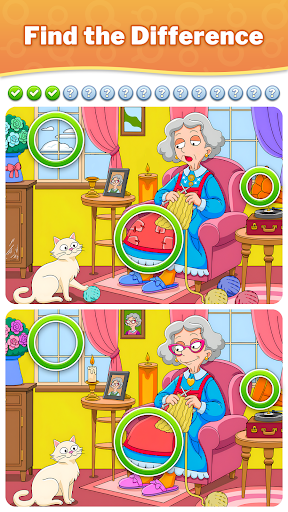
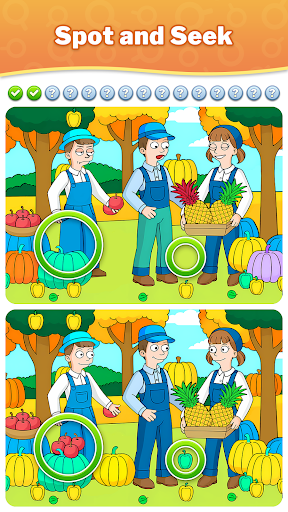
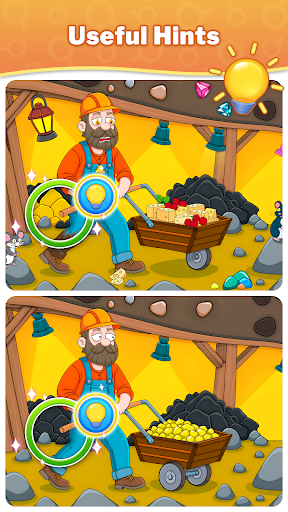
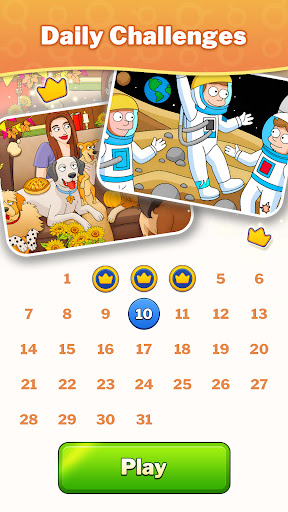
Enjoy FREE and brand NEW find differences puzzle games anytime & anywhere!
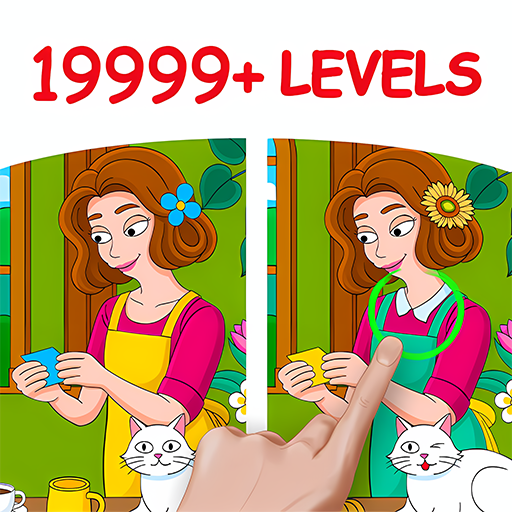
Spot the hidden difference between 2 nearly identical pictures in thousands of easy & hard levels. This relaxing Find the Difference game provides a perfect way to unwind and enhance your observation skills!
Think you have eagle eyes? Put them to the test as you spot differences! This photo hunt adventure takes the classic "find the difference" game to the next level. With diverse scenarios and artistic styles in tons of exquisite graphics, you'll be spotting the differences in a fun and immersive way. From modern cityscapes to whimsical cartoons, each beautifully designed level offers a visual feast with hidden differences waiting to be discovered. Search, seek, and just find all the differences!
Why should you choose our Find Differences game?
Free to Play
Enjoy the satisfaction of spotting the difference without breaking the bank! No hidden fees, just pure brain-teasing fun!
Tons of Beautiful Pictures
Over 2,000 stunning pictures await your detective skills. Can you spot the hidden differences and objects in each?
Simple Rules & Gameplay
Scan seemingly identical scenes and spot the sneaky differences - a different color, a missing object, or a shifted shape. Easy to pick up, hard to put down!
⏱ Unlimited Play Time
Take your time, there's no rush! Have fun searching for differences in this relaxing puzzle game.
Endless Hints
The most helpful weapon for you to find out the last difference between tricky pictures!
Zoom System for a Closer Look
You can effortlessly magnify any area of the picture, bringing those well-hidden differences into sharp focus!
Go from Easy to Hard
Are you up for the challenge of finding differences? Where is the last hidden object?
Perfect for All Ages
It's not only a "seek and find" game for adults; you can also enjoy a wonderful family time by playing Find Differences games with your kids.
Storytelling Through Images
Create unforgettable memories as you find the differences in the story-driven difference games!
This FREE brain teaser will bring you numerous benefits!
Hours of Entertainment
Escape the daily grind and relieve your stress with a calming find the difference gameplay experience!
Improve Cognitive Skills
Not just fun, this game is a fantastic way to improve your memory, concentration, and cognitive skills in the joy of spotting the differences.
Exciting Challenges & Missions
The spot-difference games are full of unique difference challenges! Can you spot the hidden differences by yourself?
Unlike complex logic puzzles, this addictive Find the Difference game is easy to learn and provides a mental workout for everyone. Whether you're a fan of difference games, detective games, or picture puzzles, playing our Find Differences puzzle game will be a good choice to kill your boredom while training your brain! The more you seek and find the differences, the deeper you'll fall into a captivating world of finding games.
Can you find them all? Join the ranks of the keen-eyed and become a master of finding differences! Download our game now and let the excitement unfold as you spot all the hidden differences like a true detective!
Privacy Policy: https://af.gurugame.ai/policy.html
Terms of Service: https://af.gurugame.ai/termsofservice.html
Show more

1. Download MEmu installer and finish the setup

2. Start MEmu then open Google Play on the desktop

3. Search Differences - Find & Spot It in Google Play
Install
4. Download and Install Differences - Find & Spot It
5. On install completion click the icon to start

6. Enjoy playing Differences - Find & Spot It on PC with MEmu
MEmu Play is the best Android emulator and 100 million people already enjoy its superb Android gaming experience. The MEmu virtualization technology empowers you to play thousands of Android games smoothly on your PC, even the most graphic-intensive ones.
Bigger screen with better graphics; Long duration, without limitation of battery or mobile data.
Full Keymapping support for precise control of keyboard and mouse or gamepad.
Multiple game accounts or tasks on single PC at one time with Multi-Instance manager.
Play Differences - Find & Spot It on PC by following steps: