Epic Cards Battle(TCG)
Updated
Current Version
2.60.5
Offered By

With your passion for Epic Cards Battle(TCG), you shouldn’t have to limit yourself to the small screen of a phone. Play like a pro and take full control of the game using a keyboard and mouse. MEmu gives you everything you’re looking for. Download and play Epic Cards Battle(TCG) on PC. Play as long as you want — no more worries about battery life, mobile data, or unexpected calls. The all-new MEmu 9 is the best way to play Epic Cards Battle(TCG) on PC. With our expertly designed keymapping system, Epic Cards Battle(TCG) feels just like a real PC game. The MEmu multi-instance manager lets you run two or more accounts on the same device at the same time. Most importantly, our exclusive emulation engine unlocks your PC’s full potential, delivering smooth and seamless performance.
Show more
Download Epic Cards Battle(TCG) on PC with MEmu Android Emulator. Enjoy playing on big screen. Experience the legendary 3D Strategic Trading Card Game (TCG) loved by players worldwide!
Experience the legendary 3D Strategic Trading Card Game (TCG) loved by players worldwide!
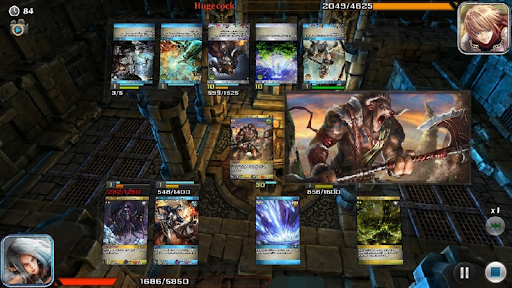
Epic Cards Battle is back with a massive modernization update. Say goodbye to traditional flat card boards—build your ultimate deck and watch your units and spells come to life with fully animated 3D battles and stunning visual effects.
Whether you are a TCG veteran or a newcomer, the legendary arena awaits you!
[ UNIQUE FEATURES ]
- TRUE 3D BATTLES
Abandon static gameplay. Watch your strategies unfold in real-time with next-level 3D visual effects. You will actually experience the epic battles happening right in front of you.
- DEEP STRATEGY & DECKBUILDING
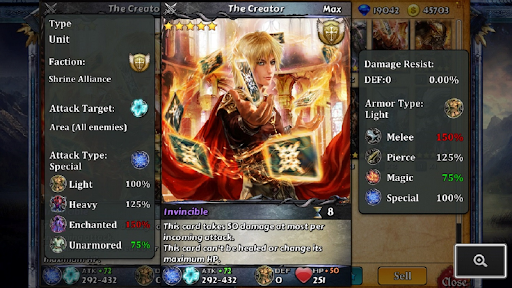
Build your customized deck using 3 card types (Unit, Spell, Trigger) across 5 unique factions: Shrine Alliance, Nature Force, Hell Legion, Fanstiya Empire, and Dynasty Rising.
- GLOBAL REAL-TIME PvP
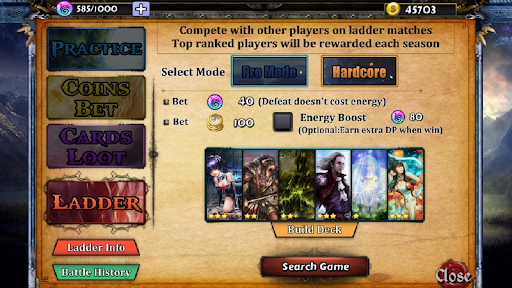
Experience fast-paced matchmaking against players around the world. Climb the competitive Ladder, dominate the leaderboards, and claim seasonal glories.
- ASYNCHRONOUS FRIEND BATTLES
Play with your friends anytime without the hassle of scheduling! Send a duel request, and they can accept and play their turn whenever they are online. It's that easy.
- HARDCORE TACTICAL SYSTEM
Master the intricate combat mechanics featuring 5 attack targets, 4 attack types, and 4 armor types. Unlimited card combinations will push the limits of your brain.
- PUZZLE-LIKE CAMPAIGN
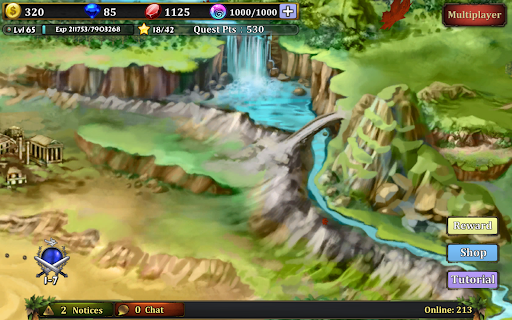
Not in the mood for PvP? Tackle meticulously designed Campaign Quests where each level is a tactical puzzle with massive rewards waiting to be solved.
- RICH REWARDS & PROGRESSION
Enjoy a well-designed progression system including daily login rewards, daily missions, card looting, and card enhancing. Free-to-play friendly: you can enjoy immense fun and build top-tier decks without spending a penny!
Easy to play, difficult to master. Interactive tutorials will get you battling in minutes. Download now and conquer your opponents!
(Supports multiple languages in-game)
Show more

1. Download MEmu installer and finish the setup

2. Start MEmu then open Google Play on the desktop

3. Search Epic Cards Battle(TCG) in Google Play
Install
4. Download and Install Epic Cards Battle(TCG)
5. On install completion click the icon to start

6. Enjoy playing Epic Cards Battle(TCG) on PC with MEmu
MEmu Play is the best Android emulator and 100 million people already enjoy its superb Android gaming experience. The MEmu virtualization technology empowers you to play thousands of Android games smoothly on your PC, even the most graphic-intensive ones.
Bigger screen with better graphics; Long duration, without limitation of battery or mobile data.
Full Keymapping support for precise control of keyboard and mouse or gamepad.
Multiple game accounts or tasks on single PC at one time with Multi-Instance manager.
Play Epic Cards Battle(TCG) on PC by following steps: