
Eternal Rebirth:Oversouler
Updated
Current Version
1.0.4
Offered By

With your passion for Eternal Rebirth:Oversouler, you shouldn’t have to limit yourself to the small screen of a phone. Play like a pro and take full control of the game using a keyboard and mouse. MEmu gives you everything you’re looking for. Download and play Eternal Rebirth:Oversouler on PC. Play as long as you want — no more worries about battery life, mobile data, or unexpected calls. The all-new MEmu 9 is the best way to play Eternal Rebirth:Oversouler on PC. With our expertly designed keymapping system, Eternal Rebirth:Oversouler feels just like a real PC game. The MEmu multi-instance manager lets you run two or more accounts on the same device at the same time. Most importantly, our exclusive emulation engine unlocks your PC’s full potential, delivering smooth and seamless performance.
Show more
Download Eternal Rebirth:Oversouler on PC with MEmu Android Emulator. Enjoy playing on big screen. An idle RPG set in a vast fantasy realm of immortal cultivation, power of the elements, and rising darkness.
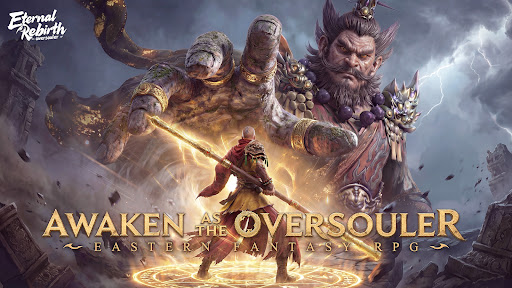
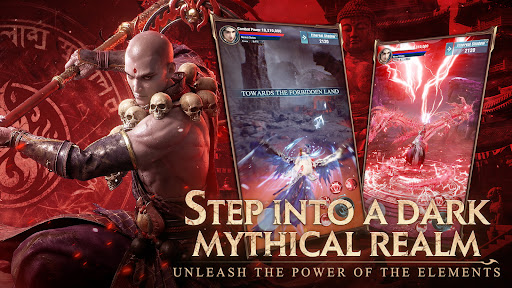
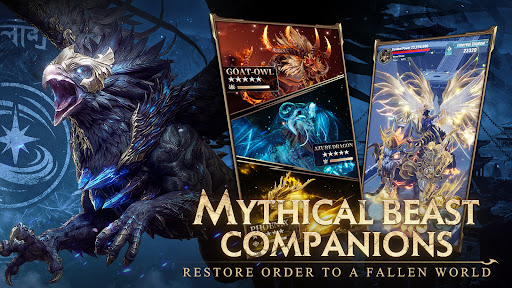
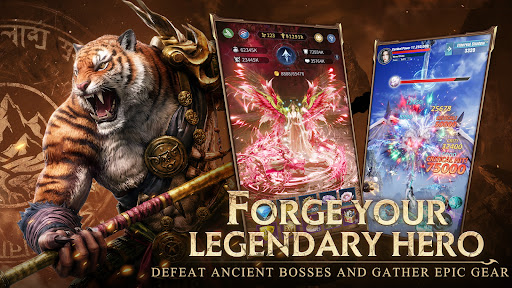
An idle RPG set in a vast fantasy realm of immortal cultivation, power of the elements, and rising darkness.
Embark on an epic journey through a mythic world shaped by fierce battles, hidden wonders, relentless growth, and shared adventure. Step into a realm where celestial law falters, demons stir in the shadows, and only those who endure can carve their own fate.
Face the Darkness, Forge Your Destiny
Explore mystical lands across the Three Realms, where ancient secrets lie buried beneath forgotten ruins and demonic forces guard long-sealed power. Defeat fearsome enemies, claim rare treasures, and hasten your cultivation as you rise through the ranks on a path shaped by destiny and defiance.
Fly Free, Rule the Realm
Ride your divine sword across the heavens and roam a vast, living world touched by myth and mystery. From floating isles above the clouds to hidden valleys steeped in ancient spiritual power, every landscape holds wonders waiting to be uncovered.
Mythical Encounters, Boundless Rewards
On the road of cultivation, fate reveals itself in unexpected ways. Encounter random adventures, hidden quests, and fleeting moments of fortune scattered throughout your journey. Embrace these trials, earn exclusive rewards, and grow stronger with every twist of destiny.
Connect, Compete, Conquer
Join companions, form guilds, and test your strength in PvP arenas and cooperative PvE battles. Forge alliances beneath the shifting heavens or contend for supremacy in a world where every cultivator walks a different path.
[Connect with us on]
Facebook: https://www.facebook.com/EternalRebirthOversouler
Discord: https://discord.gg/bGBpH3cphk
Show more

1. Download MEmu installer and finish the setup

2. Start MEmu then open Google Play on the desktop

3. Search Eternal Rebirth:Oversouler in Google Play
Install
4. Download and Install Eternal Rebirth:Oversouler
5. On install completion click the icon to start

6. Enjoy playing Eternal Rebirth:Oversouler on PC with MEmu
MEmu Play is the best Android emulator and 100 million people already enjoy its superb Android gaming experience. The MEmu virtualization technology empowers you to play thousands of Android games smoothly on your PC, even the most graphic-intensive ones.
Bigger screen with better graphics; Long duration, without limitation of battery or mobile data.
Full Keymapping support for precise control of keyboard and mouse or gamepad.
Multiple game accounts or tasks on single PC at one time with Multi-Instance manager.
Play Eternal Rebirth:Oversouler on PC by following steps: