FIFA Rivals - Football game
Updated
Current Version
1.11.0
Offered By

With your passion for FIFA Rivals - Football game, you shouldn’t have to limit yourself to the small screen of a phone. Play like a pro and take full control of the game using a keyboard and mouse. MEmu gives you everything you’re looking for. Download and play FIFA Rivals - Football game on PC. Play as long as you want — no more worries about battery life, mobile data, or unexpected calls. The all-new MEmu 9 is the best way to play FIFA Rivals - Football game on PC. With our expertly designed keymapping system, FIFA Rivals - Football game feels just like a real PC game. The MEmu multi-instance manager lets you run two or more accounts on the same device at the same time. Most importantly, our exclusive emulation engine unlocks your PC’s full potential, delivering smooth and seamless performance.
Show more
Download FIFA Rivals - Football game on PC with MEmu Android Emulator. Enjoy playing on big screen. PLAY FIFA: PLAY FAST, PLAY FUN.
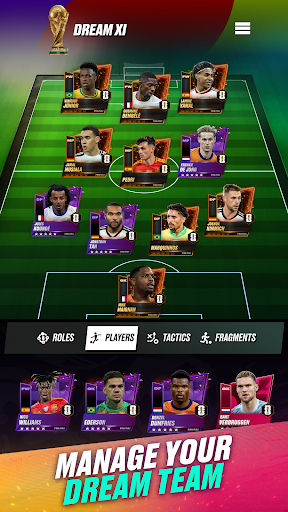
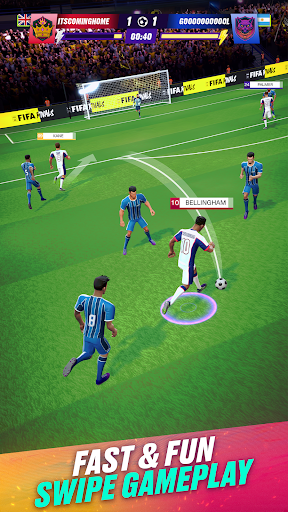
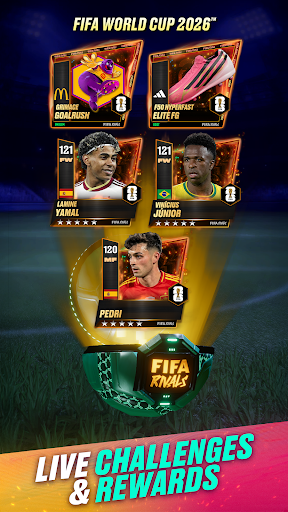
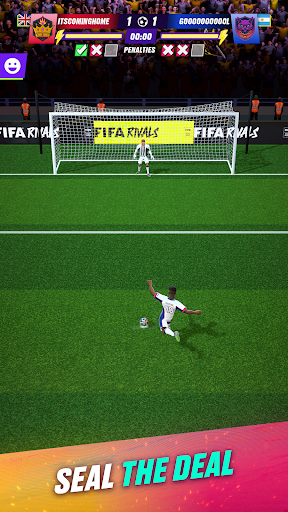
PLAY FIFA: PLAY FAST, PLAY FUN
Jump into action-packed, arcade-style soccer gameplay with casual-friendly controls that make passing, shooting, and scoring effortless. Build a dream team of superstars, master football formations, refine offensive and defensive strategies, and make quick transfers with tactical depth and intuitive gameplay. Play the official FIFA experience anytime, anywhere and prepare your squad for the ultimate FIFA World Cup™ competition!
COMMAND THE ATTACK
Test your skills in turn-based soccer gameplay by strategizing key moments to score goals in unique scenarios, or dive into high-speed, real-time matches against live rivals in soccer league competitions. Train your squad for intense league battles and prepare them for FIFA World Cup™ style tournaments. Master every mode with tactical precision and lightning-fast gameplay to outplay the competition on the pitch in every match.
POWER UP WITH SUPER MODE
Turn the tide of any FIFA football match with Super Mode, an exclusive FIFA Rivals game-changing mechanic that doubles stats and unlocks special abilities like offside-immune passes and foul-free tackles. Score goals faster and crush rivals with ease. Strategically position your soccer team to activate Super Mode and unleash an unstoppable force on the pitch, securing victory over league challengers and high-stakes FIFA World Cup™ clashes.
BUILD YOUR DREAM FIFA RIVALS TEAM
Assemble your favorite FIFA superstars to build the ultimate football team in this officially licensed FIFA mobile game. Represent legendary football clubs (FC) and choose from the world’s most iconic soccer players. Customize formations to maximize their strengths, harness rival-crushing tactics, and strike your way to goal-scoring glory on the pitch. Compete in the league, perfect your FC, chase your FIFA World Cup™ dream, and become the ultimate football coach.
OWN THE PITCH (AND THE TEAM)
Collect, own, and trade exclusive limited-edition digital player items featuring legendary soccer superstars on the Pulse Market. Strengthen your team with authentic FIFA digital collectibles and seasonal items, including your boots and kits inspired by the FIFA World Cup™. You have full control to build and upgrade your ultimate dream squad and dominate league rivals on the pitch.
LIVE THE ACTION WITH REAL-TIME TOURNAMENTS
Test your skills in real-time PVP matches against players around the world. Compete in esports-centric competitions, special live events tied to real-life football events, and global tournaments leading up to the FIFA World Cup 26™. Face off against league rivals, represent your club, and climb the worldwide leaderboards to prove you’re the ultimate football coach!
RELIVE THE GLORY WITH FIFA WORLD CUP™ LEGACY MODE
Step back in time and relive or redeem the greatest FIFA World Cup™ tournaments. Select a FIFA World Cup™ year (2010, 2014, 2018, 2022), choose your nation, and take the pitch with that tournament's iconic squad featuring legendary players, kits, and unforgettable moments. Battle through each round of the bracket, from the group stage to the Final, to become a FIFA World Cup™ champion. Complete the journey and earn Legacy Players, historic FIFA World Cup™ legends you can bring back into your PvP squad to build a team that spans generations.
Show more

1. Download MEmu installer and finish the setup

2. Start MEmu then open Google Play on the desktop

3. Search FIFA Rivals - Football game in Google Play
Install
4. Download and Install FIFA Rivals - Football game
5. On install completion click the icon to start

6. Enjoy playing FIFA Rivals - Football game on PC with MEmu
MEmu Play is the best Android emulator and 100 million people already enjoy its superb Android gaming experience. The MEmu virtualization technology empowers you to play thousands of Android games smoothly on your PC, even the most graphic-intensive ones.
Bigger screen with better graphics; Long duration, without limitation of battery or mobile data.
Full Keymapping support for precise control of keyboard and mouse or gamepad.
Multiple game accounts or tasks on single PC at one time with Multi-Instance manager.
Play FIFA Rivals - Football game on PC by following steps: