Pudgy Party - Battle Royale
Updated
Current Version
1755323024
Offered By

With your passion for Pudgy Party - Battle Royale, you shouldn’t have to limit yourself to the small screen of a phone. Play like a pro and take full control of the game using a keyboard and mouse. MEmu gives you everything you’re looking for. Download and play Pudgy Party - Battle Royale on PC. Play as long as you want — no more worries about battery life, mobile data, or unexpected calls. The all-new MEmu 9 is the best way to play Pudgy Party - Battle Royale on PC. With our expertly designed keymapping system, Pudgy Party - Battle Royale feels just like a real PC game. The MEmu multi-instance manager lets you run two or more accounts on the same device at the same time. Most importantly, our exclusive emulation engine unlocks your PC’s full potential, delivering smooth and seamless performance.
Show more
Download Pudgy Party - Battle Royale on PC with MEmu Android Emulator. Enjoy playing on big screen. SNOWY PLAYGROUND OF KNOCKOUT FUN!
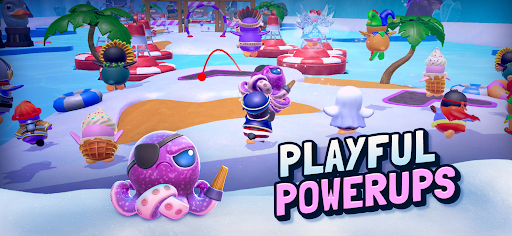
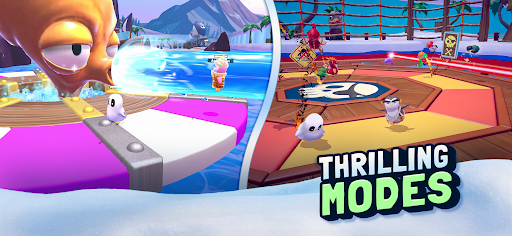
SNOWY PLAYGROUND OF KNOCKOUT FUN!
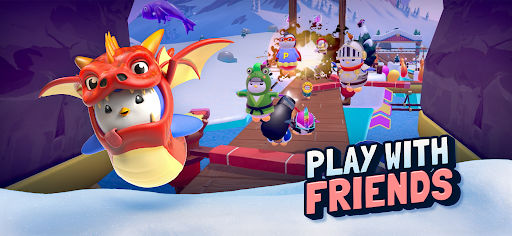
Stumble, survive, and race through a winter wonderland packed with wacky obstacles, fast-paced survival rounds, and high-energy races! Dodge spinning hammers, jump across slippery platforms, and outmaneuver rivals in a battle to be the last penguin standing. With up to 20 players in every match, every round is a fresh, chaotic rush to the finish line!
PARTY ANYTIME, ANYWHERE
Whether you’re flying solo or running into battle with friends, Pudgy Party delivers nonstop multiplayer action across an endless mix of maps, levels, and game modes. Jump into knockout races, survive the madness, dodge elimination, and outlast your opponents in this fast-paced battle royale! The race never ends, and there’s always room for one more penguin pal to join in on the fun.
SHOW OFF YOUR WADDLE
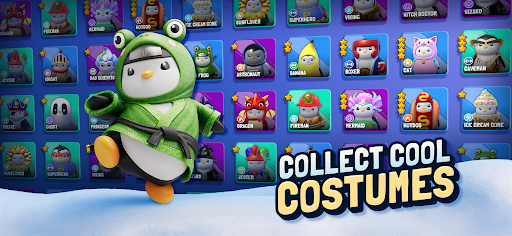
Unlock and personalize your Pudgy with hilarious costumes, quirky accessories, and playful emotes! Whether it’s a cozy scarf, funky hat, or a full-on hotdog costume, stand out in the ultimate penguin party royale with your own digital collectible costumes. Your penguin, your personality—so dress to impress for the biggest party on this side of the equator!
JOIN THE CUTEST SOCIAL PARTY GAME ON ICE
It’s a chilly world, but with Pudgy Penguins—one of the most influential and memetic brands with over 1.5 million toys sold globally and 50 billion+ views on social—you’ll always have warm company! Join the huddle, race alongside friends, soak up the good vibes, and become part of the global cultural phenomenon!
SEASONS OF FUN
Watch replays of epic stumbles, relive the funniest falls, and celebrate seasonal events with exclusive digital collectibles and costumes, and exciting new gameplay updates. There’s always something new to dodge, jump over, or survive, so stay tuned and keep running!
Show more

1. Download MEmu installer and finish the setup

2. Start MEmu then open Google Play on the desktop

3. Search Pudgy Party - Battle Royale in Google Play
Install
4. Download and Install Pudgy Party - Battle Royale
5. On install completion click the icon to start

6. Enjoy playing Pudgy Party - Battle Royale on PC with MEmu
MEmu Play is the best Android emulator and 100 million people already enjoy its superb Android gaming experience. The MEmu virtualization technology empowers you to play thousands of Android games smoothly on your PC, even the most graphic-intensive ones.
Bigger screen with better graphics; Long duration, without limitation of battery or mobile data.
Full Keymapping support for precise control of keyboard and mouse or gamepad.
Multiple game accounts or tasks on single PC at one time with Multi-Instance manager.
Play Pudgy Party - Battle Royale on PC by following steps: