ForgeTaz: Blacksmith Legends
Updated
Current Version
3.21.0
Offered By

With your passion for ForgeTaz: Blacksmith Legends, you shouldn’t have to limit yourself to the small screen of a phone. Play like a pro and take full control of the game using a keyboard and mouse. MEmu gives you everything you’re looking for. Download and play ForgeTaz: Blacksmith Legends on PC. Play as long as you want — no more worries about battery life, mobile data, or unexpected calls. The all-new MEmu 9 is the best way to play ForgeTaz: Blacksmith Legends on PC. With our expertly designed keymapping system, ForgeTaz: Blacksmith Legends feels just like a real PC game. The MEmu multi-instance manager lets you run two or more accounts on the same device at the same time. Most importantly, our exclusive emulation engine unlocks your PC’s full potential, delivering smooth and seamless performance.
Show more
Download ForgeTaz: Blacksmith Legends on PC with MEmu Android Emulator. Enjoy playing on big screen. Every strike of the hammer can raise your sword's value, or shatter it.
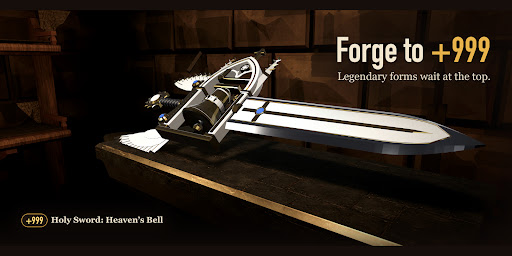
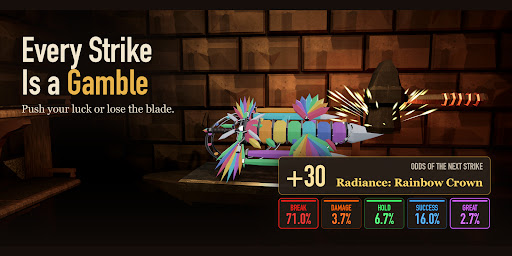
Every strike of the hammer can raise your sword's value, or shatter it.
ForgeTaz (ForgeTax) is a first-person forging roguelite. Lay a blade on the anvil and swing. Each blow rolls one of five outcomes: BREAK, DAMAGE, HOLD, SUCCESS or GREAT. Push a sword higher and it is worth more, but the risk of breaking climbs with every grade. Stop and sell, or strike once more?
FEED THE DRAGON
A dragon waits behind the barred window of your forge. Every day it demands a tribute, the Forge Tax, and the quota keeps growing. Pay it with the swords you forge. Miss three tributes and the dragon comes for you. Survive the 21-day contract, then keep going in the extended contract.
158 SWORDS TO DISCOVER
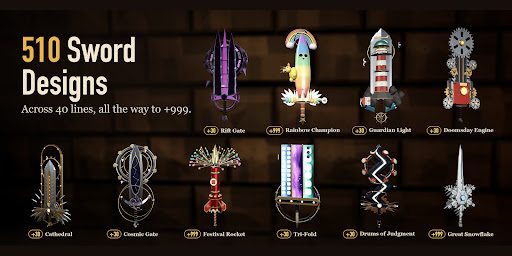
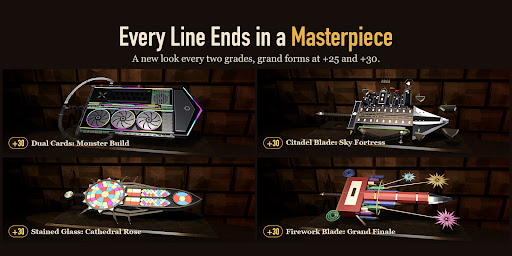
Swords evolve as you forge them, across 12 families and 7 special merchant lines: citadel blades, chainsaw swords, galaxy blades, a frozen tuna, a frying pan and stranger things. Every one you finish goes into the Codex.
BEND THE ODDS
Buy relics from the vending machine and the ghost merchant who visits on certain days. 90 relics change your chances, protect your blade or multiply its value. Fill the Frenzy gauge with your strikes and for a few seconds nothing can break.
SIMPLE TOUCH CONTROLS
Swipe to look around the forge, tap a station to walk there, drag swords from your tray onto the anvil or through the tribute window. Hold a sword to inspect it in 3D.
- Fully offline, no account needed
- 10 languages: English, Korean, Japanese, Simplified and Traditional Chinese, German, Spanish, Portuguese, Russian, Vietnamese
Show more

1. Download MEmu installer and finish the setup

2. Start MEmu then open Google Play on the desktop

3. Search ForgeTaz: Blacksmith Legends in Google Play
Install
4. Download and Install ForgeTaz: Blacksmith Legends
5. On install completion click the icon to start

6. Enjoy playing ForgeTaz: Blacksmith Legends on PC with MEmu
MEmu Play is the best Android emulator and 100 million people already enjoy its superb Android gaming experience. The MEmu virtualization technology empowers you to play thousands of Android games smoothly on your PC, even the most graphic-intensive ones.
Bigger screen with better graphics; Long duration, without limitation of battery or mobile data.
Full Keymapping support for precise control of keyboard and mouse or gamepad.
Multiple game accounts or tasks on single PC at one time with Multi-Instance manager.
Play ForgeTaz: Blacksmith Legends on PC by following steps: