Fresh Today: Cozy Supermarket
Updated
Current Version
1.3
Offered By

With your passion for Fresh Today: Cozy Supermarket, you shouldn’t have to limit yourself to the small screen of a phone. Play like a pro and take full control of the game using a keyboard and mouse. MEmu gives you everything you’re looking for. Download and play Fresh Today: Cozy Supermarket on PC. Play as long as you want — no more worries about battery life, mobile data, or unexpected calls. The all-new MEmu 9 is the best way to play Fresh Today: Cozy Supermarket on PC. With our expertly designed keymapping system, Fresh Today: Cozy Supermarket feels just like a real PC game. The MEmu multi-instance manager lets you run two or more accounts on the same device at the same time. Most importantly, our exclusive emulation engine unlocks your PC’s full potential, delivering smooth and seamless performance.
Show more
Download Fresh Today: Cozy Supermarket on PC with MEmu Android Emulator. Enjoy playing on big screen. Welcome to Fresh Today, the sweetest little market in the neighbourhood!
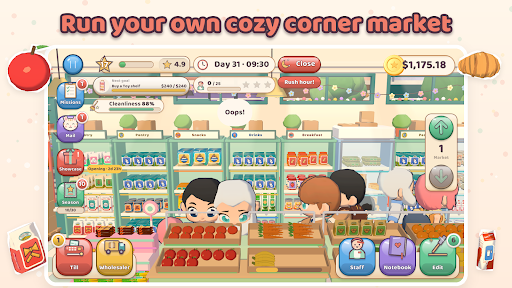
Welcome to Fresh Today, the sweetest little market in the neighbourhood!
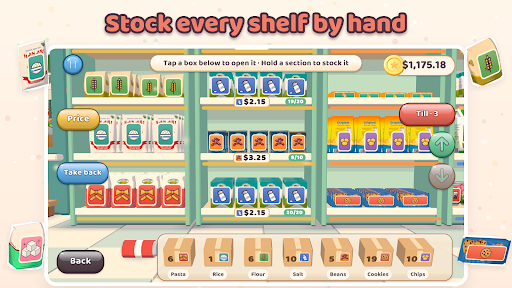
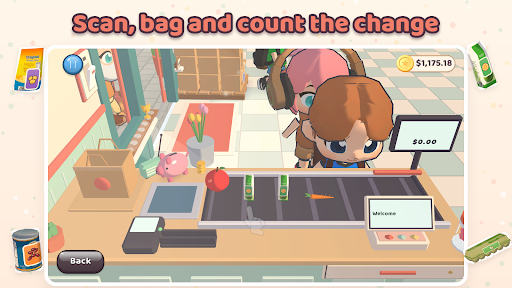
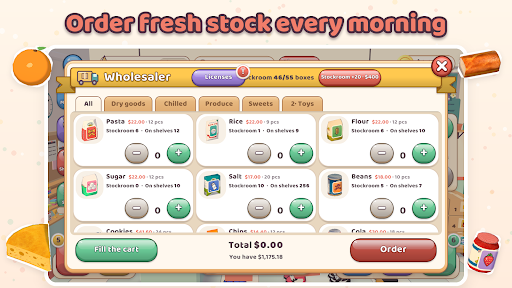
Open the shutters every morning and run your own corner shop at your own pace. Order fresh stock from the wholesaler, open the cartons and line the products up on your shelves one by one. When the shoppers come in, scan their baskets at the till, pack the bags and count out the change.
STOCK EVERY SHELF BY HAND
Pasta, rice, fruit, milk, sweets and more: hold a section and watch the packs line up, tick by tick.
A TILL THAT FEELS REAL
Scan items with a tap, bag them carefully (heavy first, eggs last!), take card or cash and count the change.
MEET PAMUK
Your shop cat naps on her cupboard, asks for treats and sometimes sleeps right on the counter.
DESIGN YOUR DREAM SHOP
Move shelves, buy fridges and fruit stands, paint the walls and decorate for every season.
GROW YOUR MARKET
Unlock new aisles one licence at a time, then open new floors: a toy shop, a café and a home corner.
A LITTLE STREET FULL OF LIFE
Neighbours stroll past, regulars drop by for their favourites, and the whole street changes with the seasons.
Calm, cozy and made to be played in short, happy sessions. No timers that rush you: just you, your shop and a cup of tea.
Show more

1. Download MEmu installer and finish the setup

2. Start MEmu then open Google Play on the desktop

3. Search Fresh Today: Cozy Supermarket in Google Play
Install
4. Download and Install Fresh Today: Cozy Supermarket
5. On install completion click the icon to start

6. Enjoy playing Fresh Today: Cozy Supermarket on PC with MEmu
MEmu Play is the best Android emulator and 100 million people already enjoy its superb Android gaming experience. The MEmu virtualization technology empowers you to play thousands of Android games smoothly on your PC, even the most graphic-intensive ones.
Bigger screen with better graphics; Long duration, without limitation of battery or mobile data.
Full Keymapping support for precise control of keyboard and mouse or gamepad.
Multiple game accounts or tasks on single PC at one time with Multi-Instance manager.
Play Fresh Today: Cozy Supermarket on PC by following steps: