Friday Night Funkin'
Updated
Current Version
0.8.8
Offered By

With your passion for Friday Night Funkin', you shouldn’t have to limit yourself to the small screen of a phone. Play like a pro and take full control of the game using a keyboard and mouse. MEmu gives you everything you’re looking for. Download and play Friday Night Funkin' on PC. Play as long as you want — no more worries about battery life, mobile data, or unexpected calls. The all-new MEmu 9 is the best way to play Friday Night Funkin' on PC. With our expertly designed keymapping system, Friday Night Funkin' feels just like a real PC game. The MEmu multi-instance manager lets you run two or more accounts on the same device at the same time. Most importantly, our exclusive emulation engine unlocks your PC’s full potential, delivering smooth and seamless performance.
Show more
Download Friday Night Funkin' on PC with MEmu Android Emulator. Enjoy playing on big screen. Want to spend some time with your Girlfriend?
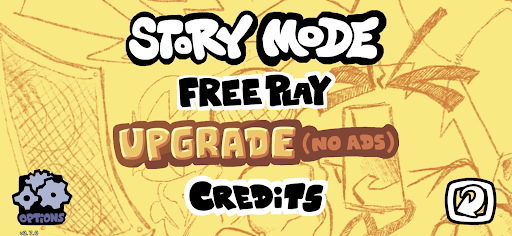
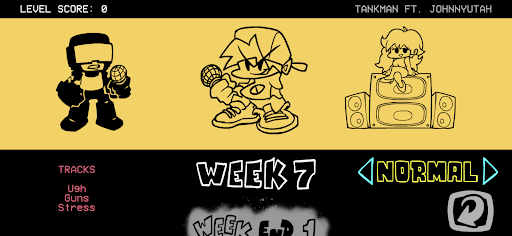
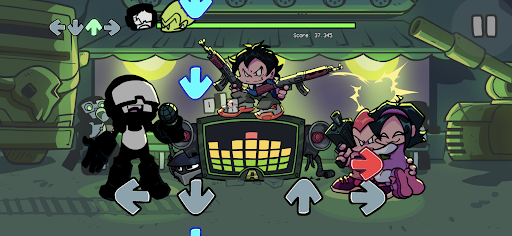
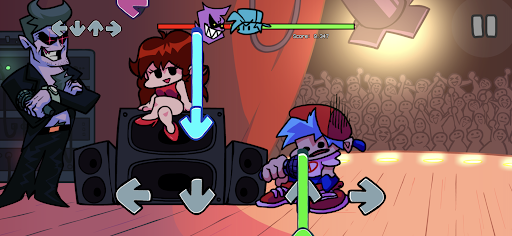
Want to spend some time with your Girlfriend? Too bad, your rhythmic skills are being challenged by just about every nasty goon on planet earth. So you'll need to flex your skills and hit notes in time with the music, or the only place you'll be spending your friday is the hospital.
DADDY DON'T PLAY NICE
In this story you play as BOYFRIEND who's trying to spend some time with no other than GIRLFRIEND. Bummer her evil, twisted freak of a father would sooner put you to rest than ever allow it. And it's not just him, go through the story and meet the many disturbed and backwards dopes who'd try to stand in your way.
BANGIN' SOUNDTRACK
Enjoy the music that's made waves online, and learn it to a T as you put your rhythm to the test hitting notes in time. Largely composed by KawaiSprite and Saruky, with industry talent collaborations like Lotus Juice of 'Persona 3' fame and Kohta Takahashi of 'Ridge Racer 4' fame. With over 60+ original songs currently in the game, there's plenty to master.
INTERACTIVE CARTOON EXCELLENCE
Hand drawn, lovingly made 2D visuals. Every stage unique, every enemy special, and made right in Adobe Flash. The art and animations of PhantomArcade bring the Newgrounds spirit to phones in full force. And with more levels, cutscenes, and playable characters on the way... the amount of eye candy The Funkin' Crew will bring has no end in sight.
The internet classic with 200+ million players is finally here on the Play Store, in its best form yet
Other features include
+ Gameplay overseen by Tom Fulp
+ Code by Ninjamuffin99
+ Sky Mod (wait thats not in this)
+ JohnnyUtah voice acting
+ Hot(?) characters!
+ 18 years worth of gameplay
Show more

1. Download MEmu installer and finish the setup

2. Start MEmu then open Google Play on the desktop

3. Search Friday Night Funkin' in Google Play
Install
4. Download and Install Friday Night Funkin'
5. On install completion click the icon to start

6. Enjoy playing Friday Night Funkin' on PC with MEmu
MEmu Play is the best Android emulator and 100 million people already enjoy its superb Android gaming experience. The MEmu virtualization technology empowers you to play thousands of Android games smoothly on your PC, even the most graphic-intensive ones.
Bigger screen with better graphics; Long duration, without limitation of battery or mobile data.
Full Keymapping support for precise control of keyboard and mouse or gamepad.
Multiple game accounts or tasks on single PC at one time with Multi-Instance manager.
Play Friday Night Funkin' on PC by following steps: