Halls of Torment: Premium
Updated
Current Version
1.0.1161
Offered By

With your passion for Halls of Torment: Premium, you shouldn’t have to limit yourself to the small screen of a phone. Play like a pro and take full control of the game using a keyboard and mouse. MEmu gives you everything you’re looking for. Download and play Halls of Torment: Premium on PC. Play as long as you want — no more worries about battery life, mobile data, or unexpected calls. The all-new MEmu 9 is the best way to play Halls of Torment: Premium on PC. With our expertly designed keymapping system, Halls of Torment: Premium feels just like a real PC game. The MEmu multi-instance manager lets you run two or more accounts on the same device at the same time. Most importantly, our exclusive emulation engine unlocks your PC’s full potential, delivering smooth and seamless performance.
Show more
Download Halls of Torment: Premium on PC with MEmu Android Emulator. Enjoy playing on big screen. Halls of Torment is a horde survival game with a pre-rendered retro look reminiscent of RPGs from the late 90s.
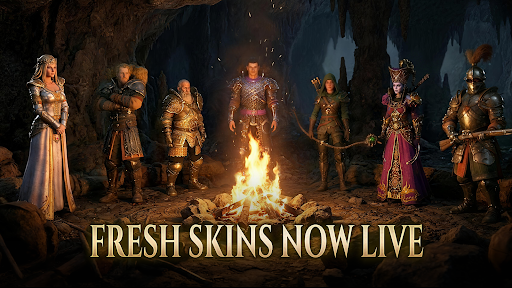
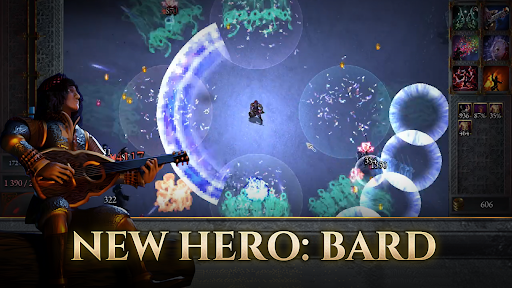
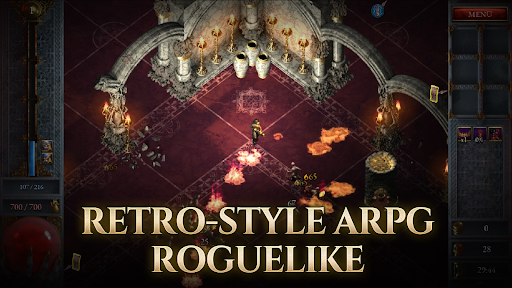
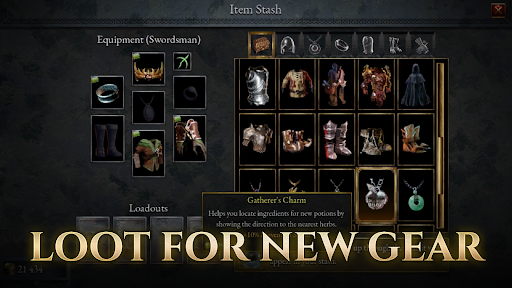
Halls of Torment is a horde survival game with a pre-rendered retro look reminiscent of RPGs from the late 90s. Choose one of many hero characters and descend into the deadly Halls of Torment. Fight unholy horrors from beyond and survive wave after wave of enemies until you face one of the tormented Lords.
Strengthen your hero with character traits, abilities, and items. Create a new powerful build during each run. Explore various underground expanses and find new powerful items that enable you to venture even deeper into the abyss.
First available on Steam, the 90's-style RPG survival roguelike, Halls of Torment, is now making its debut on mobile!
【Features】
◆ Quick and casual 30 minute runs
◆ Old school pre-rendered art style
◆ Quest-based meta progression
◆ Large selection of diverse abilities, traits, and items, all enabling you to create interesting synergies
◆ Diverse bosses featuring unique mechanics and attack patterns
◆ Several distinct characters allowing for many different play styles
◆ Unlock and explore multiple interesting and challenging underground worlds
◆ Unique items can be sent up to the overworld and used to customize future runs
◆ Craft magical tinctures to direct fate in your favor
◆ Unlock the power of each class and combine them with your chosen character
◆ Find rare item variants to further improve your builds
【Full Content List】
◆6 stages with unique environments
◆13 playable characters & character marks
◆20+ blessings that make you stronger for each run
◆80+ unique items to retrieve and unlock
◆240 higher rarity item variants
◆80+ abilities and ability upgrades
◆40+ artifacts to customize your game experience
◆35+ unique bosses
◆70+ unique monsters
◆500 quests to complete
◆1000+ traits that upgrade characters and abilities
Our content list is still growing, expect more in the future!
【Contact Us】
Discord: @Erabit or join via https://discord.gg/Gkje2gzCqB
Email: prglobal@erabitstudios.com
Show more

1. Download MEmu installer and finish the setup

2. Start MEmu then open Google Play on the desktop

3. Search Halls of Torment: Premium in Google Play
Install
4. Download and Install Halls of Torment: Premium
5. On install completion click the icon to start

6. Enjoy playing Halls of Torment: Premium on PC with MEmu
MEmu Play is the best Android emulator and 100 million people already enjoy its superb Android gaming experience. The MEmu virtualization technology empowers you to play thousands of Android games smoothly on your PC, even the most graphic-intensive ones.
Bigger screen with better graphics; Long duration, without limitation of battery or mobile data.
Full Keymapping support for precise control of keyboard and mouse or gamepad.
Multiple game accounts or tasks on single PC at one time with Multi-Instance manager.
Play Halls of Torment: Premium on PC by following steps: