20 Minutes Till Dawn:Premium
Updated
Current Version
6.9
Offered By

With your passion for 20 Minutes Till Dawn:Premium, you shouldn’t have to limit yourself to the small screen of a phone. Play like a pro and take full control of the game using a keyboard and mouse. MEmu gives you everything you’re looking for. Download and play 20 Minutes Till Dawn:Premium on PC. Play as long as you want — no more worries about battery life, mobile data, or unexpected calls. The all-new MEmu 9 is the best way to play 20 Minutes Till Dawn:Premium on PC. With our expertly designed keymapping system, 20 Minutes Till Dawn:Premium feels just like a real PC game. The MEmu multi-instance manager lets you run two or more accounts on the same device at the same time. Most importantly, our exclusive emulation engine unlocks your PC’s full potential, delivering smooth and seamless performance.
Show more
Download 20 Minutes Till Dawn:Premium on PC with MEmu Android Emulator. Enjoy playing on big screen. Survive the onslaught of an endless horde of monsters for 20 minutes!

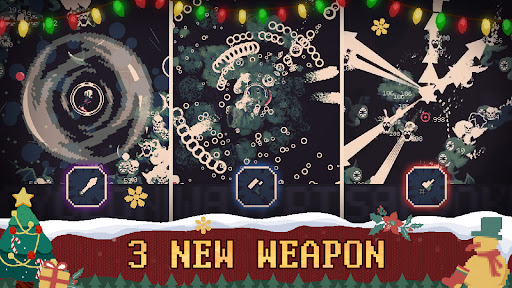
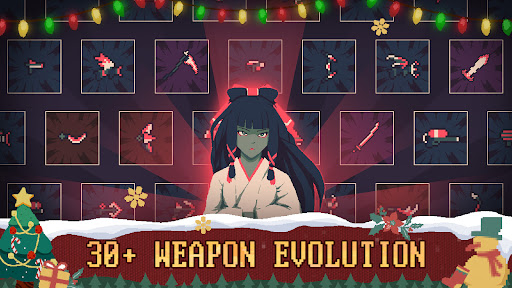
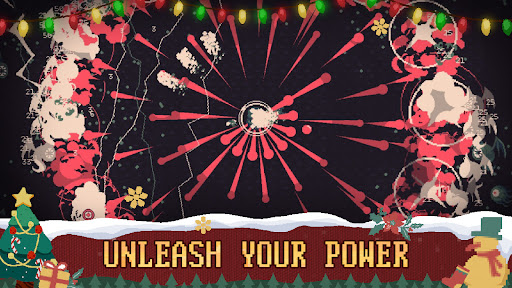
Survive the onslaught of an endless horde of monsters for 20 minutes!
20 Minutes Till Dawn is a ghoulish and challenging shoot 'em up.
You can choose incredible weapons and characters to survive untill dawn. This survival game pits players against an endless horde of enemies from Lovecraftian mythology.
【Quickplay Mode Can Be Fun】
Every round can be uniquely satisfying to fight creatures of the night and defeat them with a simple run and gun strategy. Experiment with new characters and their special abilities to gain an advantage over the ghouls that haunt the game.
【Try Different Characters】
There are over 10 distinct characters in the game.Each character in this game has a unique appearance and is gifted with abilities that make your adventure unpredictable to survive till dawn. You can start the game with Diamond to get higher defensive capabilities to survive longer in battle since Diamond has high HP, you can also unlock Scarlett to burn enemies with a wave of fire that deals damage per second.
【Pick Upgrades That Build On Weapons】
There are a variety of tactics to survive based on the weapons you choose. An upgrade is available right after collecting enough XP to level up. For example, the Quick Hands upgrade can be used frequently with the weapon Flame Cannon to deal dangerous amounts of damage to enemies at an increased fire rate, and the Holy Shield upgrade can be used with the crossbow to devastate enemies at long range. The Holy Shield can also regenerate, giving players adequate time to reload between fights.
【Keep An Eye On Synergies】
You can click the “II” button in battle any time to check synergies at any time & choose the right upgrade tree to unlock outstanding combinations of upgrades to gain additional bonus! For example, Mini Clip is a synergy that requires Fan Fire and Fresh Clip upgrades. It decreases the reload time and increases damage, making it easier to survive the monsters without getting hit while reloading weapons.
【Don’t Forget The Sword Runes and Shield Runes】
Sword runes can inflict critical damage and it can greatly enhance the offensive capabilities of characters.And the Shield runes in 20 Minutes Till Dawn can be used to protect players in dire situations. Selecting the right runes strategically can help you survive longer in battle.
【Contact Us】
Discord:@20 Minutes Till Dawn
Twitter:@erabit_studios
Facebook:@Erabit Studios/@20 Minutes Till Dawn
Email:20minutestilldawn@erabitstudios.com
Show more

1. Download MEmu installer and finish the setup

2. Start MEmu then open Google Play on the desktop

3. Search 20 Minutes Till Dawn:Premium in Google Play
Install
4. Download and Install 20 Minutes Till Dawn:Premium
5. On install completion click the icon to start

6. Enjoy playing 20 Minutes Till Dawn:Premium on PC with MEmu
MEmu Play is the best Android emulator and 100 million people already enjoy its superb Android gaming experience. The MEmu virtualization technology empowers you to play thousands of Android games smoothly on your PC, even the most graphic-intensive ones.
Bigger screen with better graphics; Long duration, without limitation of battery or mobile data.
Full Keymapping support for precise control of keyboard and mouse or gamepad.
Multiple game accounts or tasks on single PC at one time with Multi-Instance manager.
Play 20 Minutes Till Dawn:Premium on PC by following steps: