Hangman
Updated
Current Version
5.5.2.7
Offered By

With your passion for Hangman, you shouldn’t have to limit yourself to the small screen of a phone. Play like a pro and take full control of the game using a keyboard and mouse. MEmu gives you everything you’re looking for. Download and play Hangman on PC. Play as long as you want — no more worries about battery life, mobile data, or unexpected calls. The all-new MEmu 9 is the best way to play Hangman on PC. With our expertly designed keymapping system, Hangman feels just like a real PC game. The MEmu multi-instance manager lets you run two or more accounts on the same device at the same time. Most importantly, our exclusive emulation engine unlocks your PC’s full potential, delivering smooth and seamless performance.
Show more
Download Hangman on PC with MEmu Android Emulator. Enjoy playing on big screen. Enjoy the hangman game on your mobile or tablet!
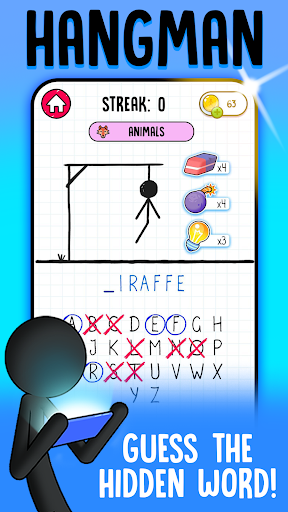
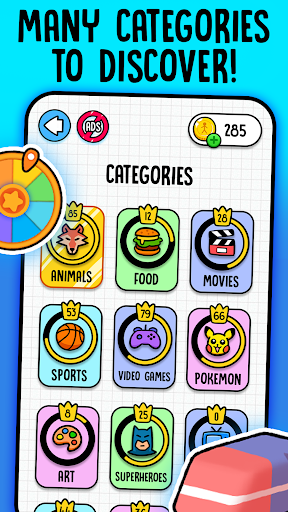
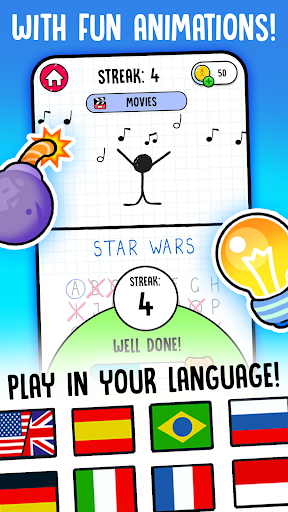
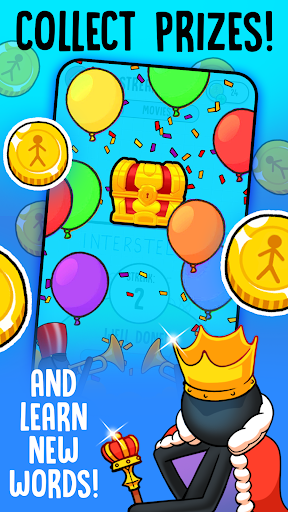
Enjoy the hangman game on your mobile or tablet! This gallow classic game is suitable for all ages, especially for those adults who want to practice their language skills and vocabulary or kids learning new words. The classic hangman for your device. Play the game with the stickman.
Hangman comes also with a 2 player mode where you can write your own word and play with your friends and family. Choose a word and enjoy the game with unlimited words. They will have to guess it using hints. Really fun mode!
Check your maximum score on the leaderboards and compare your record to your friends or players from different countries.
The hangman, also known as "hanged" is a classic game in which you will have to guess a word by choosing the letters that you think may be included in it.
The hangman game will give you the option to choose vowels and consonants to try to guess which word is hidden. For each mistake that you make, the figure of a stick man will be formed: first the gallows, then the head, the body and, finally, the arms and legs. Guess the word before the gallow is complete.
You will win the hangman game if you can write the correct word before the figure of the stick man is completed. If not, it will be hanged and the game will be finalized.
Hint: use the vowels first, since there are more chances to guess a secret letter (a, e, i, o, u ... etc).
BATTLE MODE
Do you want to play against other players in the world? We assign you an opponent and let the duel begin! In the battle mode of the hangman game you will have to be faster than your opponent in getting the word right to win.
DAILY CHALLENGE
We challenge you to discover the word of the day! Keep in mind the theme and select the appropriate letters to complete the word. Will you be able to overcome the daily challenge? Guess the secret word and share your result with your friends, colleagues or family or on your social networks.
FEATURES
- For all ages. Ideal hangman for adults and senior players
- Hundreds of words and levels
- Learn vocabulary and words in different languages
- Simple and fun game
- Totally free
- Attractive and colorful design
- Possibility to enable or remove the sound.
- Play with friends or family thanks to the 2-player mode
- Compare your score with friends and players around the world
The hangman is available in different languages for players around the world: Spanish ahorcado, English hangman, Portuguese jogo da forca, French le pendu, Italian l'impiccato and many more!
ABOUT TELLMEWOW
Tellmewow is a mobile games development company specialized in easy adaptation and basic usability which makes our games ideal for the elderly or young people who simply want to play an occasional game without major complications.
CONTACT
If you have any suggestions for improvement or want to keep informed about upcoming games that we are going to publish, follow us on our social networks.
Show more

1. Download MEmu installer and finish the setup

2. Start MEmu then open Google Play on the desktop

3. Search Hangman in Google Play
Install
4. Download and Install Hangman
5. On install completion click the icon to start

6. Enjoy playing Hangman on PC with MEmu
MEmu Play is the best Android emulator and 100 million people already enjoy its superb Android gaming experience. The MEmu virtualization technology empowers you to play thousands of Android games smoothly on your PC, even the most graphic-intensive ones.
Bigger screen with better graphics; Long duration, without limitation of battery or mobile data.
Full Keymapping support for precise control of keyboard and mouse or gamepad.
Multiple game accounts or tasks on single PC at one time with Multi-Instance manager.
Play Hangman on PC by following steps: