
Happy Ending: Displace Puzzle
Updated
Current Version
1.0.7
Offered By

With your passion for Happy Ending: Displace Puzzle, you shouldn’t have to limit yourself to the small screen of a phone. Play like a pro and take full control of the game using a keyboard and mouse. MEmu gives you everything you’re looking for. Download and play Happy Ending: Displace Puzzle on PC. Play as long as you want — no more worries about battery life, mobile data, or unexpected calls. The all-new MEmu 9 is the best way to play Happy Ending: Displace Puzzle on PC. With our expertly designed keymapping system, Happy Ending: Displace Puzzle feels just like a real PC game. The MEmu multi-instance manager lets you run two or more accounts on the same device at the same time. Most importantly, our exclusive emulation engine unlocks your PC’s full potential, delivering smooth and seamless performance.
Show more
Download Happy Ending: Displace Puzzle on PC with MEmu Android Emulator. Enjoy playing on big screen. "Are you ready to embark on a funny adventure of wit, laughter, and brain-teasing challenges?
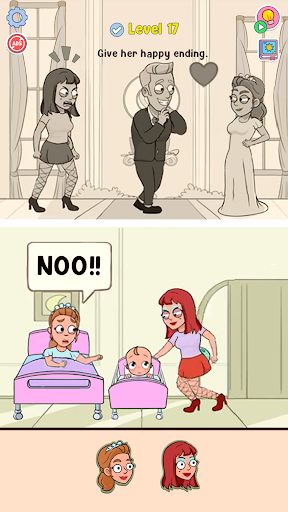
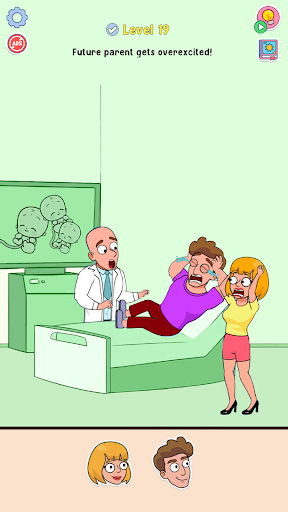
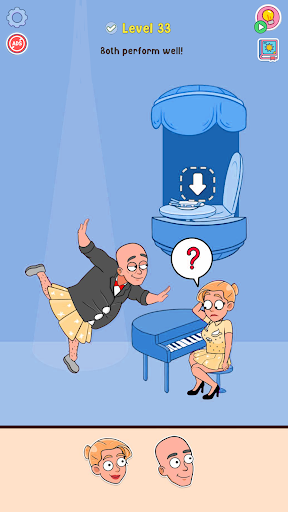
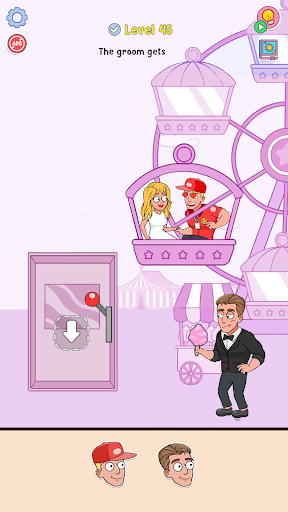
"Are you ready to embark on a funny adventure of wit, laughter, and brain-teasing challenges? Welcome to Happy Ending, the ultimate riddle and puzzle game that will put your creativity and problem-solving skills to the test!
Step into the shoes of a master storyteller as you delve into a delightful world of surprises and happy conclusions. Picture yourself as the ingenious judge of fate, equipped with a magical box of characters, objects, and settings waiting to be rearranged like pieces of a jigsaw puzzle. Your mission is to create the most uproarious, heartwarming, and unforgettable scenarios for our charming characters.
As the ultimate brain teaser, Happy Ending dares you to unravel clever riddles that will bend and twist your mind. Each level presents a unique challenge, requiring you to think outside the box and devise ingenious solutions. Can you piece together the perfect sequence of events that lead to a joyous outcome?
The gameplay is both fun and addictive. Your objective is simple: put your creativity to the test and conjure up the most hilarious, surprising, and satisfying endings. With every tap and drag, you become the mastermind behind the happiness of your characters. Witness their delight and excitement as your scenarios come to life before your eyes!
But beware, for every level promises new twists and turns, making each challenge more intricate than the last. Don't be fooled by the simplicity of the graphics; beneath the surface lies a complex web of puzzles, just waiting for the right storyteller to weave their magic.
So, are you up for the challenge? Can you be the champion of happy endings? Join us now and embrace the joy of solving riddles, crafting puzzles, and being the source of endless fun and surprise! Remember, in this world, the only limit is your imagination. Get ready to embark on an adventure filled with laughter, satisfaction, and the warm glow of a Happy Ending!"
Show more

1. Download MEmu installer and finish the setup

2. Start MEmu then open Google Play on the desktop

3. Search Happy Ending: Displace Puzzle in Google Play
Install
4. Download and Install Happy Ending: Displace Puzzle
5. On install completion click the icon to start

6. Enjoy playing Happy Ending: Displace Puzzle on PC with MEmu
MEmu Play is the best Android emulator and 100 million people already enjoy its superb Android gaming experience. The MEmu virtualization technology empowers you to play thousands of Android games smoothly on your PC, even the most graphic-intensive ones.
Bigger screen with better graphics; Long duration, without limitation of battery or mobile data.
Full Keymapping support for precise control of keyboard and mouse or gamepad.
Multiple game accounts or tasks on single PC at one time with Multi-Instance manager.
Play Happy Ending: Displace Puzzle on PC by following steps: