Hold the Tile!
Updated
Current Version
1.0.1
Offered By

With your passion for Hold the Tile!, you shouldn’t have to limit yourself to the small screen of a phone. Play like a pro and take full control of the game using a keyboard and mouse. MEmu gives you everything you’re looking for. Download and play Hold the Tile! on PC. Play as long as you want — no more worries about battery life, mobile data, or unexpected calls. The all-new MEmu 9 is the best way to play Hold the Tile! on PC. With our expertly designed keymapping system, Hold the Tile! feels just like a real PC game. The MEmu multi-instance manager lets you run two or more accounts on the same device at the same time. Most importantly, our exclusive emulation engine unlocks your PC’s full potential, delivering smooth and seamless performance.
Show more
Download Hold the Tile! on PC with MEmu Android Emulator. Enjoy playing on big screen. Lead Your Army to Victory!
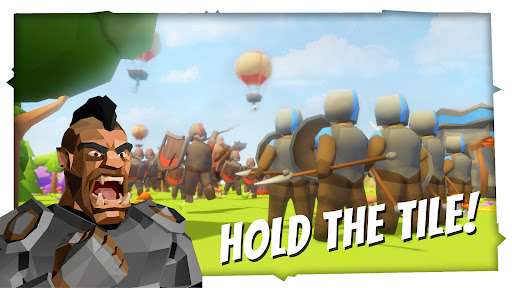
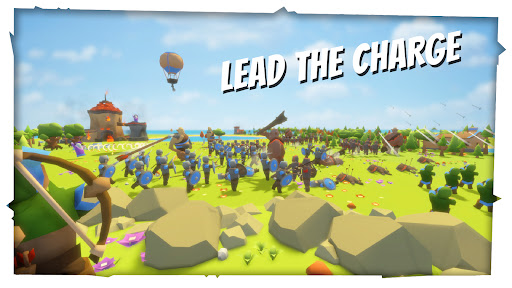
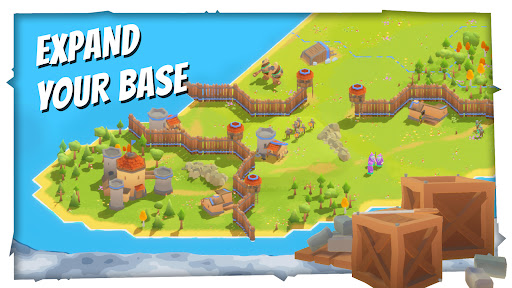

Lead Your Army to Victory!
Step into a captivating low-poly medieval world where strategy, base-building, and tactical combat collide. Face off in intense, fast-paced 1v1 real-time strategy battles and fight for dominance across ever-changing lands!
Explore & Conquer Dynamic Battlefields
No two matches are the same. Explore maps full of tactical opportunities and hidden dangers divided into strategic regions. The entire world is shrouded in the Fog of War - you must scout the unknown terrain to discover resources, locate enemy bases, and plan deadly ambushes. But beware! Ferocious Barbarians guard the map's most valuable, uncharted territories. Defeat these camps to claim rare resources and fuel your war machine.
Command & Customize Legendary Generals
Lead your forces with distinct classes of Generals - the Warrior, the Builder, and the Mage. Between matches, earn Skill Points and dive into deep, RPG-style Talent Trees. Customize your playstyle by unlocking powerful abilities. Want to try a new strategy? Reset your skill points at any time to experiment with entirely different builds and adapt to your growing army!
Tactical Squad-Based Combat
Recruit a diverse roster of units - from steadfast spearmen and swift archers to massive orcs and powerful mages. Group them into squads and march into battle. Manage your troops manually for precise micro-control, or let the auto-battle system handle the frontline.
Build, Defend, and Upgrade
A strong army needs a strong economy. Gather wood, iron, and gold to establish your base. Fortify your territory with walls, towers, and strategic bridges to hold off enemy raids. Use your hard-earned coins to permanently upgrade your units and structures.
Unleash Devastating Magic
Turn the tide of war with powerful spells! Rain down fireballs, summon living trees, or slow your enemies to a crawl. But magic comes at a cost: expand your borders, capture more land, and overwhelm your opponent with arcane supremacy!
Show more

1. Download MEmu installer and finish the setup

2. Start MEmu then open Google Play on the desktop

3. Search Hold the Tile! in Google Play
Install
4. Download and Install Hold the Tile!
5. On install completion click the icon to start

6. Enjoy playing Hold the Tile! on PC with MEmu
MEmu Play is the best Android emulator and 100 million people already enjoy its superb Android gaming experience. The MEmu virtualization technology empowers you to play thousands of Android games smoothly on your PC, even the most graphic-intensive ones.
Bigger screen with better graphics; Long duration, without limitation of battery or mobile data.
Full Keymapping support for precise control of keyboard and mouse or gamepad.
Multiple game accounts or tasks on single PC at one time with Multi-Instance manager.
Play Hold the Tile! on PC by following steps: