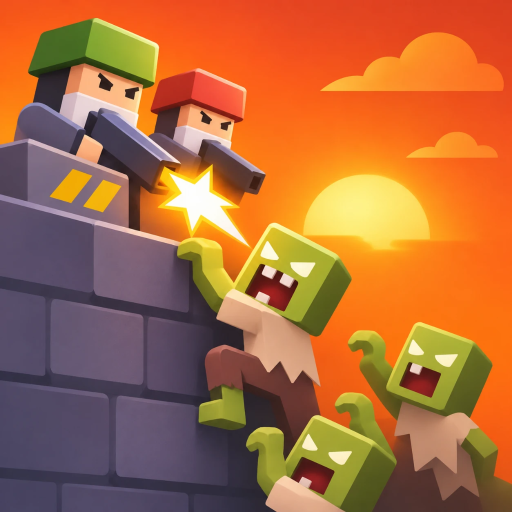
Hold The Wall: Zombie Siege
Updated
Current Version
1.1.0
Offered By

With your passion for Hold The Wall: Zombie Siege, you shouldn’t have to limit yourself to the small screen of a phone. Play like a pro and take full control of the game using a keyboard and mouse. MEmu gives you everything you’re looking for. Download and play Hold The Wall: Zombie Siege on PC. Play as long as you want — no more worries about battery life, mobile data, or unexpected calls. The all-new MEmu 9 is the best way to play Hold The Wall: Zombie Siege on PC. With our expertly designed keymapping system, Hold The Wall: Zombie Siege feels just like a real PC game. The MEmu multi-instance manager lets you run two or more accounts on the same device at the same time. Most importantly, our exclusive emulation engine unlocks your PC’s full potential, delivering smooth and seamless performance.
Show more
Download Hold The Wall: Zombie Siege on PC with MEmu Android Emulator. Enjoy playing on big screen. One wall.
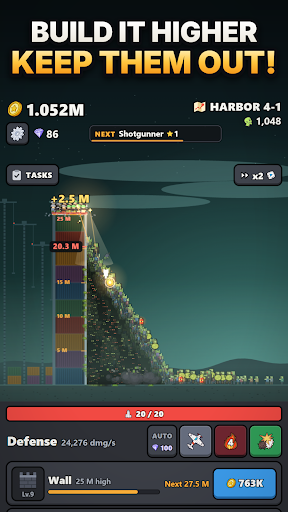
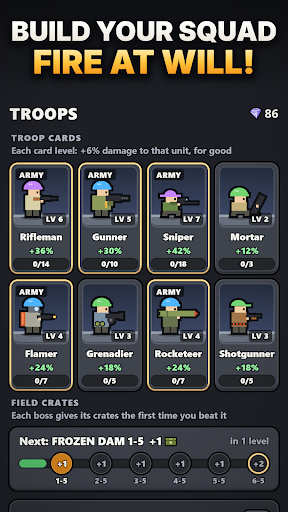
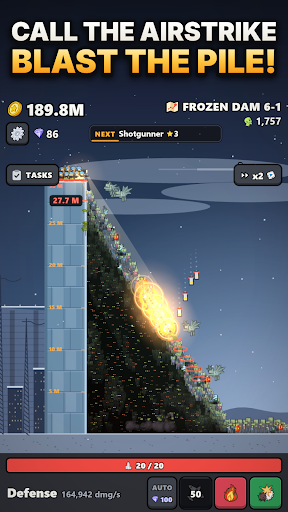
One wall. 20,000 zombies. Hold it!
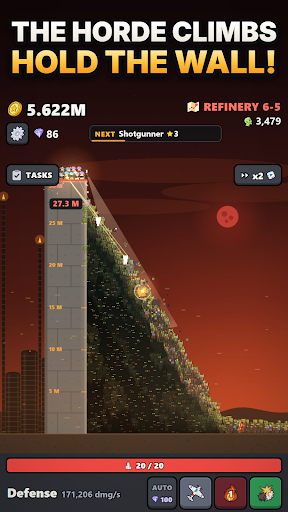
Hold The Wall: Zombie Siege is a side view idle defense game. Your soldiers stand on top of a stone wall you raise course by course, up to 30 m, and fire on their own. The horde streams in across the field, crashes into the wall and climbs over its own kind into a living mountain. If 20 zombies get over the top, the city behind the wall falls.
THE LIVING MOUNTAIN
Every zombie that reaches the wall climbs on the ones below. Watch the pile rise up the wall meter by meter and cut it down before it reaches the top. It is a race: kill them faster than they climb.
BUILD YOUR ARMY
Spend the coins from every kill on your soldiers, and choose one of two each time a new unit joins the wall. Riflemen keep up a steady fire, Gunners shred the front line, Shotgunners blast climbers off the pile, Snipers hit the whole field, Grenadiers lob grenades into the crowd, Mortars shell the groups far out, Rocketeers fire rockets with a big blast and Flamers burn everything at the wall. As your soldiers level up they earn stars, and their helmets change color.
CALL IN THE BIG GUNS
Fifteen skills in five rarities, from Airstrike and Wall Mines to Tesla Rounds, Cryo Shells and Missile Barrage. Summon them with the gems you win, level up the Summoner for rarer ones, equip up to three and fire them when the pile gets close, or let Auto skills fire them for you.
CITY AFTER CITY
Hold Old Town, then move the army on: Harbor, Refinery, Frozen Dam, Metro, the Lab and beyond. Every new city brings its own skyline and weather, a new kind of zombie and a city boss with two Titans. The stars your soldiers earned march with you as Veterans, extra damage for good in every city.
STAGES AND BOSSES
Five levels a stage, and a boss wave with a towering Titan at the end. Fall, and you go back two levels with your army and your wall still yours. The horde grows level after level, up to 20,000 zombies. Win a level for rewards.
EVERY DAY
Five daily tasks pay gems and a free summon, orders give you goals for every session, and a supply drop floats over the field every few minutes.
IDLE FRIENDLY
Your army fires on its own and keeps earning while you are away. Tap a skill when it counts. Quick levels in portrait, made for one hand.
Hold The Wall: Zombie Siege is free to play. It contains ads and optional in-app purchases.
Show more

1. Download MEmu installer and finish the setup

2. Start MEmu then open Google Play on the desktop

3. Search Hold The Wall: Zombie Siege in Google Play
Install
4. Download and Install Hold The Wall: Zombie Siege
5. On install completion click the icon to start

6. Enjoy playing Hold The Wall: Zombie Siege on PC with MEmu
MEmu Play is the best Android emulator and 100 million people already enjoy its superb Android gaming experience. The MEmu virtualization technology empowers you to play thousands of Android games smoothly on your PC, even the most graphic-intensive ones.
Bigger screen with better graphics; Long duration, without limitation of battery or mobile data.
Full Keymapping support for precise control of keyboard and mouse or gamepad.
Multiple game accounts or tasks on single PC at one time with Multi-Instance manager.
Play Hold The Wall: Zombie Siege on PC by following steps: