Icewind Dale: Enhanced Edition
Updated
Current Version
2.7.3.2
Offered By

With your passion for Icewind Dale: Enhanced Edition, you shouldn’t have to limit yourself to the small screen of a phone. Play like a pro and take full control of the game using a keyboard and mouse. MEmu gives you everything you’re looking for. Download and play Icewind Dale: Enhanced Edition on PC. Play as long as you want — no more worries about battery life, mobile data, or unexpected calls. The all-new MEmu 9 is the best way to play Icewind Dale: Enhanced Edition on PC. With our expertly designed keymapping system, Icewind Dale: Enhanced Edition feels just like a real PC game. The MEmu multi-instance manager lets you run two or more accounts on the same device at the same time. Most importantly, our exclusive emulation engine unlocks your PC’s full potential, delivering smooth and seamless performance.
Show more
Download Icewind Dale: Enhanced Edition on PC with MEmu Android Emulator. Enjoy playing on big screen. This game is optimized for tablets and not recommended for phones with screen sizes under 7 inches.
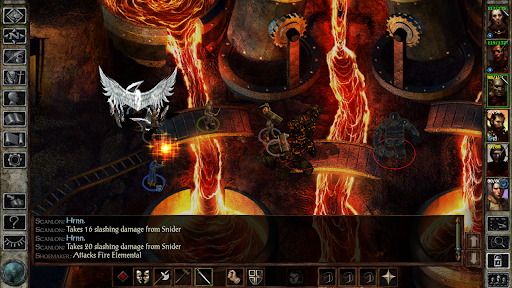
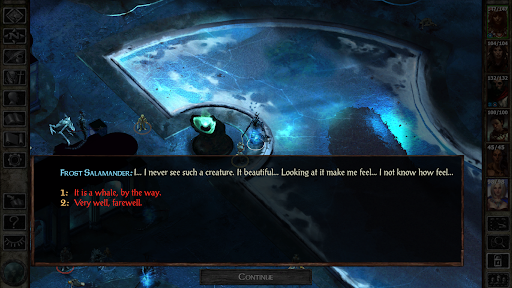
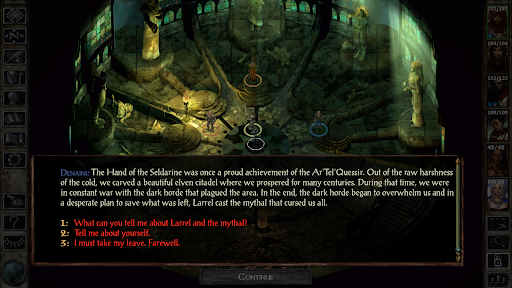
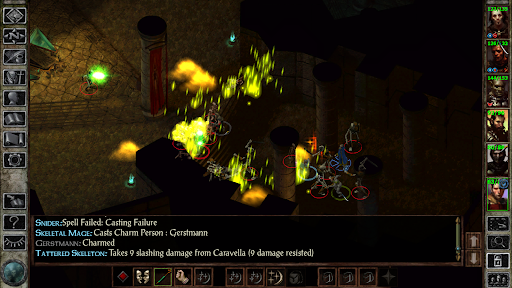
This game is optimized for tablets and not recommended for phones with screen sizes under 7 inches.
The frozen classic returns. Icewind Dale: Enhanced Edition preserves the spirit of the original adventure while refining it for modern players, letting you build a party of Dungeons & Dragons heroes and brave the harsh, haunting beauty of the Spine of the World.
Evil stirs beneath the Spine of the World.
In the northernmost reaches of the Forgotten Realms lies the region of icy tundra known as Icewind Dale. Journey deep into the Spine of the World mountains, a harsh and unforgiving territory settled by only the hardiest folk. Encounter fearsome beasts that have learned the cunning and ferocity needed to survive among the snow-shrouded peaks. Confront an evil that schemes beneath the carven glaciers and mountainsides to wreak destruction upon the face of Faerûn. This is the world of Icewind Dale: Enhanced Edition.
The Legendary RPG Returns
Icewind Dale: Enhanced Edition brings back the chilling, atmospheric adventure that defined a generation of classic cRPGs. Originally released in 2000, this is the Dungeons & Dragons journey that led countless players into the frozen North—now thoughtfully refined for modern adventurers while preserving every bit of its old‑school charm.
Customize a full party of up to six heroes and brave the icy wilderness of the Spine of the World, battling fearsome monsters, delving into ancient dungeons, and uncovering the long‑buried secrets hidden beneath the snow.
Original Campaigns & Unseen Quests
Experience the full breadth of the original 2000 adventure, including the base campaign, both official expansions, and restored quests that were left on the cutting‑room floor. It’s the most complete version of the classic ever assembled.
Original Icewind Dale Campaign
Heart of Winter Expansion
Trials of the Luremaster Expansion
Customize Your Party
Icewind Dale: Enhanced Edition preserves the deep party‑building that made the original a standout among classic cRPGs. Shape a full adventuring company with expanded class options, new spells, and powerful gear to help you survive the frozen North.
Expanded Class Options: Over 30 new character kits and adventuring classes
Carry Over Your Heroes: Upload characters from previous playthroughs
New Spells & Gear: Dozens of additional abilities and items to strengthen your party
New Magical Equipment: Fresh armor and weaponry to aid you in the harsh surroundings
Note on Localization: All in-game movies are English-only.
Show more

1. Download MEmu installer and finish the setup

2. Start MEmu then open Google Play on the desktop

3. Search Icewind Dale: Enhanced Edition in Google Play
Install
4. Download and Install Icewind Dale: Enhanced Edition
5. On install completion click the icon to start

6. Enjoy playing Icewind Dale: Enhanced Edition on PC with MEmu
MEmu Play is the best Android emulator and 100 million people already enjoy its superb Android gaming experience. The MEmu virtualization technology empowers you to play thousands of Android games smoothly on your PC, even the most graphic-intensive ones.
Bigger screen with better graphics; Long duration, without limitation of battery or mobile data.
Full Keymapping support for precise control of keyboard and mouse or gamepad.
Multiple game accounts or tasks on single PC at one time with Multi-Instance manager.
Play Icewind Dale: Enhanced Edition on PC by following steps: