Baldur's Gate Enhanced Edition
Updated
Current Version
2.6.6.12
Offered By

With your passion for Baldur's Gate Enhanced Edition, you shouldn’t have to limit yourself to the small screen of a phone. Play like a pro and take full control of the game using a keyboard and mouse. MEmu gives you everything you’re looking for. Download and play Baldur's Gate Enhanced Edition on PC. Play as long as you want — no more worries about battery life, mobile data, or unexpected calls. The all-new MEmu 9 is the best way to play Baldur's Gate Enhanced Edition on PC. With our expertly designed keymapping system, Baldur's Gate Enhanced Edition feels just like a real PC game. The MEmu multi-instance manager lets you run two or more accounts on the same device at the same time. Most importantly, our exclusive emulation engine unlocks your PC’s full potential, delivering smooth and seamless performance.
Show more
Download Baldur's Gate Enhanced Edition on PC with MEmu Android Emulator. Enjoy playing on big screen. This game is optimized for tablets and not recommended for phones with screen sizes under 7 inches.
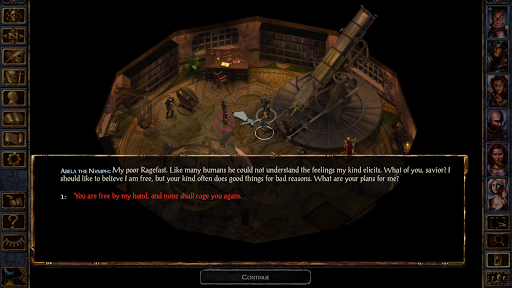
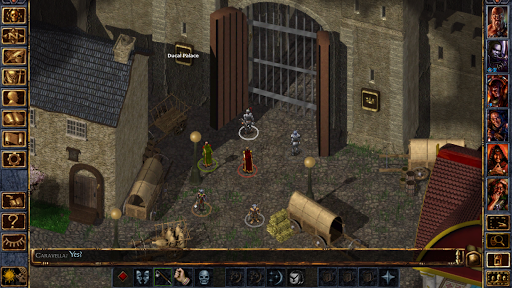
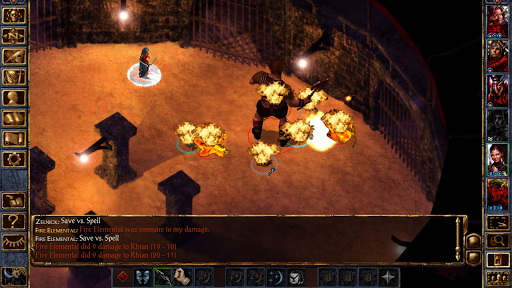
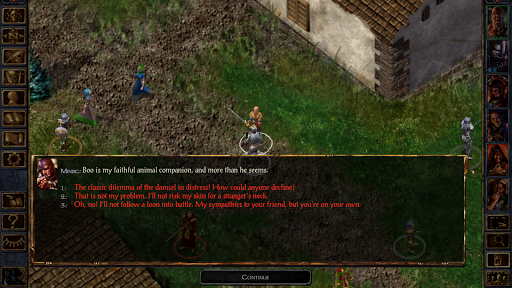
This game is optimized for tablets and not recommended for phones with screen sizes under 7 inches.
Baldur’s Gate: Enhanced Edition is the classic 1998 RPG— enhanced for modern adventurers. Customize your hero, gather your party, and venture forth in this open-world epic where every choice matters.
75+ HOURS OF CONTENT
Contains the original 60-hour adventure, as well as the following additions:
- Countless improvements to the original game, including an improved interface, dynamic zooming, and more.
- TALES OF THE SWORD COAST | Explore more of the Sword Coast, including the fabled Durlag’s Tower.
- THE BLACK PITS | Battle a myriad of monsters in Baeloth’s marvelous arena.
- BROTHERS LOST | Help Rasaad yn Bashir, the Sun Soul Monk, as he scours the Cloud Peaks in search of his lost brother.
AVAILABLE IN-APP PURCHASES:
- NEERA AND THE RED WIZARDS | Save the wild mage Neera from the machinations of Thay’s dreaded Red Wizards
- PATH OF THE BLOODIED | Join the blackguard Dorn Il-Khan in taking revenge against those who betrayed him in Luskan
- GALLERY OF HEROES | Reimagine your character with eleven new character portraits from Icewind Dale artist Jason Manley
- NEW VOICE SETS | Further customize your character
STORY
Forced to leave your home under mysterious circumstances, you find yourself drawn into a conflict that has the Sword Coast on the brink of war. Soon you discover there are other forces at work, far more sinister than you could ever imagine...
Show more

1. Download MEmu installer and finish the setup

2. Start MEmu then open Google Play on the desktop

3. Search Baldur's Gate Enhanced Edition in Google Play
Install
4. Download and Install Baldur's Gate Enhanced Edition
5. On install completion click the icon to start

6. Enjoy playing Baldur's Gate Enhanced Edition on PC with MEmu
MEmu Play is the best Android emulator and 100 million people already enjoy its superb Android gaming experience. The MEmu virtualization technology empowers you to play thousands of Android games smoothly on your PC, even the most graphic-intensive ones.
Bigger screen with better graphics; Long duration, without limitation of battery or mobile data.
Full Keymapping support for precise control of keyboard and mouse or gamepad.
Multiple game accounts or tasks on single PC at one time with Multi-Instance manager.
Play Baldur's Gate Enhanced Edition on PC by following steps: