Idle Angels: 6th Anniv
Updated
Current Version
9.7.0.092401
Offered By

With your passion for Idle Angels: 6th Anniv, you shouldn’t have to limit yourself to the small screen of a phone. Play like a pro and take full control of the game using a keyboard and mouse. MEmu gives you everything you’re looking for. Download and play Idle Angels: 6th Anniv on PC. Play as long as you want — no more worries about battery life, mobile data, or unexpected calls. The all-new MEmu 9 is the best way to play Idle Angels: 6th Anniv on PC. With our expertly designed keymapping system, Idle Angels: 6th Anniv feels just like a real PC game. The MEmu multi-instance manager lets you run two or more accounts on the same device at the same time. Most importantly, our exclusive emulation engine unlocks your PC’s full potential, delivering smooth and seamless performance.
Show more
Download Idle Angels: 6th Anniv on PC with MEmu Android Emulator. Enjoy playing on big screen. The stars descend, crowned with glory!



The stars descend, crowned with glory!
Every login and every step of your growth is answered at this very moment.
■ 6th Anniversary Perks Massively Unlocked
Grab 200+ Summon Tickets! 100 Rare Goddess Summon Tickets will help you collect all the Goddesses!
Sign in for 14 days to unlock Hera's Wedding Skin and growth resources!
Anniversary Avatars are live, and Commemorative Cards are available.
Keep your exclusive 6th Anniversary memories alive.
■ Brand-New Zodiac Series Characters Arrive
Participate in events to obtain MR Perseus!
You can also get MR Cancer in the second week!
Complete events and trials to unlock exclusive Zodiac Goddesses!
■ Starry Summons, Accelerated Growth
The Anniversary Benefit Shop is now open!
Select a Goddess to obtain her, and unlock exclusive accelerated growth!
Reach goals to earn tokens, then exchange them for rare Goddesses and growth materials!
The event lasts for 30 days, with even more unimaginable surprises waiting to be unlocked!
■ Anniversary Themed Server Opens, Play with Ease!
20% bonus to Idle Rewards, making growth a breeze!
Exclusive benefit quests to help you reach the top faster!
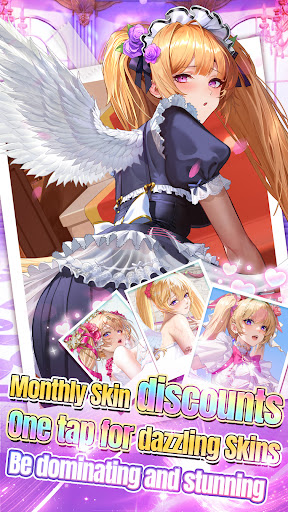
Themed cosmetics are live, with skins at 90% OFF!
Various gameplay modes light up this Starlight Gala!
On the occasion of our 6th Anniversary, thank you for your companionship, Master~
This time, as the stars shine brightly,
collect the brightest star that belongs to you!
Show more

1. Download MEmu installer and finish the setup

2. Start MEmu then open Google Play on the desktop

3. Search Idle Angels: 6th Anniv in Google Play
Install
4. Download and Install Idle Angels: 6th Anniv
5. On install completion click the icon to start

6. Enjoy playing Idle Angels: 6th Anniv on PC with MEmu
MEmu Play is the best Android emulator and 100 million people already enjoy its superb Android gaming experience. The MEmu virtualization technology empowers you to play thousands of Android games smoothly on your PC, even the most graphic-intensive ones.
Bigger screen with better graphics; Long duration, without limitation of battery or mobile data.
Full Keymapping support for precise control of keyboard and mouse or gamepad.
Multiple game accounts or tasks on single PC at one time with Multi-Instance manager.
Play Idle Angels: 6th Anniv on PC by following steps: