Idle Weapon Shop Tycoon
Updated
Current Version
1.3.0
Offered By

With your passion for Idle Weapon Shop Tycoon, you shouldn’t have to limit yourself to the small screen of a phone. Play like a pro and take full control of the game using a keyboard and mouse. MEmu gives you everything you’re looking for. Download and play Idle Weapon Shop Tycoon on PC. Play as long as you want — no more worries about battery life, mobile data, or unexpected calls. The all-new MEmu 9 is the best way to play Idle Weapon Shop Tycoon on PC. With our expertly designed keymapping system, Idle Weapon Shop Tycoon feels just like a real PC game. The MEmu multi-instance manager lets you run two or more accounts on the same device at the same time. Most importantly, our exclusive emulation engine unlocks your PC’s full potential, delivering smooth and seamless performance.
Show more
Download Idle Weapon Shop Tycoon on PC with MEmu Android Emulator. Enjoy playing on big screen. Beasts have invaded the peaceful forest!
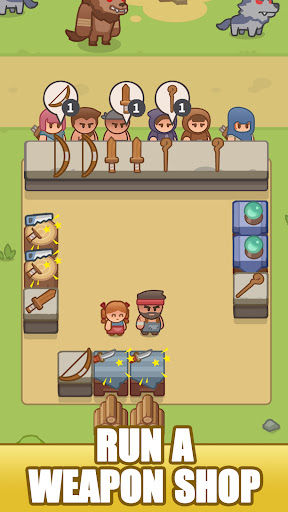
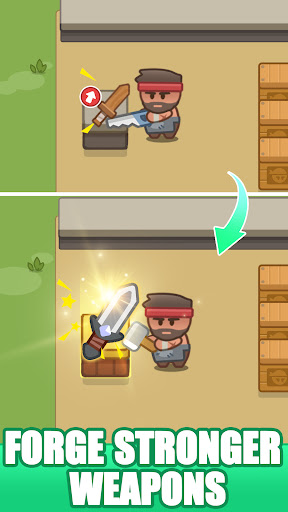
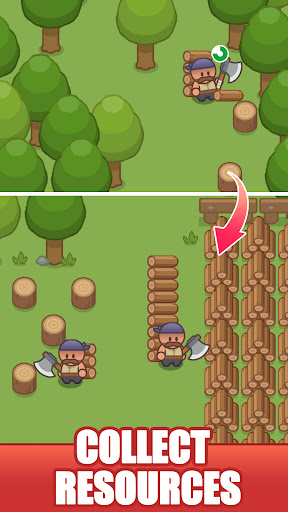
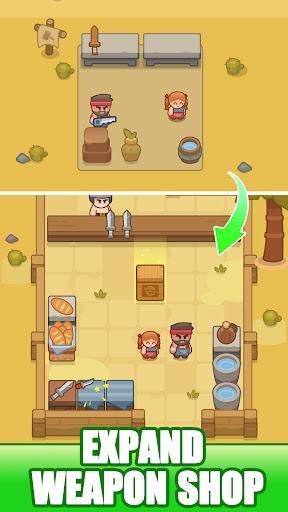
Beasts have invaded the peaceful forest! The brave hunters began their adventure and you're running a post-apocalyptic weapen trading post in the forest!
As an enterprising clerk at "Weapon Shop", Your task is to manage and upgrade an eclectic array of weaponry, catering to the needs of brave explorers and hunters seeking to carve out a future in this harsh new reality. As the tycoon of your weapon shop, success lies in your ability to balance crafting, sales, and upgrades, all while expanding your business empire.
When night falls, perhaps mysterious customer will visit your store!
Starting with a humble forge and grow your trading empire!
In our game, you can:
*Manage a Weapon Shop and Become a Business Tycoon
- Manage: Trade various types of equipment with customers, accumulate wealth, and become a millionaire.
- Customize: Customize the shop owner's attire and wear fantastical fashion to attract more customers!
- PET: In the dense forest, companionship is scarce. Choose an animal as a pet to alleviate loneliness.Feed them and they will bring unexpected surprises at critical moments.
*Weapon Crafting and Sales
Craft and sell a broad variety of weapons to your customers. Each hunter customer comes with their own unique needs and preferences, ranging from traditional hunting weapons sword, bows and arrows to wand、 plasma swords.
*RPG Adventure Battles
- Don't let any beast survive: defeat all enemies and loot their treasures!
-Crush enemies during exploration, defeat powerful bosses, earn coins, and loot with explorers! Kill every beast you meet in this role-playing game!
*Ton of locations
Start with a basic weapons shop in the forest, then upgrade and expand as you gain resources and profit. As you progress, discover new locations, from the edge of the forest to deserts, mines to volcanoes, and build the most prosperous trade network in the world!
*Idle Progression
Set up your lineup of heroes and let them battle automatically for you! Automation upgrades allow your empire to thrive, earning income and crafting weapons in your absence. Return to make strategic decisions and reap the rewards of your empire's growth.
In "Idle Weapon Shop Tycoon," every decision shapes the destiny of your empire. Craft with precision, trade with wisdom, and build your legacy, one weapon at a time.
Show more

1. Download MEmu installer and finish the setup

2. Start MEmu then open Google Play on the desktop

3. Search Idle Weapon Shop Tycoon in Google Play
Install
4. Download and Install Idle Weapon Shop Tycoon
5. On install completion click the icon to start

6. Enjoy playing Idle Weapon Shop Tycoon on PC with MEmu
MEmu Play is the best Android emulator and 100 million people already enjoy its superb Android gaming experience. The MEmu virtualization technology empowers you to play thousands of Android games smoothly on your PC, even the most graphic-intensive ones.
Bigger screen with better graphics; Long duration, without limitation of battery or mobile data.
Full Keymapping support for precise control of keyboard and mouse or gamepad.
Multiple game accounts or tasks on single PC at one time with Multi-Instance manager.
Play Idle Weapon Shop Tycoon on PC by following steps: