Jewel Pirate Island
Updated
Current Version
Offered By

With your passion for Jewel Pirate Island, you shouldn’t have to limit yourself to the small screen of a phone. Play like a pro and take full control of the game using a keyboard and mouse. MEmu gives you everything you’re looking for. Download and play Jewel Pirate Island on PC. Play as long as you want — no more worries about battery life, mobile data, or unexpected calls. The all-new MEmu 9 is the best way to play Jewel Pirate Island on PC. With our expertly designed keymapping system, Jewel Pirate Island feels just like a real PC game. The MEmu multi-instance manager lets you run two or more accounts on the same device at the same time. Most importantly, our exclusive emulation engine unlocks your PC’s full potential, delivering smooth and seamless performance.
Show more
Download Jewel Pirate Island on PC with MEmu Android Emulator. Enjoy playing on big screen. Hoist the sails and journey to uncharted islands!
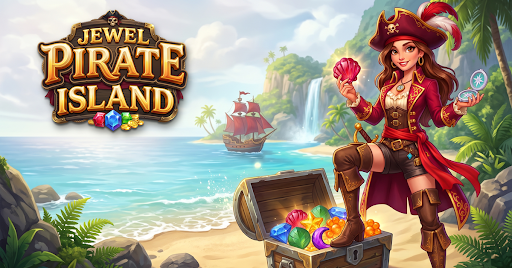
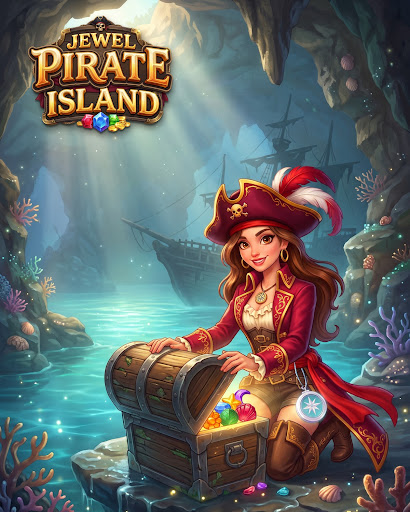
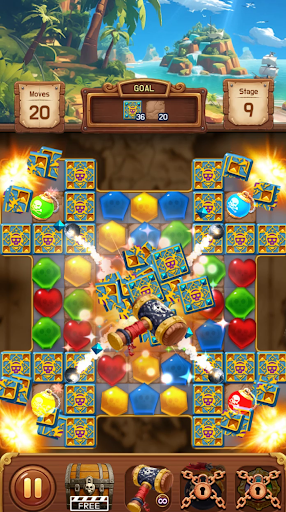
Hoist the sails and journey to uncharted islands!
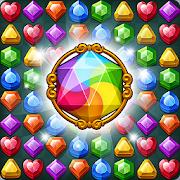
Grab your weather-worn treasure map and embark on a thrilling high-seas match-3 puzzle adventure to uncover legendary pirate riches!
Explore mysterious tribal islands, face eerie ghost ships, and challenge giant sea krakens lurking in the deep!
Board your ship alongside loyal parrots and mischievous monkeys, solve brilliant jewel puzzles, and conquer the seven seas.
Ready to fire the cannons and blast away every obstacle? Cast off now!
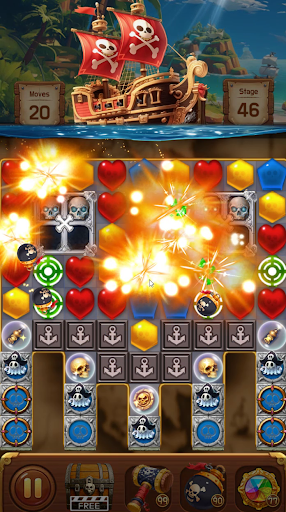
• Match sparkling gems and watch them blast!
• Fire powerful pirate cannons and activate epic adventure boosters.
• Follow the treasure map through 500+ vibrant and exciting tropical stages!
──────────────────────
[How to Play]
• Match 3 or more jewels of the same color to blast them away.
• Match 4 or more to forge powerful relics and explosive pirate bombs!
• BOOM! Fire your ship's cannons and combine special items to clear the board in one go.
• Complete thrilling voyage quests to chart new courses across unknown waters!
[Game Features]
Island-Hopping Adventure
• Handcrafted stages with regular route and content updates!
• Encounter exciting pirate hazards: mysterious tribal lands, haunted ghost ships, and giant krakens.
• Fun nautical boosters and themed relics featuring parrots, monkeys, compasses, and maps!
Unlimited Play, Even Offline!
• No stamina, lives, or hearts! Play as much as you want without waiting.
• No Wi-Fi or cellular data needed to play (ads and purchases require a connection).
• Perfect for commutes, flights, and gaming anytime on the go!
Dynamic Visuals & Explosive Combos
• Roaring cannon effects, fluid gem-blasting animations, and colorful island art.
• Simple one-finger controls anyone can pick up, with deep tactical layers to master!
Lightweight & Fast
• A compact download size that saves device storage and runs smoothly everywhere.
──────────────────────
[Notice]
• If your progress is not saved in-game, data may reset when the application is deleted.
• Data does not automatically transfer when changing devices without saving.
• Free to play, with optional in-app purchases for game currency, items, and ad-free access.
• Contains interstitial, banner, and rewarded video ads.
Show more

1. Download MEmu installer and finish the setup

2. Start MEmu then open Google Play on the desktop

3. Search Jewel Pirate Island in Google Play
Install
4. Download and Install Jewel Pirate Island
5. On install completion click the icon to start

6. Enjoy playing Jewel Pirate Island on PC with MEmu
MEmu Play is the best Android emulator and 100 million people already enjoy its superb Android gaming experience. The MEmu virtualization technology empowers you to play thousands of Android games smoothly on your PC, even the most graphic-intensive ones.
Bigger screen with better graphics; Long duration, without limitation of battery or mobile data.
Full Keymapping support for precise control of keyboard and mouse or gamepad.
Multiple game accounts or tasks on single PC at one time with Multi-Instance manager.
Play Jewel Pirate Island on PC by following steps: