
Sumikkogurashi Farm
Updated
Current Version
6.10.3
Offered By

With your passion for Sumikkogurashi Farm, you shouldn’t have to limit yourself to the small screen of a phone. Play like a pro and take full control of the game using a keyboard and mouse. MEmu gives you everything you’re looking for. Download and play Sumikkogurashi Farm on PC. Play as long as you want — no more worries about battery life, mobile data, or unexpected calls. The all-new MEmu 9 is the best way to play Sumikkogurashi Farm on PC. With our expertly designed keymapping system, Sumikkogurashi Farm feels just like a real PC game. The MEmu multi-instance manager lets you run two or more accounts on the same device at the same time. Most importantly, our exclusive emulation engine unlocks your PC’s full potential, delivering smooth and seamless performance.
Show more
Download Sumikkogurashi Farm on PC with MEmu Android Emulator. Enjoy playing on big screen. Enjoy a Relaxing Farm Life with Sumikkogurashi!
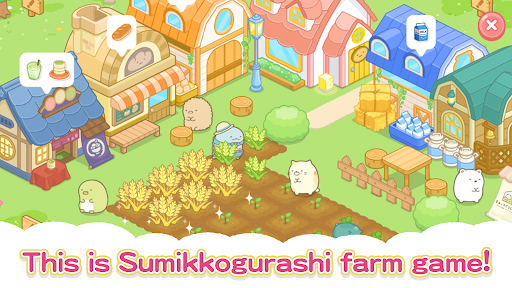
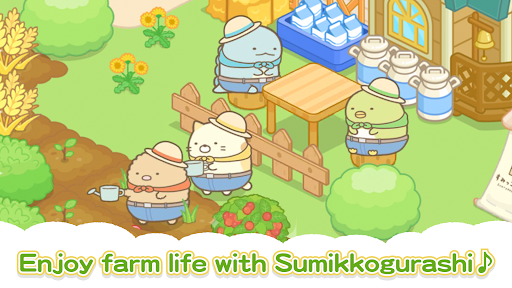
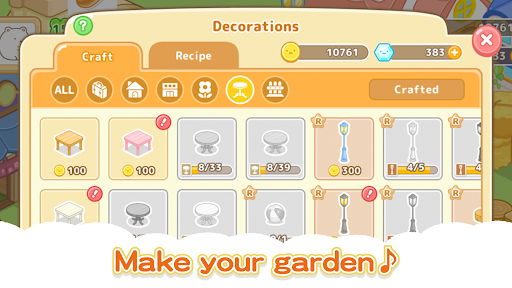
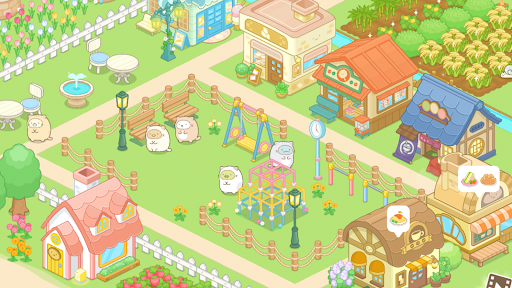
Enjoy a Relaxing Farm Life with Sumikkogurashi!
This game is perfect for those who love farming games, enjoy a relaxing experience, or are fans of Sumikkogurashi. Create your very own farm and garden with the help of the beloved Sumikkogurashi characters. Decorate your farm, grow crops, and enjoy the adorable adventures in a cute, heartwarming world.
Features of the Game
◆ Experience a Relaxing Farm Life
Cultivate crops in your fields and expand your farm and garden. Use the harvested crops to make treats and meals, which can be shipped to earn coins and experience points. Design your dream farm with colorful decorations and cute items. Perfect for fans of kawaii games!
◆ Animal Care and Item Collection
Take care of adorable animal-like characters and collect eggs while developing your farm. Unlock new areas and items as your farm grows, creating a vibrant and lively farming game experience.
◆ Dress Up Your Favorite Characters
Customize Sumikkogurashi characters with the “dress-up” feature. Change their outfits to match the seasons or your mood, adding charm and fun to your cute game.
◆ Create Your Unique Farm
Enjoy the sandbox-style gameplay by decorating your farm and garden to your taste. For those who love gardening, plant flowers and trees to create a beautiful, personalized garden. This game is ideal for players who love farm games and cute games.
◆ Spend Relaxing and Healing Moments
This game provides a stress-free and soothing experience. Escape from the busy day-to-day grind and enjoy slow-paced, fulfilling farm life alongside Sumikkogurashi characters.
Who This Game is For
• Fans of Sumikkogurashi characters
• Lovers of farming games, farm games, and sandbox-style games
• Players who enjoy cute games and kawaii games
• Those looking for a calming, stress-free game experience
• Anyone interested in farm and gardening simulations
Build Your Dream Farm
Grow crops, care for animals, and expand your farm with adorable Sumikkogurashi characters. Create a unique farm and experience the joy of relaxing gameplay that lets you unwind and find comfort.
Please note:
Some paid content is available in the game.
An internet connection is required to play, and data usage fees may apply.
System Requirements
• Android OS 6.0 or later
• 64-bit CPU
© 2020 San-X Co., Ltd. All Rights Reserved.
© Imagineer Co., Ltd.
Show more

1. Download MEmu installer and finish the setup

2. Start MEmu then open Google Play on the desktop

3. Search Sumikkogurashi Farm in Google Play
Install
4. Download and Install Sumikkogurashi Farm
5. On install completion click the icon to start

6. Enjoy playing Sumikkogurashi Farm on PC with MEmu
MEmu Play is the best Android emulator and 100 million people already enjoy its superb Android gaming experience. The MEmu virtualization technology empowers you to play thousands of Android games smoothly on your PC, even the most graphic-intensive ones.
Bigger screen with better graphics; Long duration, without limitation of battery or mobile data.
Full Keymapping support for precise control of keyboard and mouse or gamepad.
Multiple game accounts or tasks on single PC at one time with Multi-Instance manager.
Play Sumikkogurashi Farm on PC by following steps: